Official BytePlus partnerBuilt on BytePlus, ByteDance's official AI platform
Style
Pencil sketch AI generator
The Pencil sketch style draws your prompt in graphite: fine lines, cross-hatched shading and a black-and-white sketchbook feel.
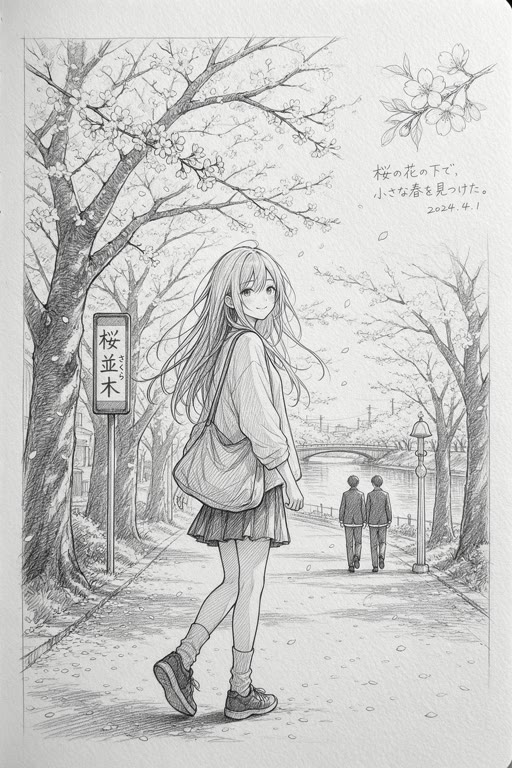
What the style does
Graphite drawing with cross-hatching and fine line art, like a sketchbook page. The Pencil sketch style in the image and video studios.
Good for
- Concept art and early ideas
- Portraits and architecture studies
- Tutorial and storyboard visuals
Example prompt
Type this in the studio with Pencil sketch selected:
An old stone bridge over a river with a small boat underneath, afternoon light
Prompt tips
- Describe the subject's shape and pose clearly
- Ask for strong light so the shading has contrast
- Architecture and faces show off the hatching well
Where you can use it
- Image studio: pick Pencil sketch in the style picker. It works with whichever image model you choose.
- Video studio: pick Pencil sketch in the art-style picker. The look is applied while the clip is generated.
How to use it
- 1
Open a studio
Go to the image studio for pictures or the video studio for clips.
- 2
Pick Pencil sketch
Choose Pencil sketch in the style picker. The preview tile shows the look.
- 3
Write your prompt
Describe the subject and scene in your own words. The style adds the look on top; your text is never replaced.
- 4
Generate
The credit cost is shown before you generate, and it is the same with or without a style.
What it costs
A style is free to use: it only changes the prompt, so the price is the normal price of the generation.
For example, one Seedream 4.5 image is 2 credits and a 5-second Seedance 2.0 clip at 720p is 15 credits, with or without a style.
Questions
Can I use a sketch as a storyboard for a video?
Yes. Generate sketch frames to plan the shots, then make the final clips in the video studio with or without a style.
Does a style cost extra credits?
No. A style only adds words to the prompt that is sent, so you pay the normal price: for example 2 credits for a Seedream 4.5 image.
Does the style replace my prompt?
No. Your prompt stays exactly as you wrote it. The style is added on top to set the look.
Can I switch styles on the same prompt?
Yes. Keep the prompt, pick a different style and generate again to compare looks side by side.
Try the Pencil sketch style
Open the image studio, pick the style and write your prompt. New accounts get free starter credits.