Official BytePlus partnerBuilt on BytePlus, ByteDance's official AI platform
Style
Ukiyo-e AI generator
The Ukiyo-e style turns your prompt into a traditional Japanese woodblock print: flat colour areas, bold flowing outlines, stylised waves and clouds, and textured washi paper.
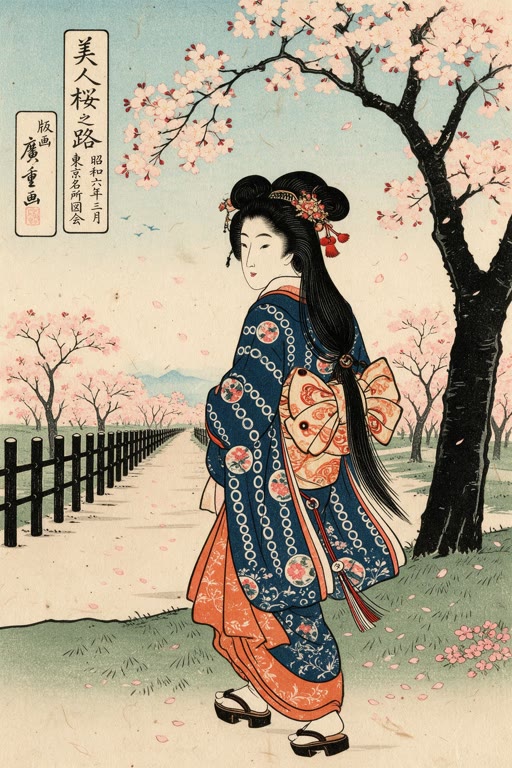
What the style does
Traditional Japanese woodblock print style: flat colour, bold outlines and washi paper texture. Pick Ukiyo-e in the image or video studio.
Good for
- Landscapes with waves, mountains and weather
- Posters and decorative prints
- Modern subjects drawn in a classic style
Example prompt
Type this in the studio with Ukiyo-e selected:
A fisherman's boat in tall waves under a rainy sky, a mountain in the distance
Prompt tips
- Nature works well: waves, rain, mountains, cranes
- Try a modern subject for contrast: a train, a city street, a cyclist
- Mention a season for the colour palette
Where you can use it
- Image studio: pick Ukiyo-e in the style picker. It works with whichever image model you choose.
- Video studio: pick Ukiyo-e in the art-style picker. The look is applied while the clip is generated.
How to use it
- 1
Open a studio
Go to the image studio for pictures or the video studio for clips.
- 2
Pick Ukiyo-e
Choose Ukiyo-e in the style picker. The preview tile shows the look.
- 3
Write your prompt
Describe the subject and scene in your own words. The style adds the look on top; your text is never replaced.
- 4
Generate
The credit cost is shown before you generate, and it is the same with or without a style.
What it costs
A style is free to use: it only changes the prompt, so the price is the normal price of the generation.
For example, one Seedream 4.5 image is 2 credits and a 5-second Seedance 2.0 clip at 720p is 15 credits, with or without a style.
Questions
What is ukiyo-e?
Ukiyo-e is a genre of Japanese woodblock printing from the Edo period, known for flat colour, bold outlines and scenes of landscapes and daily life.
Does a style cost extra credits?
No. A style only adds words to the prompt that is sent, so you pay the normal price: for example 2 credits for a Seedream 4.5 image.
Does the style replace my prompt?
No. Your prompt stays exactly as you wrote it. The style is added on top to set the look.
Can I switch styles on the same prompt?
Yes. Keep the prompt, pick a different style and generate again to compare looks side by side.
Try the Ukiyo-e style
Open the image studio, pick the style and write your prompt. New accounts get free starter credits.