UNLIMITED Seedream 5.5 · Live on every paid plan

See how
3D planning

Official BytePlus partnerBytePlus, a ByteDance company

Shot and reverse shot dialogue for AI video

How to film a conversation: over-the-shoulder shots, two-shots and the cuts between them, planned in Stage before you generate.

KreatorFlow1 min read

Short answer

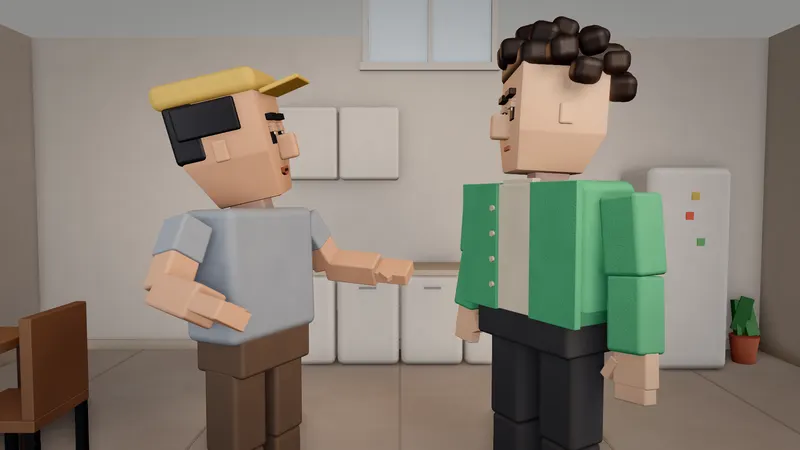
Film a conversation as a two-shot first, then cut between over-the-shoulder shots of each person. In Stage, put two characters in a shot, pick Two-shot, then make the next shots Over the shoulder on one person and the other. Add voice lines with lip sync.

Updated:

Plan a conversation in Stage

  1. 1

    Set the scene

    Ask Kiryu for two people at a table, in a cafe or on a rooftop.

  2. 2

    Make a two-shot

    In the camera panel pick Two-shot so both people are in frame.

  3. 3

    Shoot over one shoulder

    Add a shot and pick Over the shoulder framing the first person. This is the shot.

  4. 4

    Shoot the reverse

    Add the next shot framing the other person the same way. Switching between them is the reverse shot.

  5. 5

    Add voices

    Open Sound, add voice lines for each speaker and turn on lip sync for each character.

Rhythm tips

Shots run 2 to 15 seconds. Cut on the line, not on round seconds, and hold a reaction a moment before you cut away.

Cost

Free voices cost 0 credits. Premium voices cost 2 credits per 1,000 characters.
Frequently asked questions

What is shot reverse shot?

A way to film a conversation by cutting between each person, usually over the other's shoulder.

How do I keep both faces consistent?

Use Use my character on each stand-in so the final AI clip uses the same looks in every shot.

Why is lip sync missing?

Lip sync needs a character in the shot.

Try it in Stage

Open Stage and type your idea. Planning and saving the 3D video are free.

More guides