


Try this in the studio
How to try each feature
- 1
Open the Image studio on Seedream 5.5
Pick Seedream 5.5 in the model menu, then 1.5K and 2K and an aspect ratio (1:1, 3:4, 4:3, 2:3, 3:2, 9:16, 16:9 and 21:9, or Auto). The cost shows on the Generate button before you spend anything.
- 2
Write the picture, including any words
Describe subject, setting, light and style. Put any text you want in the picture in quotes, exactly as it should read, and say where it goes.
- 3
Add references or ask for a cut-out
Add up to 10 reference images (a face, a product, a place, a style). For a cut-out, switch on Transparent background and the image comes back as a PNG with no background.
- 4
Edit in rounds
Ask for one change at a time ("make the label gold", "move the cup to the left"). An edit costs 2 credits at 1.5K and 3 credits at 2K, since the picture you edit counts as an input image.
Made with Seedream 5.5
Real Seedream 5.5 images from early access, with no watermark. What each one shows is described honestly on the test results page.
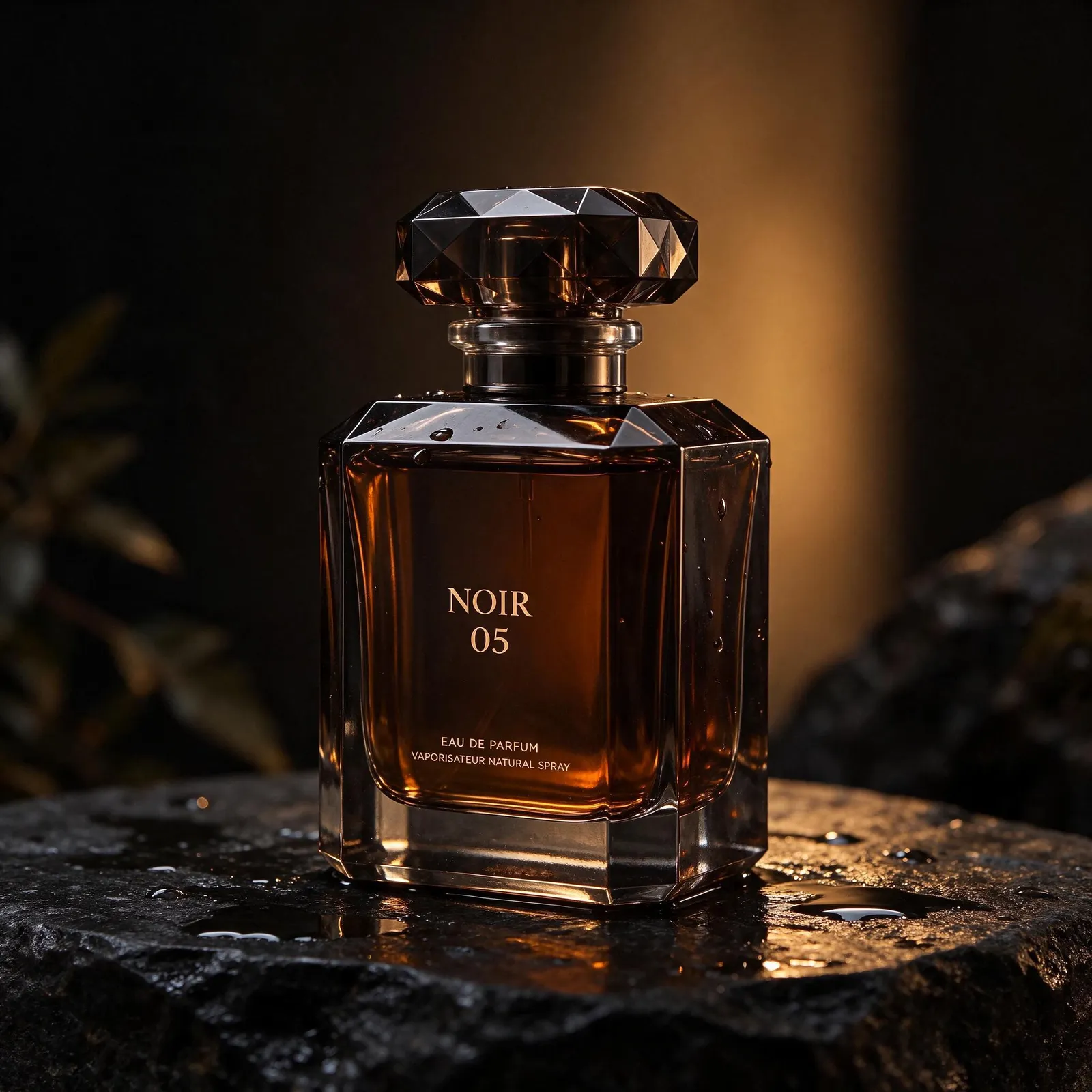
Product shot with a printed label: the large NOIR 05 and the two small lines under it are spelled correctly. 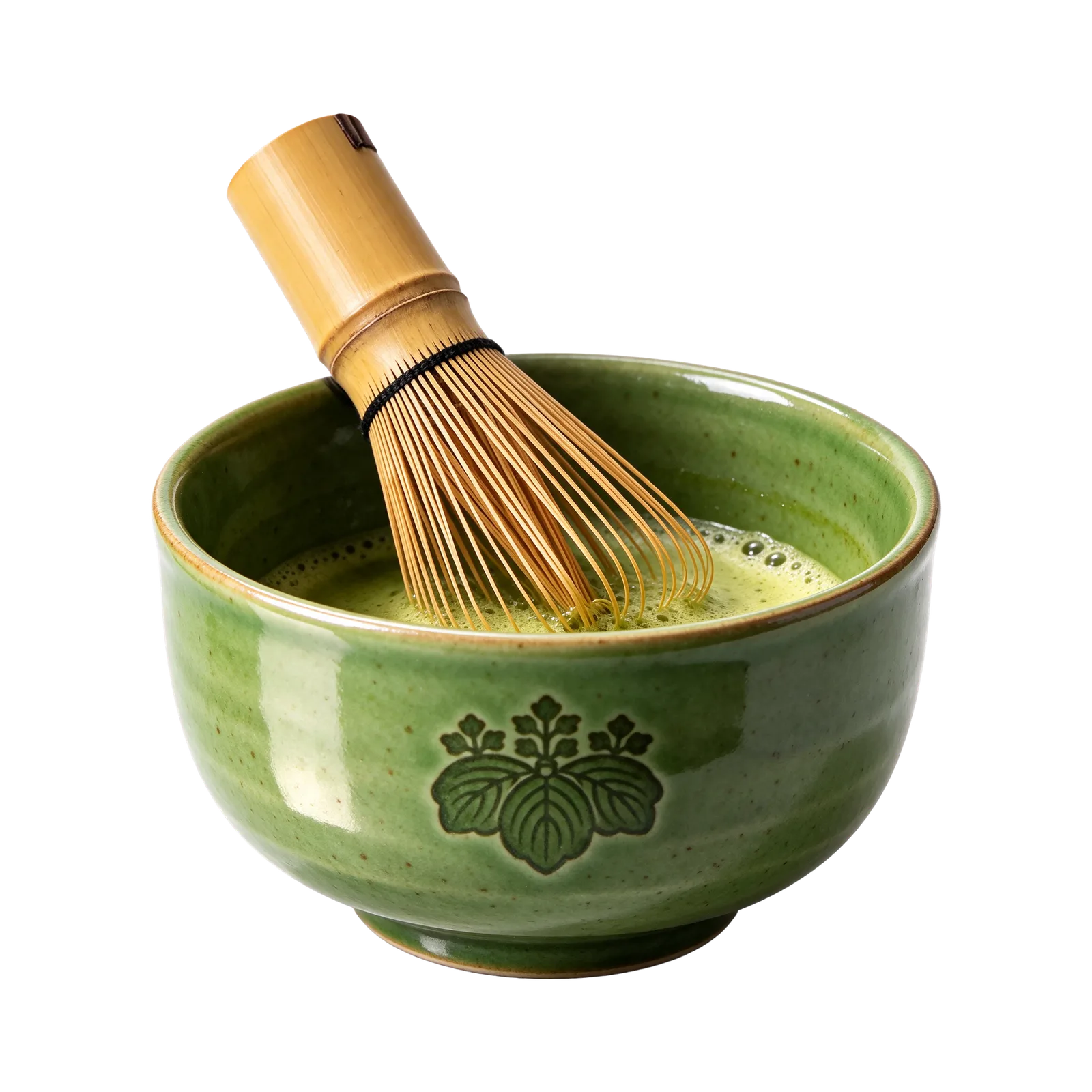
Transparent PNG cut-out: the bowl and whisk with no background, including the fine whisk tines. 
Poster with a headline, a date line and two small corner blocks of text, all spelled correctly. 
Hand-lettered window sign: "Open late. Stories inside." in script on wet glass. 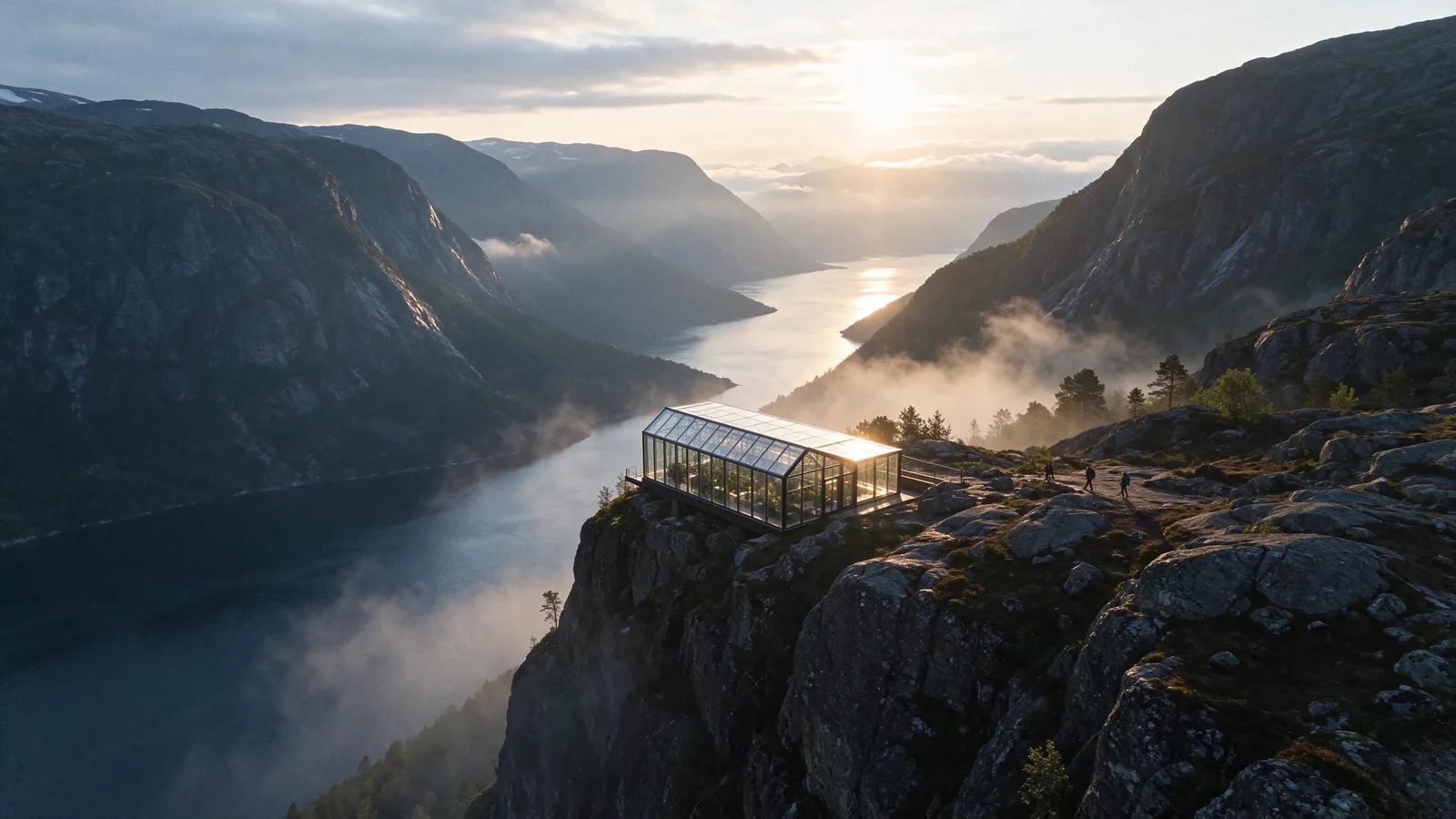
Wide 16:9 landscape: a glass greenhouse on a fjord cliff with mist and morning light. 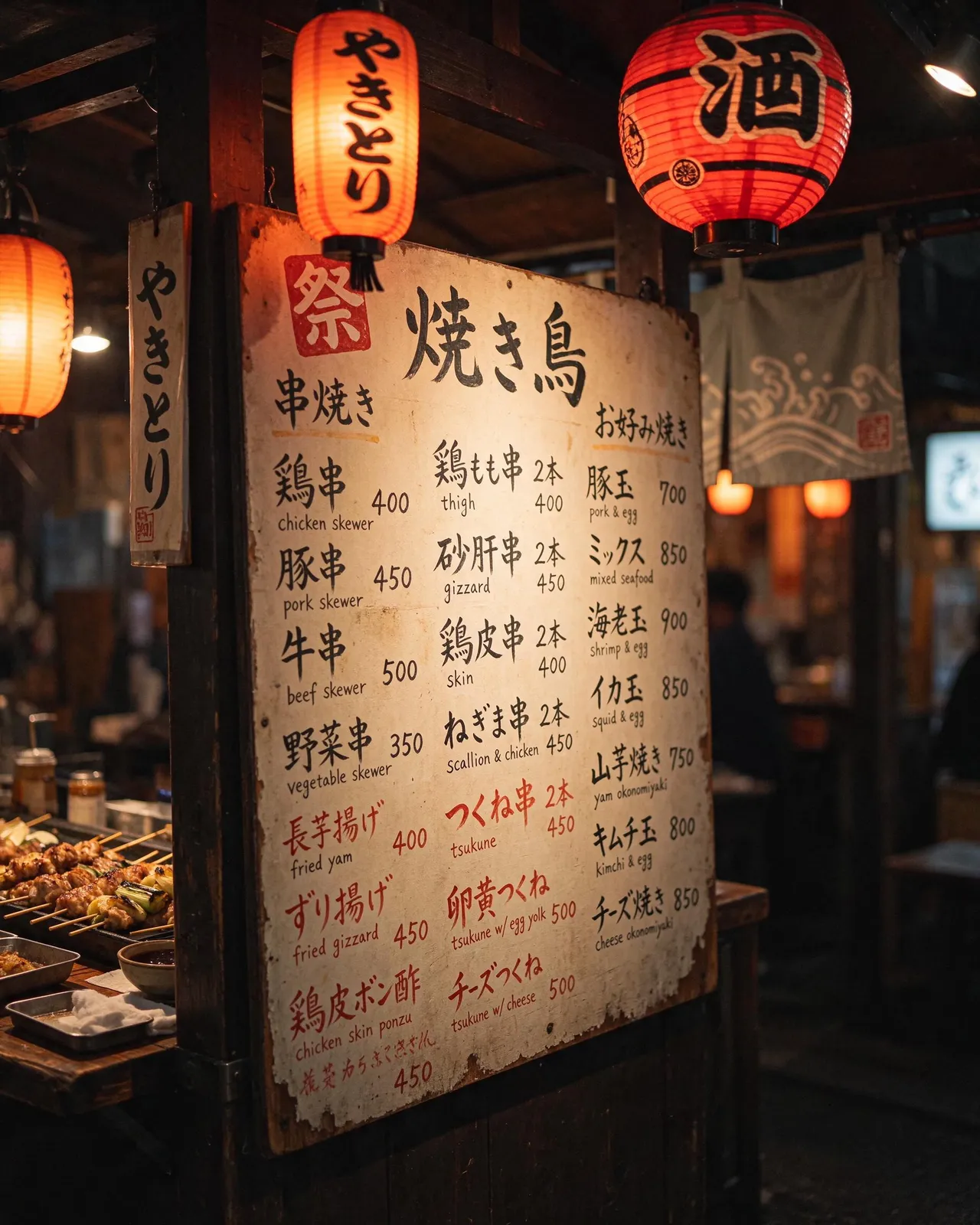
Bilingual menu: Japanese dish names with small English names and prices under them.
Seedream 5.5 at a glance
Read from the Image studio's code.
| Seedream 5.5 | |
|---|---|
| Sizes | 1.5K and 2K |
| Aspect ratios | 1:1, 3:4, 4:3, 2:3, 3:2, 9:16, 16:9 and 21:9, or Auto |
| Reference images | Up to 10 |
| Transparent background | Yes, as a PNG |
| Credits per image | 1 credit at 1.5K and 2 credits at 2K |
| Reference images cost | 1 credit for every 2 (rounded up) |
| Edit with a prompt | 2 credits at 1.5K, 3 credits at 2K |
| Layers | 8, 16, 30 or 100 layers per split |
Precise edits over many rounds
Seedream 5.5 is built to change the part you name and leave the rest alone. Ask for a new label colour, a different background or one more object, then ask again: the face, the product and the light should stay put from round to round instead of drifting or going soft.
Keep each request to one change. Name what must not change when it matters ("keep the bottle and the label exactly as they are").
More real faces, materials and light
Faces and proportions look more natural, and glass, metal, fabric and skin take light the way they do in a photo. Several reference images also blend into one scene more cleanly.
Small and multilingual text
Dense copy, small labels and text in more than one language come out readable far more often, so posters, menus, packaging and signs need less fixing. Quote the exact words in the prompt and keep each block short.
It is not perfect: check every line before you publish. On our bilingual menu test one small line came out garbled (see the test results).
Up to 10 reference images
Give Seedream 5.5 up to 10 pictures: a face from several angles, a product, a place, a colour palette. Every 2 reference images add 1 credit (rounded up), so 2 references at 1.5K come to 2 credits. A saved character can be called by its @handle instead of uploading photos again.
Transparent PNG on request
Switch on Transparent background and the image comes back as a PNG with an alpha channel: no background at all. That suits product cut-outs, stickers, logos and game assets. Only Seedream 5.5 offers this in the studio.
Layers: split a picture and edit the parts
Layers splits a Seedream image into a base and separate element and text layers (8, 16, 30 or 100). Move, resize, hide, reorder or re-word them, then save one PNG. The split costs credits, shown before you start.
Where Seedream 5.5 comes from
Seedream is ByteDance's image model family. KreatorFlow is an official partner of BytePlus, a ByteDance company, and runs Seedream 5.5 on BytePlus.