


Try this in the studio
How to make a product photo and a cut-out
- 1
Photograph the real product
Shoot it straight on in even light, plus one angle that shows the label. These are your reference images: the model copies shape, colour and label from them.
- 2
Pick Seedream 5.5, size and shape
In the Image studio pick Seedream 5.5, then 1:1 for a listing, 4:3 or 3:4 for a product page, or 9:16 for a story. 1.5K and 2K are the sizes.
- 3
Describe the scene and quote the label
Say where the product stands, the light and the mood, and type the label text in quotes exactly as printed.
- 4
For a cut-out, switch on Transparent background
Describe only the product (no table, no backdrop). The result is a PNG with an alpha channel, ready for a white page, a coloured banner or a marketplace listing.
- 5
Fix details with edits
Ask for one change at a time: "make the cap matte black", "add a soft shadow under the bottle". An edit costs 2 credits at 1.5K.
Seedream 5.5 product examples
A product shot with a small printed label, and a transparent cut-out shown on a checkerboard so you can see there is no background.
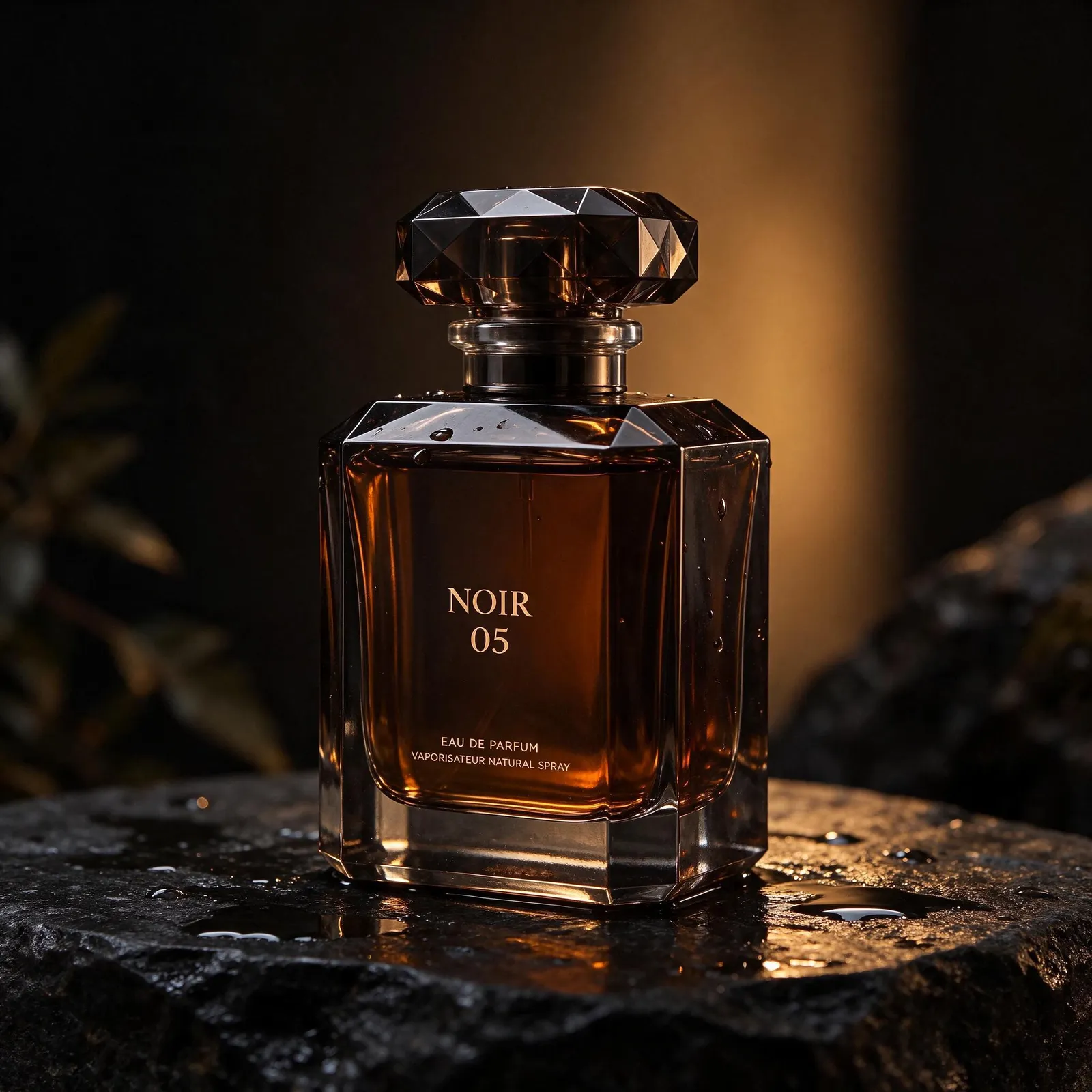
Product shot with a printed label: the large NOIR 05 and the two small lines under it are spelled correctly. 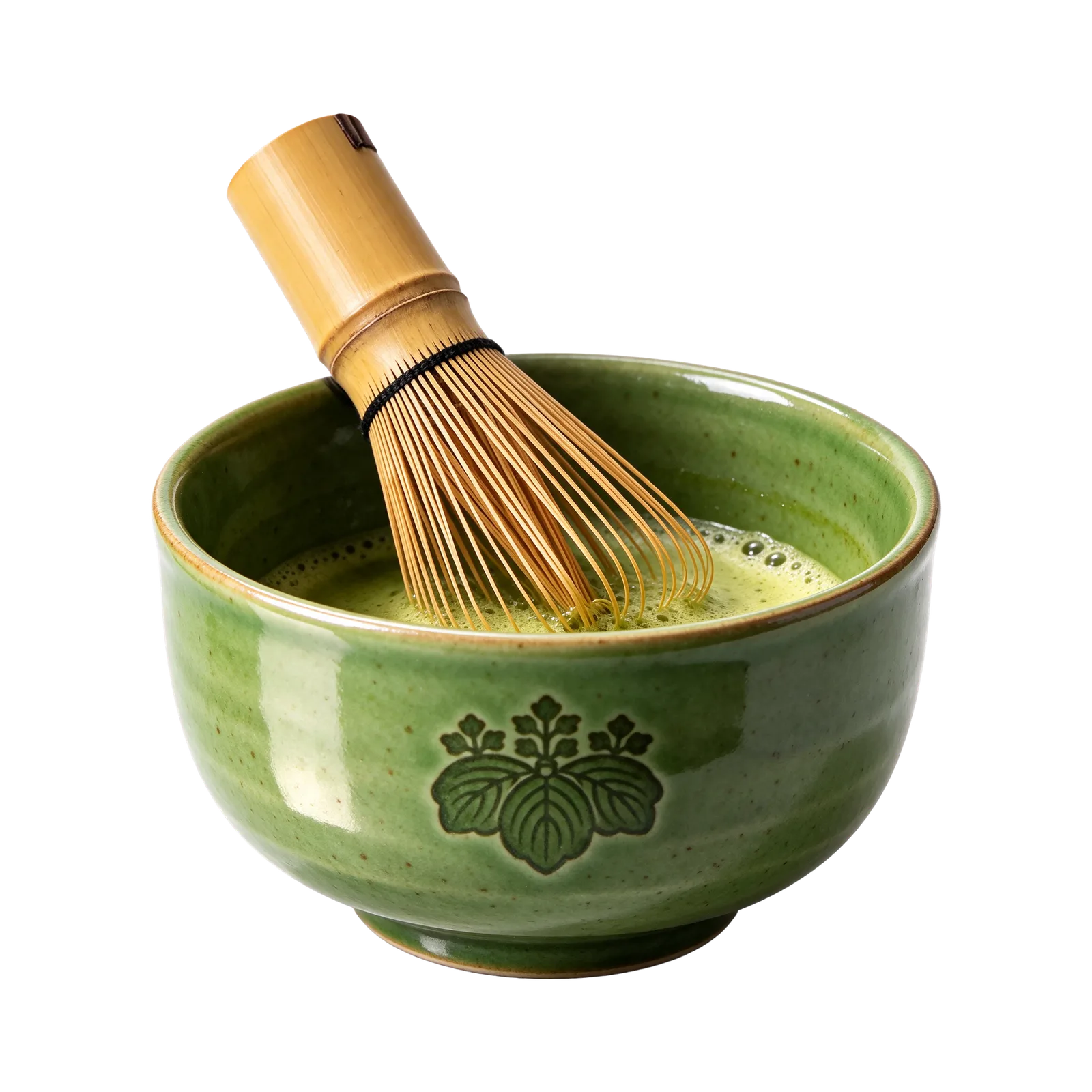
Transparent PNG cut-out: the bowl and whisk with no background, including the fine whisk tines.
Product prompts to copy
Add your own product photo as a reference for the closest match.
Hero shot on stone
Studio product photo of a square amber perfume bottle with a faceted dark glass cap on wet black slate, warm rim light from behind, water droplets on the glass. The label reads "NOIR 05" in a thin serif, with "EAU DE PARFUM" in small capitals underneath. Shallow depth of field, dark background.
Transparent cut-out
A green ceramic tea bowl with frothy matcha and a bamboo whisk resting in it, three-quarter view, soft even studio light, sharp edges, nothing else in the frame. Transparent background.
Flat lay for a listing
Top-down flat lay of a white skincare tube, a glass dropper bottle and a round jar on pale linen, soft morning light, gentle shadows. The tube label reads "Daily Calm" in small grey sans serif. Clean, bright, catalogue style.
Lifestyle scene
A stainless steel water bottle with a bamboo lid on a trail rock at sunrise, mountains soft in the distance, dew on the metal. Small engraved text near the base reads "Keep going". Natural light, 4:3.
Why the cut-out matters for e-commerce
A transparent PNG drops onto any background without masking by hand: white for a marketplace, a brand colour for a banner, a lifestyle photo for an ad. Seedream 5.5 is the only model in the KreatorFlow studio with a Transparent background switch.
On our matcha test, 63.3% of the pixels were fully transparent and the whisk tines kept a clean edge (details on the test results page).
References: how many to add
One clear photo is often enough for a simple product. Add a second angle for a label or a shape that matters. You can add up to 10. Every 2 reference images add 1 credit (rounded up), so 2 references at 1.5K come to 2 credits.
What a product shoot costs
Each image is 1 credit at 1.5K and 2 credits at 2K. Ten listing shots at 1.5K with 2 references each come to 20 credits. The studio shows the exact number before every image.