

Try this in the studio
How to pick between them in the studio
- 1
Draft on Seedream 4.5
Open the image studio, pick Seedream 4.5 and try your idea a few times. At 2 credits an image and a few seconds each, it is the quick way to find the composition.
- 2
Switch to Seedream 5.0 Pro for the keeper
Keep the same prompt and change the model to Seedream 5.0 Pro. It costs 4 credits at 2K and takes longer, so use it once you know what you want.
- 3
Use 4.5 when you need 4K
Seedream 4.5 goes up to 4K; Seedream 5.0 Pro tops out at 2K. For a poster or a print, render the final on 4.5 at 4K.
- 4
Add reference images for products and characters
Both take reference images (up to 10 on 5.0 Pro, up to 14 on 4.5). For a product or a recurring character, add clear photos so the details stay right.
Same prompt, both models
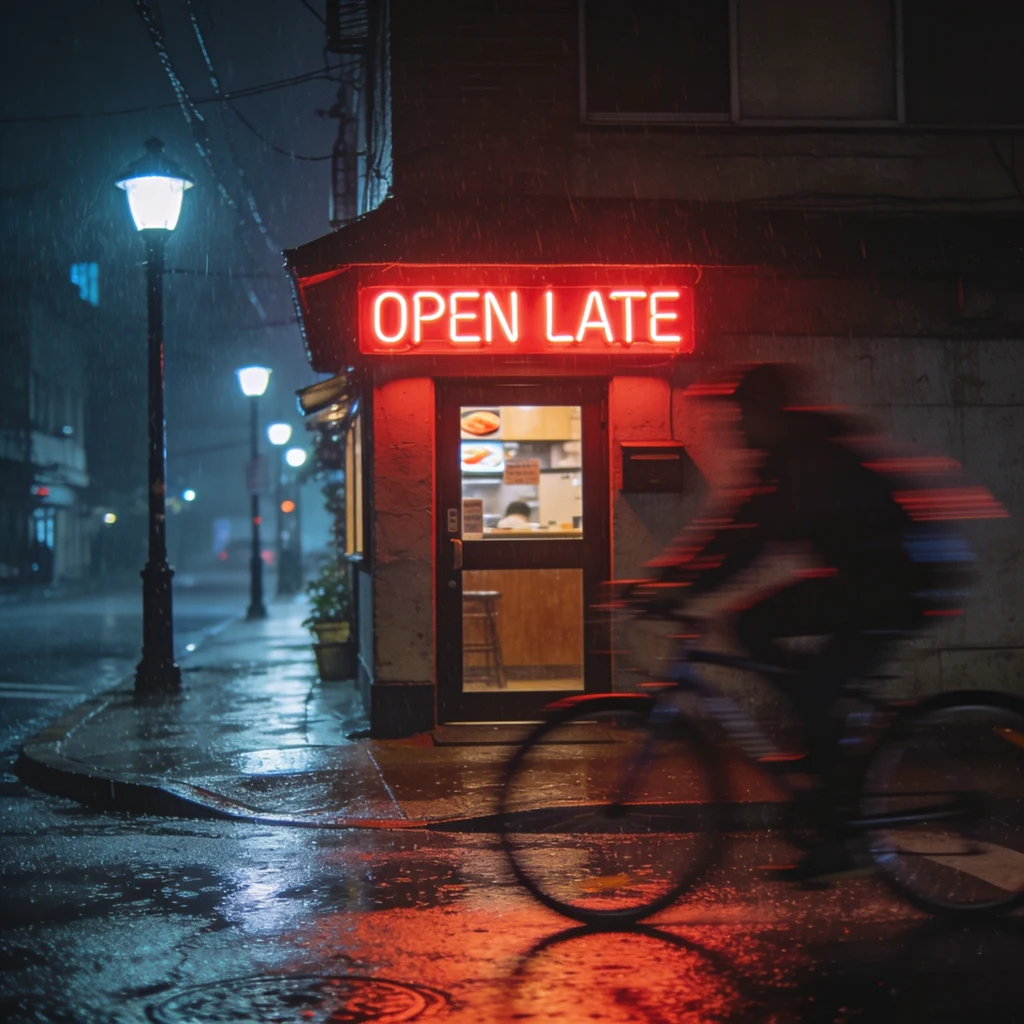
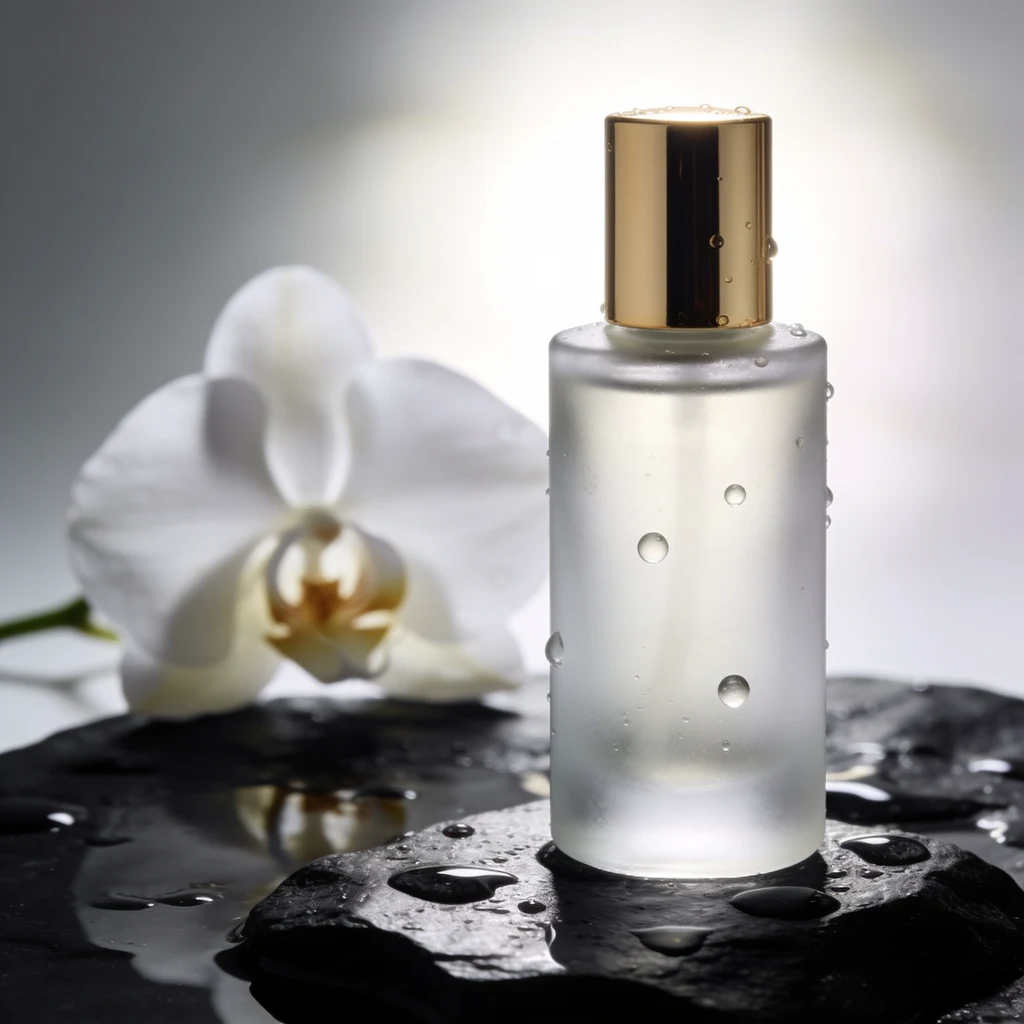
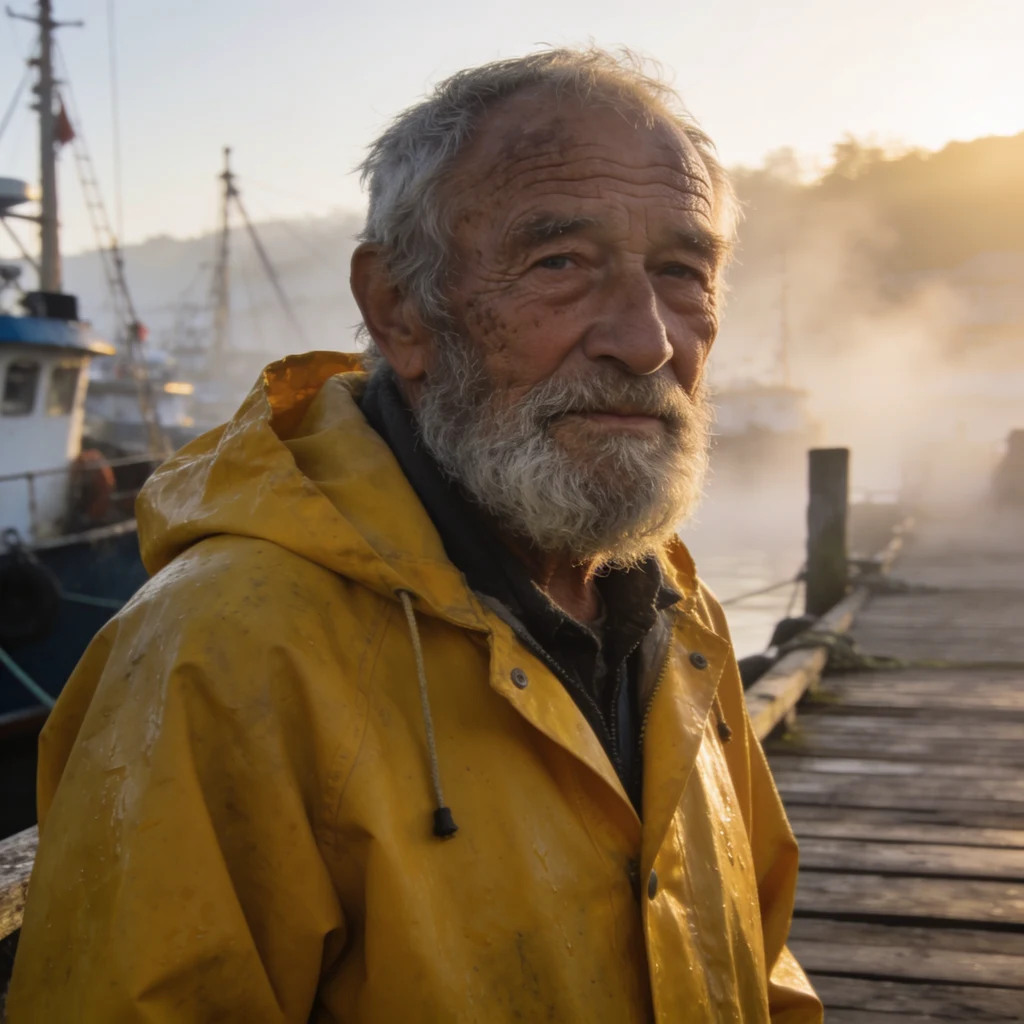
Three prompts, run once on each model at 2K in the KreatorFlow image studio on 9 November 2026. Nothing was picked from several tries or retouched. Left: Seedream 4.5. Right: Seedream 5.0 Pro.
Text in the picture: a rainy street corner with a neon sign that reads "OPEN LATE". Both spelled the sign right. 5.0 Pro gave a more natural night scene with detail inside the shop; 4.5 gave a punchier, higher-contrast frame.
Seedream 4.5 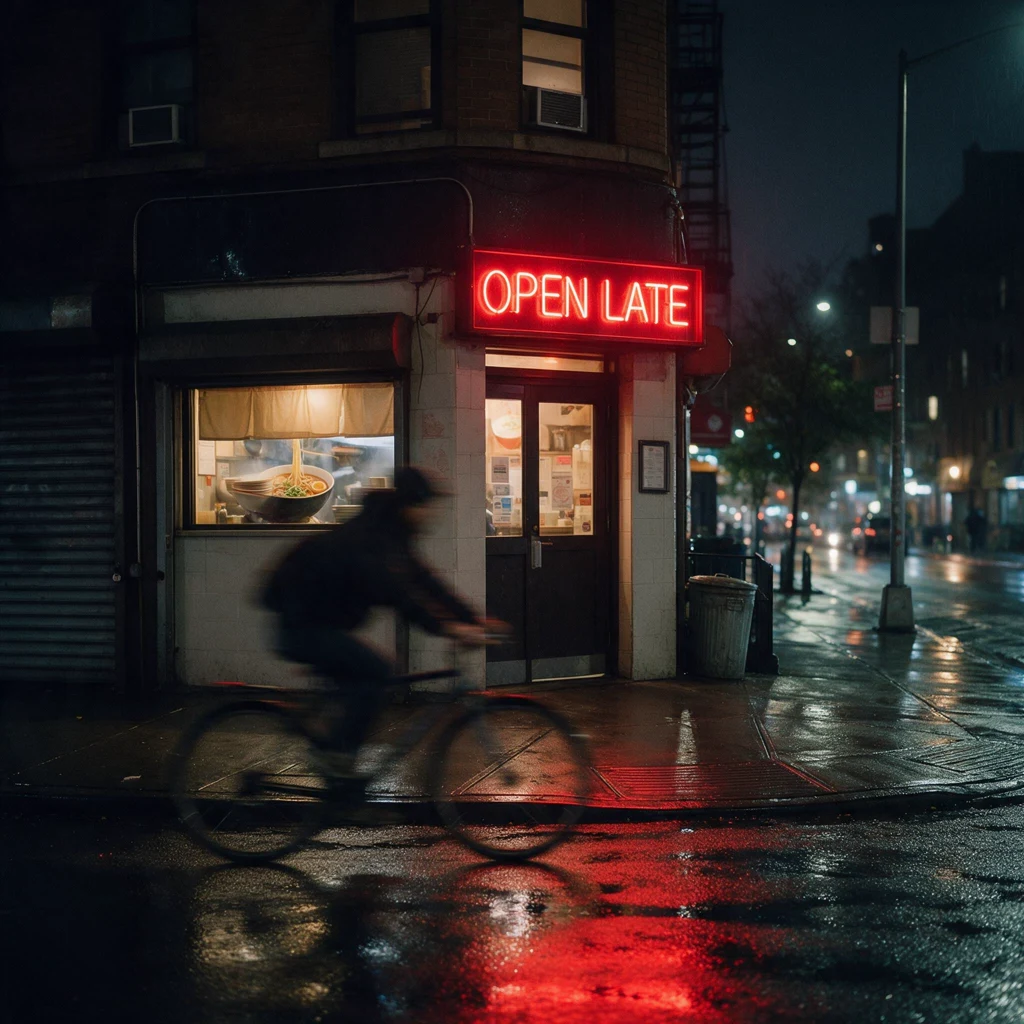
Seedream 5.0 Pro Product shot: a frosted perfume bottle on wet black stone. 4.5 put crisper water drops on the glass; 5.0 Pro drew a more designed bottle with softer, more even light.
Seedream 4.5 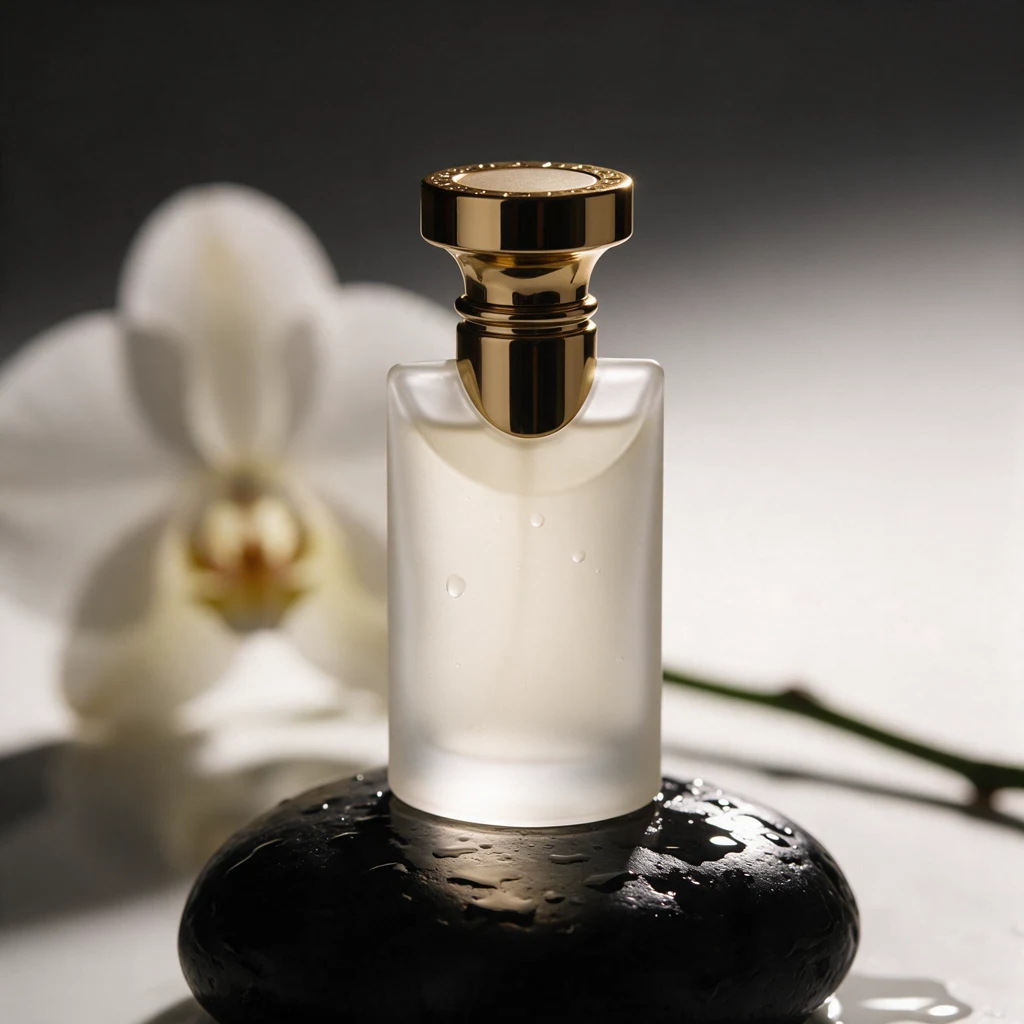
Seedream 5.0 Pro Portrait: a fisherman on a pier at dawn. Both have natural skin texture. 5.0 Pro read the "dawn" light more literally (cool, misty); 4.5 went warmer with a stronger beard and face detail.
Seedream 4.5 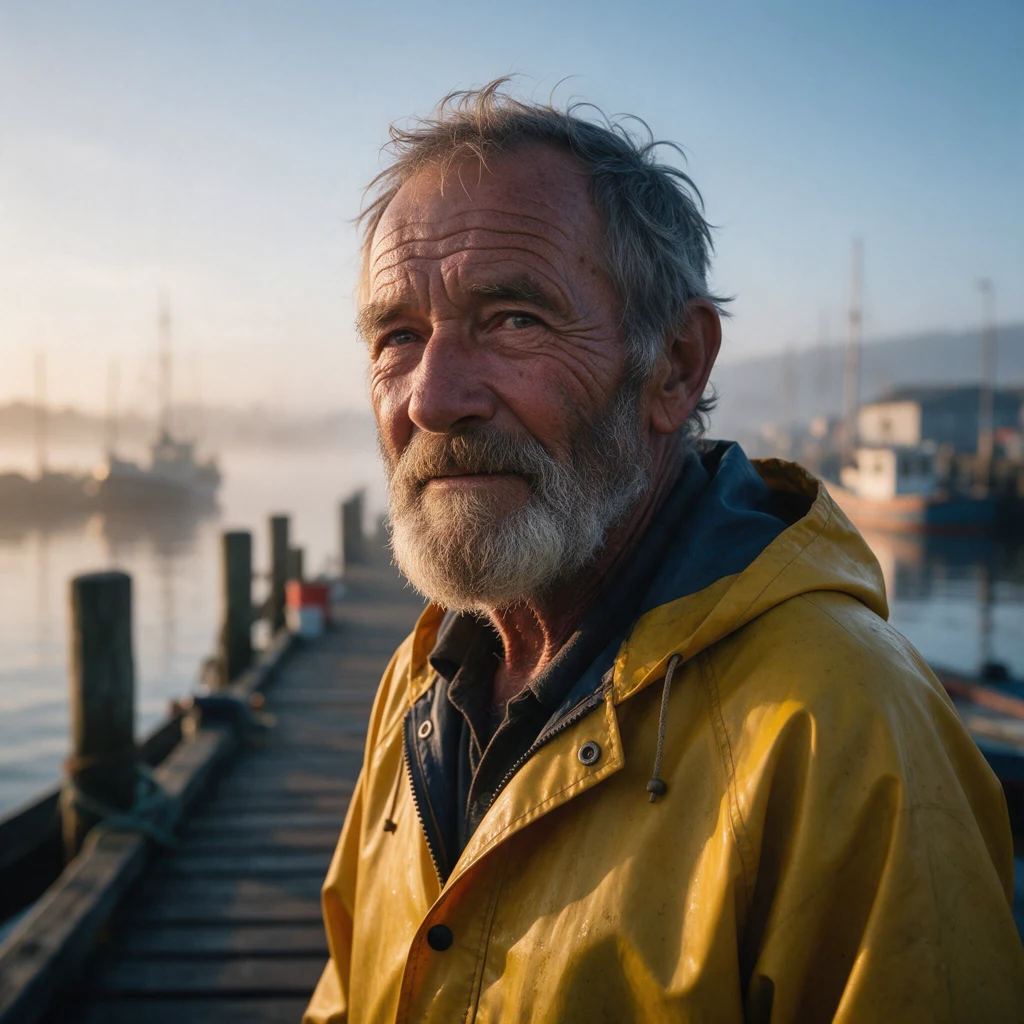
Seedream 5.0 Pro
The three test prompts
Paste one into the image studio and switch the model to see the difference yourself.
Neon sign (text)
A rainy night street corner with a small ramen shop, a glowing red neon sign above the door that reads "OPEN LATE" in clean block letters, reflections on the wet pavement, a cyclist passing with a blurred motion trail, cinematic 35mm photo
Perfume bottle (product)
Studio product photo of a frosted glass perfume bottle with a gold cap standing on a wet black stone, a few drops of water on the glass, soft rim light from behind, a single white orchid out of focus in the background, luxury advertising look
Fisherman (portrait)
Portrait of an elderly fisherman with a weathered face and a grey beard, wearing a yellow raincoat, standing on a wooden pier at dawn, light mist over the harbour behind him, natural skin texture, shot on 85mm, shallow depth of field
Seedream 5.0 Pro vs Seedream 4.5 on KreatorFlow
From the image studio's own settings and credit code, 9 November 2026. Speeds are from our test on the same day.
| Seedream 5.0 Pro | Seedream 4.5 | |
|---|---|---|
| Credits per image | 2 credits (1.5K), 4 credits (2K) | 2 credits at any size |
| Largest size | 2K | 4K |
| Sizes | 1.5K and 2K | 1K, 2K and 4K |
| Reference images | Up to 10 | Up to 14 |
| Time in our test | About a minute per 2K image | A few seconds per 2K image |
| Best at | Natural light, whole-scene detail, designed products | Punchy contrast, quick drafts, 4K prints |
What is different in Seedream 5.0 Pro?
Seedream 5.0 Pro is the newer model in ByteDance's Seedream family. In our test the clearest difference was the light: 5.0 Pro followed words like "dawn" and "night" more literally and kept the whole scene believable, including small details inside a shop window. Seedream 4.5 tends to push contrast and colour, which reads well on a phone screen.
Text is no longer the deciding factor between them. Both spelled "OPEN LATE" correctly on the first try.
Price and speed
On KreatorFlow, Seedream 4.5 costs 2 credits per image at every size, and 2 credits per edit. Seedream 5.0 Pro costs 2 credits at 1.5K and 4 credits at 2K, about 2 times as much as 4.5 at full size.
Speed matters when you iterate. In our test, each Seedream 4.5 image came back within a few seconds, while each Seedream 5.0 Pro image took about a minute. Times change with load, but the gap was consistent across all three prompts.
Which one should you use?
There is no single winner. They are good at different jobs:
- Product ads and lifestyle shots with natural light: Seedream 5.0 Pro.
- Many quick variations, thumbnails and social posts: Seedream 4.5.
- Posters and prints at 4K: Seedream 4.5.
- Signs and short text in the image: either; check the spelling in the result.
- Portraits: both look natural; pick by the mood you want (5.0 Pro cooler and more literal, 4.5 warmer and punchier).