Comparison guide · Official BytePlus partner
A Google Veo alternative with longer clips
Veo is excellent, but it lives inside Google's plans and its high-resolution clips stop at 8 seconds. KreatorFlow runs ByteDance's Seedance as a standalone studio: Seedance 2.0 clips run up to 15 seconds at any resolution, and you see every price first.
- Seedance video
- 4 to 15 second clips
- Up to 4K
- No watermark
- Credit packs
Official BytePlus partner · Built on BytePlus ModelArk, ByteDance's official AI platform
- camera templates
- 14camera templates
- free starter credits
- 10free starter credits
- Seedance 2.0 clips
- 4 to 15 sSeedance 2.0 clips
- top video resolution
- 4Ktop video resolution
How Veo and KreatorFlow differ
Veo is Google DeepMind's video model family. You reach it through the Gemini app, Google Flow or the Gemini API and Vertex AI. We checked Google's own pages on 30 September 2026: the current model is Veo 3.1, its API makes clips of 4, 6 or 8 seconds, 1080p and 4K are only available at 8 seconds, and in the Gemini app video generation starts on a paid Google AI plan. We do not quote Google's prices, because they vary by country and change often.
KreatorFlow is an independent studio and a Official BytePlus partner. Built on BytePlus ModelArk, ByteDance's official AI platform. Powered by ByteDance's Seedance 2.0 and Seedream models via BytePlus. It is a single place for images, characters and video, with credits you buy for this one purpose rather than as part of a wider bundle.
People who search for a Veo alternative usually want one of three things: longer shots at high resolution, a tool that does not depend on a larger subscription, or a second model to try the same idea on. The sections below cover each one.
KreatorFlow vs Google Veo, side by side
| Feature | KreatorFlow | Google Veo |
|---|---|---|
| Clip lengths | 4 to 15 s on Seedance 2.0 | 4, 6 or 8 s on Veo 3.1 |
| Longest clip at 1080p or 4K | 15 s | 8 s |
| Video on a free plan | No: video starts on the Creator plan (new accounts get 10 starter credits for images) | No: in the Gemini app video starts on Google AI Plus |
| Watermark | None added | Invisible SynthID watermark on every video |
| API | KreatorFlow API, prepaid tokens at $0.05 each | Gemini API and Vertex AI |
Google Veo facts checked on 30 September 2026 on the Veo 3.1 API docs and Gemini plans. Products change often, so check both sites on the day you decide.
KreatorFlow at a glance
- Models
- Seedance 2.5, Seedance 2.0, Seedance 2.0 Fast, Seedance 2.0 Mini, Seedance 1.5, Seedream 5.0 Pro, Seedream 4.5
- Platform
- Built on BytePlus ModelArk, ByteDance's official AI platform
- Clip length
- 4 to 15 seconds at every resolution
- Video resolutions
- 480p, 720p, 1080p and 4K (1080p and 4K on Pro, Max and Business)
- Aspect ratios
- 16:9, 4:3, 1:1, 3:4, 9:16, 21:9
- References per render
- Up to 9 images, 3 clips and 3 audio files
- Watermark
- None added
- Without a subscription
- Credit packs from $8 for 160 credits
- Developer API
- Prepaid tokens at $0.05 each, no monthly fee
Longer takes at full resolution
Seedance 2.0 renders anything from 4 to 15 seconds, and the length does not depend on the resolution you pick. A 12-second 1080p shot is one render, not an 8-second clip plus an extension. That matters most for shots that need to breathe: a slow crane reveal, a one-take walk through a space, or a product turning on a table.
Longer is not always better, so the studio shows the credit cost as you change the length. Draft at 5 seconds on Seedance 2.0 Fast, then render the final take at the length you need.
Seedance and Seedream models
Pick a model in the studio and the credit cost updates before you generate.
Seedance 2.5
The newest Seedance model, with clips of up to 30 seconds. 5 seconds at 720p costs 24 credits.
Seedance 2.0
4 to 15 second clips from 480p to 4K, with up to 9 image, 3 video and 3 audio references. 5 seconds at 720p costs 15 credits.
Seedance 2.0 Fast
Quicker, cheaper renders for drafts and iteration, up to 1080p. 5 seconds at 720p costs 12 credits.
Seedance 2.0 Mini
The cheapest option for high-volume tests. 5 seconds at 720p costs 5 credits.
Seedance 1.5
Prompt and starting-frame video, where a character or image becomes the opening frame. 5 seconds at 720p costs 5 credits.
Seedream 5.0 Pro
Higher-detail stills at 1K or 2K: 2 credits at 1K, 3 credits at 2K.
Seedream 4.5
The default image model, 1K to 4K, at 2 credits per image.
Direct the shot with references
One Seedance 2.0 render accepts up to 9 images, 3 video clips and 3 audio files. Use images for how a person, product or place looks, a clip for the movement you want, and audio for rhythm or voice. Save a recurring person once in the AI character generator and call them by @handle to keep the same face in every shot.
If you work from stills, make them in the AI image generator with Seedream and animate them with image to video AI without leaving the studio.
Credits, packs and plans
A 5-second Seedance 2.0 clip costs 15 credits at 720p, 25 at 1080p and 70 at 4K. A 10-second clip at 1080p costs 50 credits. Seedance 2.0 Fast costs 12 credits for 5 seconds at 720p. Camera templates add 2 credits, and failed generations are refunded automatically.
Video starts on the Creator plan at $19 for the first month, then $25 a month. One-off credit packs start at $8 for 160 credits. The full list is on the pricing page.
Fewer filters, clear rules
On the Pro, Max and Business plans, Seedance video renders use BytePlus's unrestricted endpoints, which refuse far fewer ordinary creative requests. Content involving minors, non-consensual imagery of real people, impersonation and anything illegal is still not allowed on any plan. The Acceptable Use Policy has the details.
Test the same shot on both
- 1
Write one prompt
Describe the subject, camera move and setting, and keep one reference image ready if you use one.
- 2
Start at 8 seconds
Render the same 8-second shot on both so the length is equal, then try a longer take on KreatorFlow.
- 3
Compare the result and the cost
Look at motion, consistency and detail, and at what one finished clip cost you on each.
When Veo may suit you better
A fair comparison names both sides. If you already pay for a Google AI plan for Gemini and storage, video generation is part of what you have, and trying it costs you nothing extra. Veo also fits teams already building on Vertex AI and Google Cloud, where billing and permissions are in one place. And if most of your clips are 8 seconds or shorter, the length limit will rarely matter.
KreatorFlow tends to suit you better when you want longer high-resolution takes in one render, a video tool you can buy on its own, templates for complex camera moves, or characters that stay the same from clip to clip. Many creators keep both and use whichever model handles a given shot best.
What to compare before you choose
- The longest clip you can render at the resolution you publish in
- Whether video needs a wider subscription or can be bought on its own
- The cost of one finished clip at your usual length
- How many images, clips and audio files one render accepts
- Whether a character keeps the same face across clips
- Whether there is an API for automating work later
Automate it with the API
The Seedance 2.0 API gives your app the same models as the studio with one key, prepaid tokens at $0.05 each and no subscription. Jobs return an id straight away and report back through signed webhooks. The docs are at developers.kreatorflow.ai.
Camera templates for longer shots
14 templates, each with its own page, a preview, the credit cost and a one-click link into the studio.
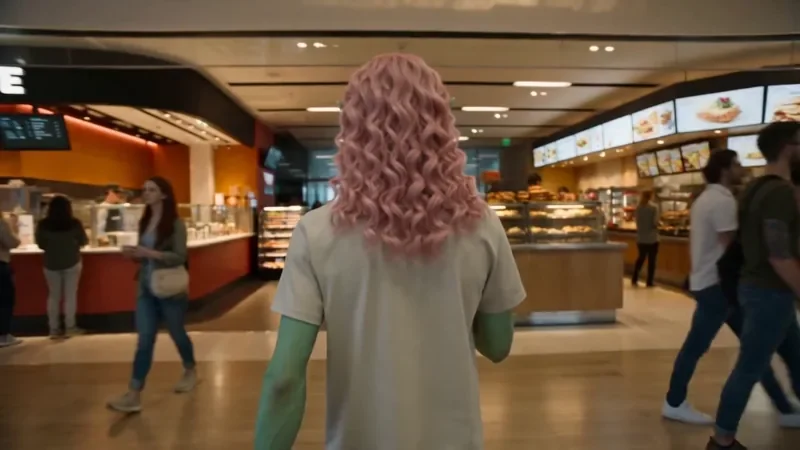
One Take
77 creditsA continuous long take that follows your subject from one space into the next with no cuts.

Crane Down Sky Reveal
42 creditsThe camera descends from high above, through a layer of cloud or canopy, to reveal your subject at ground level.

Earth Zoom
77 creditsOne continuous zoom from space, through the clouds and a city, down to a single subject in close-up.
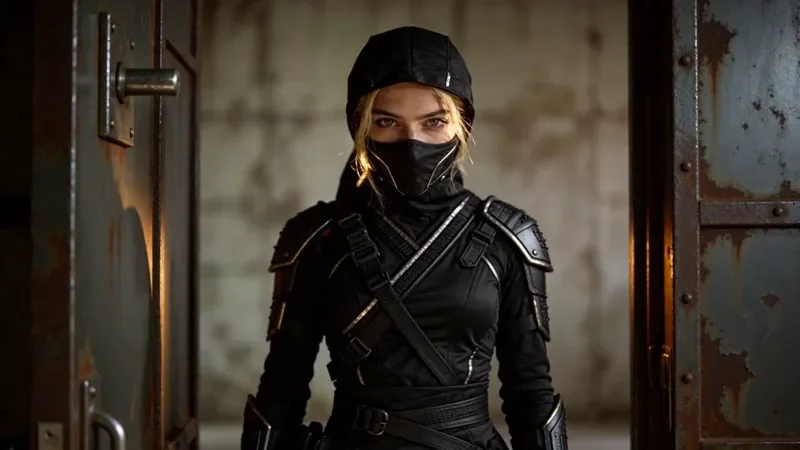
Whip Pan Transition
27 creditsA fast whip pan with motion blur that lands in a new scene, matched on an object in the same spot.
Questions
Is KreatorFlow a Google Veo alternative?
Yes, for many projects. Veo is Google's video model, used in the Gemini app, Google Flow and the Gemini API. KreatorFlow is an official BytePlus partner that runs ByteDance's Seedance video and Seedream image models through BytePlus ModelArk, as a standalone studio with its own credits, templates, characters and API.
How long can a clip be?
Seedance 2.0 on KreatorFlow makes clips from 4 to 15 seconds, at any of its resolutions from 480p to 4K. For comparison, Google's Veo 3.1 documentation lists 4, 6 or 8 second clips, with 1080p and 4K limited to 8 seconds (checked on 30 September 2026).
Do I need a Google subscription to compare?
To make video in the Gemini app you need a paid Google AI plan, because the free plan does not include video generation. KreatorFlow is a separate account: new accounts get 10 starter credits for images, video starts on the Creator plan, and one-off credit packs start at $8.
Does KreatorFlow add a watermark?
No. Seedance clips are rendered with the watermark off and KreatorFlow adds no logo, so the file you download is ready to edit and post.
Is there an API like the Gemini API for Veo?
Yes. The KreatorFlow API covers Seedance video and Seedream images with one key, billed in prepaid tokens at $0.05 each with no monthly fee. It includes signed webhooks, uploads and Idempotency-Key support.
Who owns the videos and images I make?
You do, to the extent the law allows: our Terms say generated images and videos produced by the service are owned by you. AI-generated content may not be copyrightable in every country, and you need the rights to anything you upload as a reference.
Do you train AI models on my prompts or videos?
No. We do not use your private prompts, uploads or generated outputs to train AI models without your explicit opt-in consent.
What happens if a generation fails?
The credits come back automatically. A failed or rejected generation is refunded to your balance, and your credits page shows every charge and refund.
Render a longer take
Create an account and try the shot you would make with Veo, at the length you actually want. New accounts get 10 starter credits.