Moving from Sora · Official BytePlus partner
A Sora alternative for creators and developers
OpenAI has shut Sora down, first the app and then the API. KreatorFlow gives you a new home for AI video: ByteDance's Seedance models, characters that stay consistent, camera templates and an API, with every price shown before you render.
- Seedance video
- Image to video
- Consistent characters
- 1080p and 4K
- Developer API
Official BytePlus partner · Built on BytePlus ModelArk, ByteDance's official AI platform
- camera templates
- 14camera templates
- free starter credits
- 10free starter credits
- Seedance 2.0 clips
- 4 to 15 sSeedance 2.0 clips
- top video resolution
- 4Ktop video resolution
What happened to Sora
OpenAI announced on 24 March 2026 that it was discontinuing Sora. The Sora web and app experiences closed on 26 April 2026, and the Sora API followed on 24 September 2026. We checked these dates on 30 September 2026 against OpenAI's own help article about the discontinuation.
That leaves two groups looking for a Sora alternative: creators who made clips in the app, and developers whose products called the API. KreatorFlow is built for both. It is an independent studio and a Official BytePlus partner. Built on BytePlus ModelArk, ByteDance's official AI platform. Powered by ByteDance's Seedance 2.0 and Seedream models via BytePlus.
We are not going to compare output quality against a product you can no longer use. Instead, this page explains what KreatorFlow does, what it costs and how to move your ideas, references and automations across in an afternoon.
KreatorFlow vs Sora, side by side
| Feature | KreatorFlow | Sora |
|---|---|---|
| Status | Available: web studio and developer API | Discontinued: the app closed on 26 April 2026 |
| Developer API | Yes, prepaid tokens at $0.05 each, no monthly fee | Closed on 24 September 2026 |
| Video models | Seedance 2.5, Seedance 2.0, Seedance 2.0 Fast, Seedance 2.0 Mini, Seedance 1.5 | Sora 2, no longer offered |
| Consistent characters | Saved characters called by @handle in any prompt | No longer offered |
Sora facts checked on 30 September 2026 on OpenAI's Sora discontinuation notice. Products change often, so check both sites on the day you decide.
KreatorFlow at a glance
- Models
- Seedance 2.5, Seedance 2.0, Seedance 2.0 Fast, Seedance 2.0 Mini, Seedance 1.5, Seedream 5.0 Pro, Seedream 4.5
- Platform
- Built on BytePlus ModelArk, ByteDance's official AI platform
- Ways to start
- Text to video, image to video, reference video and camera templates
- Clip length
- 4 to 15 seconds on Seedance 2.0
- Video resolutions
- 480p, 720p, 1080p and 4K (1080p and 4K on Pro, Max and Business)
- Aspect ratios
- 16:9, 4:3, 1:1, 3:4, 9:16, 21:9
- Consistent characters
- Save a face once and call it by its @handle in any prompt
- Without a subscription
- Credit packs from $8 for 160 credits
- Developer API
- Prepaid tokens at $0.05 each, no monthly fee
Move your work over in three steps
- 1
Gather your exports
Collect the clips and stills you downloaded, plus the prompts that worked for you. Good prompts carry over well: describe the subject, the camera move and the setting.
- 2
Rebuild shots with references
Save a recurring person or mascot once as a character and call it by @handle. Then add up to 9 images, 3 clips and 3 audio files to one render to steer the look, the motion and the timing.
- 3
Reconnect your automations
Swap your old video API calls for the KreatorFlow API. Jobs are asynchronous with signed webhooks, so the shape of your integration stays familiar.
The models you get instead
Pick a model in the studio and the credit cost updates before you generate.
Seedance 2.5
The newest Seedance model, with clips of up to 30 seconds. 5 seconds at 720p costs 24 credits.
Seedance 2.0
4 to 15 second clips from 480p to 4K, with up to 9 image, 3 video and 3 audio references. 5 seconds at 720p costs 15 credits.
Seedance 2.0 Fast
Quicker, cheaper renders for drafts and iteration, up to 1080p. 5 seconds at 720p costs 12 credits.
Seedance 2.0 Mini
The cheapest option for high-volume tests. 5 seconds at 720p costs 5 credits.
Seedance 1.5
Prompt and starting-frame video, where a character or image becomes the opening frame. 5 seconds at 720p costs 5 credits.
Seedream 5.0 Pro
Higher-detail stills at 1K or 2K: 2 credits at 1K, 3 credits at 2K.
Seedream 4.5
The default image model, 1K to 4K, at 2 credits per image.
For creators who made clips in the app
The video studio works the way most people used Sora: write a prompt, pick a length and aspect ratio, and generate. Seedance 2.0 makes clips from 4 to 15 seconds in 16:9, 4:3, 1:1, 3:4, 9:16, 21:9, so vertical clips for short-form feeds and wide cinematic shots both work. Start from a still with image to video AI, or make that still first in the AI image generator.
Where KreatorFlow differs is in the tools around the prompt. The AI character generator keeps a person or mascot consistent from one clip to the next, which is what turns single clips into a series. The AI video effects library turns film techniques such as the dolly zoom, bullet time and FPV drone dive into one-click camera templates, so you describe your subject and the camera work is already written. Every clip lands in one asset library, ready to be reused as a reference in the next render.
For developers who called the Sora API
If your app, bot or pipeline stopped working on 24 September 2026, the Seedance 2.0 API is the quickest route back. One key covers Seedance video and Seedream images. You create a job, get an id back straight away and receive a signed webhook when the render is ready, or poll for the result. Uploads, Idempotency-Key retries and per-job cost quotes are built in.
Billing is prepaid tokens at $0.05 each, with no subscription and no monthly minimum, so a migration test costs very little. The full reference, code samples and the API console are at developers.kreatorflow.ai.
What it costs
A 5-second Seedance 2.0 clip costs 15 credits at 720p, 25 at 1080p and 70 at 4K. Seedance 2.0 Fast brings the same 5 seconds at 720p down to 12 credits for drafts. Failed generations are refunded automatically, and the studio shows the cost before you press generate.
New accounts get 10 starter credits for images. Video starts on the Creator plan at $19 for the first month, then $25 a month. One-off credit packs start at $8 for 160 credits. Every plan is on the pricing page.
Fewer filters, clear rules
On the Pro, Max and Business plans, Seedance video renders use BytePlus's unrestricted endpoints, which refuse far fewer ordinary creative requests. Some things are still not allowed on any plan: content involving minors, non-consensual imagery of real people, impersonation and anything illegal. The Acceptable Use Policy has the full list, and the unrestricted AI video generator page explains how it works.
Prompt tips when moving from Sora
Most prompts that worked for you before will work here with small changes. Seedance responds best to prompts that name the subject first, then the action, then the camera and the setting, for example: "a red vintage car drifts round a desert bend, low tracking shot from the side, golden hour, dust in the air". Put one camera instruction in each prompt rather than several competing ones.
If a shot depended on a particular look, add the still you exported as a reference image instead of describing it in words. If it depended on a particular movement, add the exported clip as a video reference. For multi-shot stories, save your lead as a character first, then write each shot as its own short prompt that uses the same @handle, and keep the lighting and setting words consistent from shot to shot.
What to check in any Sora replacement
- Whether the company behind the models is likely to keep offering them
- The cost of one finished clip at your usual length and resolution
- Whether you can use your own images, clips and audio as references
- Whether a character keeps the same face across clips
- Whether there is an API with webhooks for your existing automations
- Whether you can export everything you make, whenever you want
Camera templates to start from
14 templates, each with its own page, a preview, the credit cost and a one-click link into the studio.
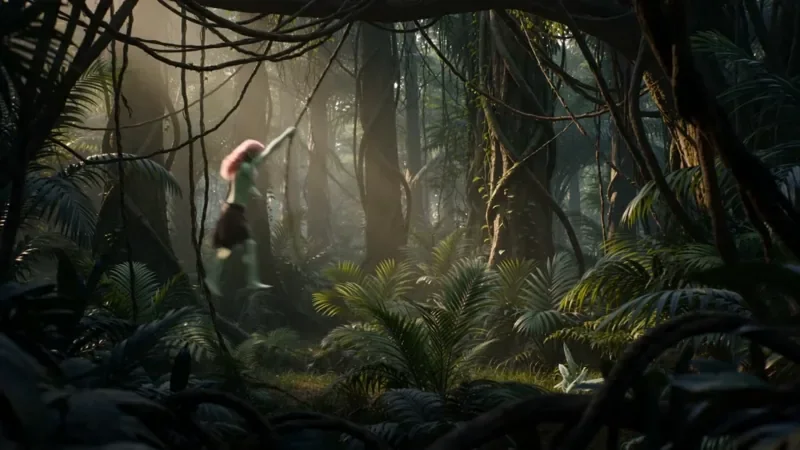
Multi Angle Shot
42 creditsOne action shown from three angles with hard cuts: a wide shot, an extreme close-up and a reverse angle.
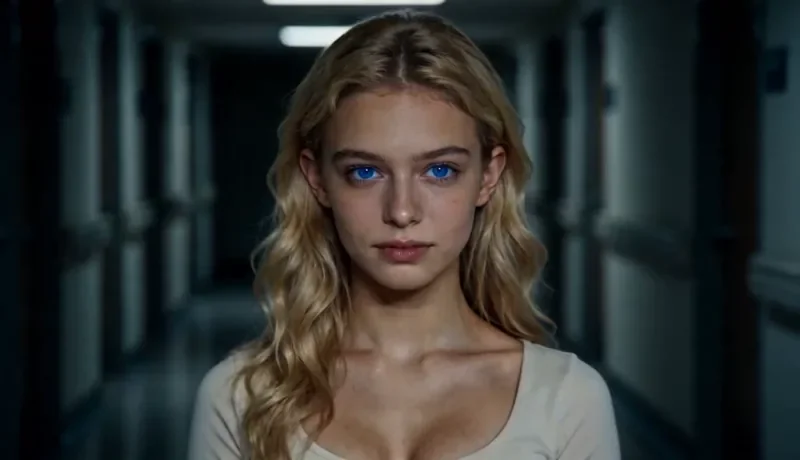
Dolly Zoom
22 creditsThe Vertigo effect: the subject stays the same size while the background stretches away behind them.
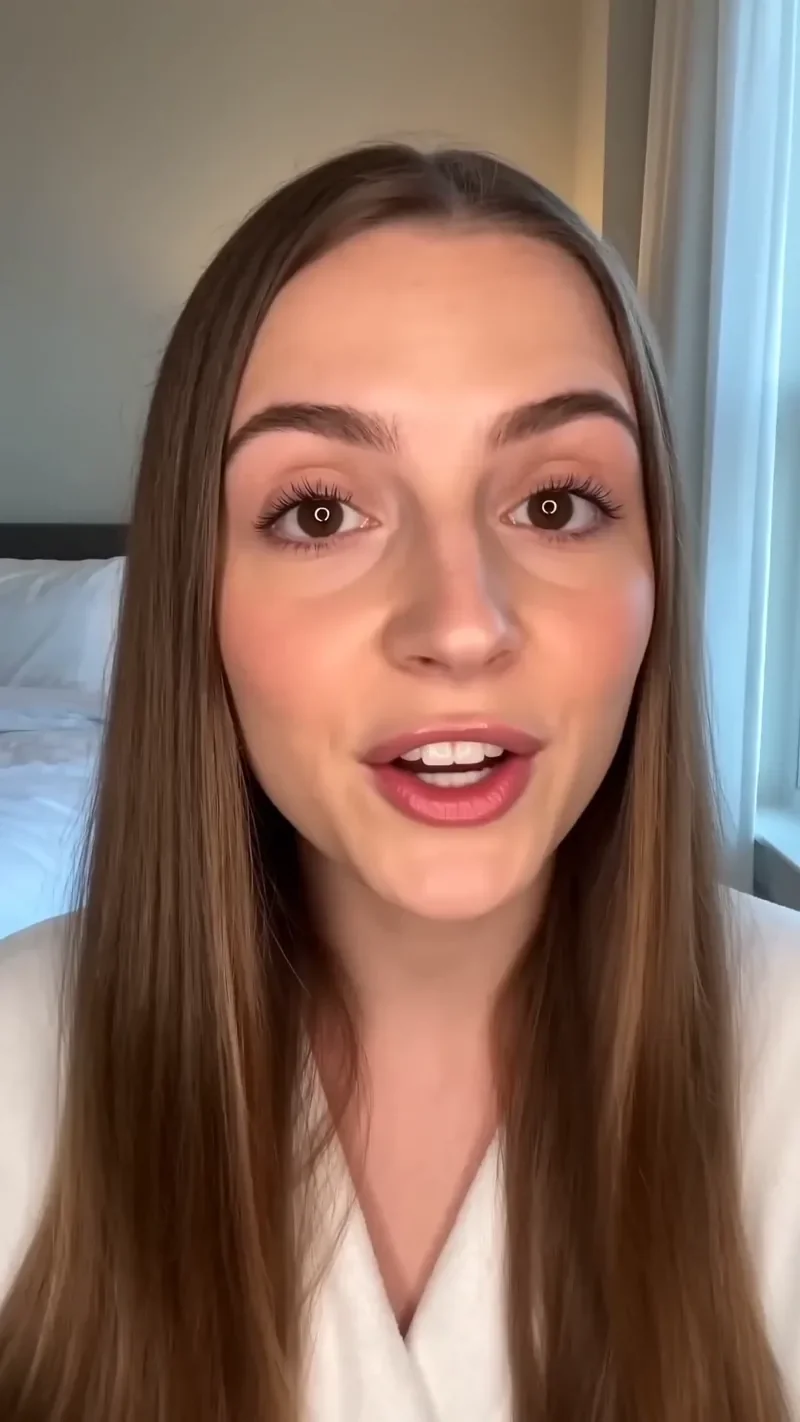
UGC Hook
42 creditsA vertical, social-first UGC opener with handheld movement and the product clearly in frame.
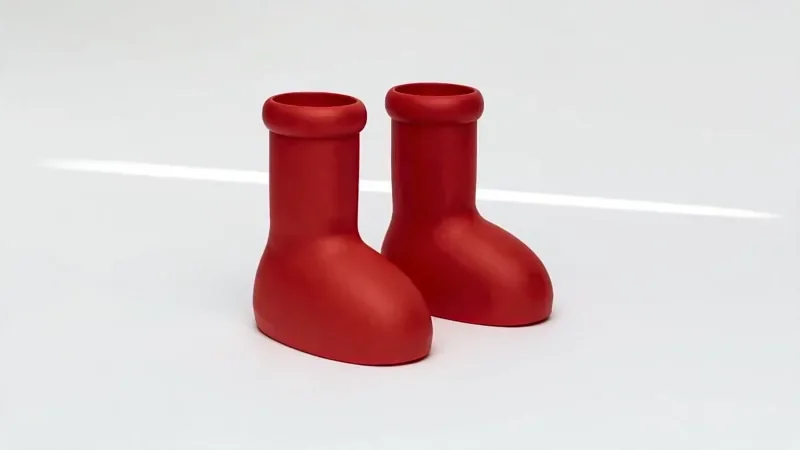
Product Reveal
32 creditsA short cinematic reveal with a smooth camera move and premium lighting for ads and storefronts.
Questions
Is Sora still available?
No. OpenAI discontinued Sora in 2026. The Sora web and app experiences closed on 26 April 2026 and the Sora API closed on 24 September 2026 (checked on 30 September 2026). If you relied on it, you need a new tool for both making videos and any automation you built.
What is a good Sora alternative?
KreatorFlow is an official BytePlus partner that runs ByteDance's Seedance video models and Seedream image models through BytePlus ModelArk, ByteDance's official AI platform. It covers text to video, image to video, reference-driven video, reusable characters, camera templates and a developer API, so both creators and developers who used Sora can move over.
Can I reuse my old Sora videos on KreatorFlow?
Yes, if you downloaded them. Seedance 2.0 on KreatorFlow accepts up to 3 video clips and 9 images as references in one render, so an exported clip can guide motion and a still frame can set the look of a new shot. Only upload material you have the rights to use.
I used the Sora API. Is there a replacement API?
KreatorFlow has a developer API for Seedance video and Seedream images. It is billed in prepaid tokens at $0.05 each with no monthly fee, supports signed webhooks, uploads and Idempotency-Key retries, and is documented at developers.kreatorflow.ai.
How much does a video cost on KreatorFlow?
A 5-second Seedance 2.0 clip costs 15 credits at 720p and 25 at 1080p. Seedance 2.0 Fast costs 12 credits for 5 seconds at 720p. New accounts get 10 starter credits for images, video starts on the Creator plan, and the studio shows the exact cost before every render.
Who owns the videos and images I make?
You do, to the extent the law allows: our Terms say generated images and videos produced by the service are owned by you. AI-generated content may not be copyrightable in every country, and you need the rights to anything you upload as a reference.
Do you train AI models on my prompts or videos?
No. We do not use your private prompts, uploads or generated outputs to train AI models without your explicit opt-in consent.
What happens if a generation fails?
The credits come back automatically. A failed or rejected generation is refunded to your balance, and your credits page shows every charge and refund.
Pick up where Sora left off
Create an account, bring your best prompts and references, and render your first Seedance clip. New accounts get 10 starter credits.