Comparison guide · BytePlus partner
A Kling AI alternative powered by Seedance
Weighing up Kling against other AI video generators? Here is exactly what KreatorFlow offers, which ByteDance models it runs and what each render costs, so you can compare on your own terms.
- Seedance video
- Consistent characters
- 14 camera templates
- 1080p and 4K
- Credit packs
An honest comparison
Kling AI is a popular AI video generator with its own family of video models. We are not going to list its prices or specs here, because they change often and the only reliable source is Kling's own website on the day you check. If you are deciding between the two, the fairest test is to run the same idea on both.
What we can do is be precise about KreatorFlow. It is an independent studio and a BytePlus partner. Built on BytePlus ModelArk, ByteDance's official AI platform. Powered by ByteDance's Seedance 2.0 and Seedream models via BytePlus. Every price below is calculated from the same credit rules the studio applies when you generate, and the same numbers are on our pricing page.
Creators who search for a Kling alternative usually want one of a few things: a different model to try, like ByteDance's Seedance; costs they can see before they render; credits they can buy once instead of monthly; or characters that stay the same from one clip to the next. KreatorFlow is built around those four points.
KreatorFlow at a glance
- Models
- Seedance 2.5, Seedance 2.0, Seedance 2.0 Fast, Seedance 2.0 Mini, Seedance 1.5, Seedream 5.0 Pro, Seedream 4.5
- Platform
- Built on BytePlus ModelArk, ByteDance's official AI platform
- Video resolutions
- 480p, 720p, 1080p and 4K (1080p and 4K on Pro, Max and Business)
- Aspect ratios
- 16:9, 4:3, 1:1, 3:4, 9:16, 21:9
- References per render
- Up to 9 images, 3 clips and 3 audio files
- Camera templates
- 14 one-click video templates
- Plans
- Creator $19 first month, then $25; Pro $35 first month, then $49; Max $70 first month, then $99
- Without a subscription
- Credit packs from $8 for 160 credits
- Developer API
- Prepaid tokens at $0.05 each, no monthly fee
Seedance and Seedream models
Pick a model in the studio and the credit cost updates before you generate.
Seedance 2.5
The newest Seedance model, with clips of up to 30 seconds. 5 seconds at 720p costs 50 credits.
Seedance 2.0
4 to 15 second clips from 480p to 4K, with up to 9 image, 3 video and 3 audio references. 5 seconds at 720p costs 27 credits.
Seedance 2.0 Fast
Quicker, cheaper renders for drafts and iteration, up to 1080p. 5 seconds at 720p costs 17 credits.
Seedance 2.0 Mini
The cheapest option for high-volume tests. 5 seconds at 720p costs 5 credits.
Seedance 1.5
Prompt and starting-frame video, where a character or image becomes the opening frame. 5 seconds at 720p costs 5 credits.
Seedream 5.0 Pro
Higher-detail stills at 1K or 2K: 1 credit at 1K, 3 credits at 2K.
Seedream 4.5
The default image model, 1K to 4K, at 1 credit per image.
Direct the shot with references
Seedance 2.0 on KreatorFlow accepts up to 9 reference images, 3 video clips and 3 audio files in one render. Use images for the look of a person, product or place, a clip for the motion you want, and audio for timing or voice. Clips run from 4 to 15 seconds, in 16:9, 4:3, 1:1, 3:4, 9:16, 21:9.
For people and mascots, save a character once in the AI character generator and call it by its @handle. The same face carries across every image and video, which is what makes a series of clips feel like one story. You can also start from a still with image to video AI.
Credits, packs and plans
A 5-second Seedance 2.0 clip costs 27 credits at 720p and 40 at 1080p. Seedance 2.0 Fast brings the same 5 seconds at 720p down to 17 credits, which is handy for drafts. Camera templates add 2 credits, and failed generations are refunded automatically.
Plans start with Creator at $19 for the first month, then $25 a month, and video generation starts on that plan. If you prefer not to subscribe, one-off credit packs start at $8 for 160 credits. 1080p and 4K video are available on the Pro, Max and Business plans.
Fewer filters, clear rules
On the Pro, Max and Business plans, Seedance video renders are routed to BytePlus's unrestricted endpoints, which refuse far fewer ordinary creative requests. The rules that protect people still apply. Content involving minors, non-consensual imagery of real people, impersonation and anything illegal is still not allowed on any plan. See the unrestricted AI video generator page and the Acceptable Use Policy for the full rules.
Automate it with the API
Teams that want to generate from their own apps can use the Seedance 2.0 API. One key covers Seedance video and Seedream images, billed in prepaid tokens at $0.05 each with no subscription. Signed webhooks, uploads and Idempotency-Key support are included, and the docs are at developers.kreatorflow.ai.
Run a fair side by side test
- 1
Pick one idea
Write one prompt with a clear subject, camera move and setting, and keep a reference image ready if you use one.
- 2
Match the settings
Use the same clip length, aspect ratio and resolution on each platform so the results are comparable.
- 3
Compare the totals
Look at the output, the credits or money spent and how long each render took, not only the plan price.
What to compare before you choose
- Which video and image models are available on the plan you would buy
- The cost of one finished clip at your usual length and resolution
- Whether you can buy credits once without a subscription
- How many reference images, clips and audio files one render accepts
- Whether characters stay consistent across images and videos
- Whether there is an API for automating work later
Why creators pick KreatorFlow
Images, characters and video in one place. Make stills with Seedream in the AI image generator, turn a face into a saved character, and animate both with Seedance without exporting and re-uploading files. Every result lands in the same asset library, ready to reuse as a reference in the next render.
Camera moves without the guesswork. The AI video effects library turns classic film techniques such as the FPV drone dive, bullet time and the earth zoom into one-click templates. Each one is a written camera recipe with matched settings, so you only describe your own subject and scene, and you can still change quality, length and aspect ratio before you render.
Room to experiment. Because the price of each render is visible up front, you can draft on Seedance 2.0 Fast at 480p or 720p, pick the take you like, and spend more credits only on the final version at 1080p or 4K.
Camera templates to start from
Every template has its own page with a preview, the credit cost and a one-click link into the studio.
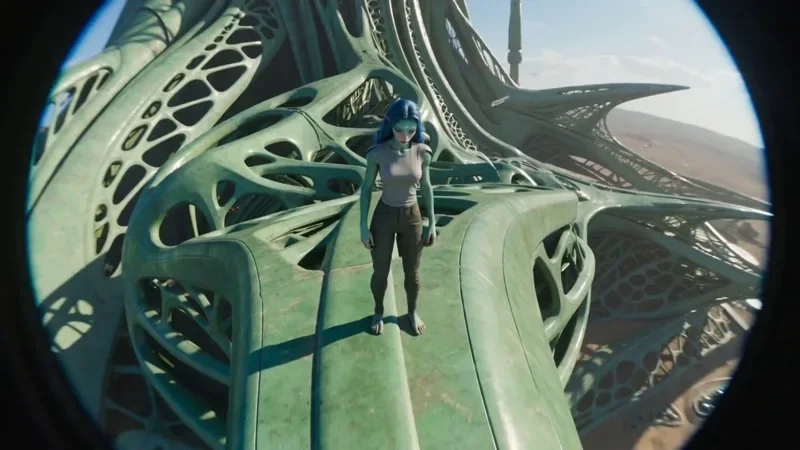
FPV Drone
66 creditsAn aggressive FPV dive down the side of a building, banking through a gap and pulling up into a low glide.

Bullet Time
42 creditsA frozen moment with the camera orbiting 360 degrees around your subject, particles hanging in the air.

Earth Zoom
122 creditsOne continuous zoom from space, through the clouds and a city, down to a single subject in close-up.
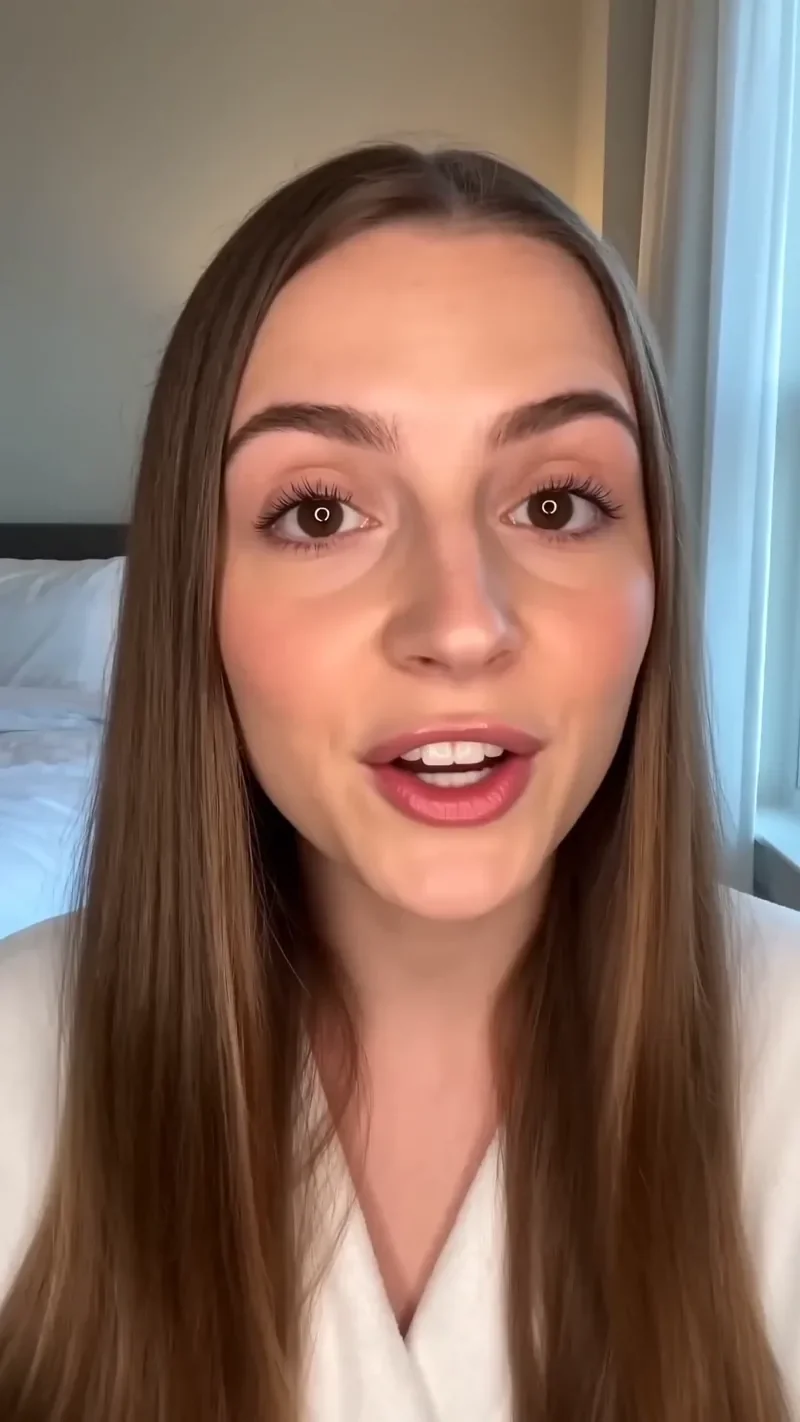
UGC Hook
66 creditsA vertical, social-first UGC opener with handheld movement and the product clearly in frame.
Questions
Is KreatorFlow a Kling AI alternative?
Both are used to make AI video, so many creators compare them. Kling runs its own video models. KreatorFlow is a BytePlus partner that runs ByteDance's Seedance video and Seedream image models through BytePlus ModelArk, ByteDance's official AI platform, with camera templates, reusable characters and an API. The right choice depends on which models and workflow suit your projects.
Can I use KreatorFlow without a subscription?
Credit packs start at $8 for 160 credits with no subscription, and new accounts get 10 starter credits for images. Video generation needs the Creator plan or above. Developers can also use the API with prepaid tokens at $0.05 each and no monthly fee.
How much does a Seedance video cost on KreatorFlow?
A 5-second Seedance 2.0 clip costs 27 credits at 720p, 40 at 1080p and 120 at 4K. Seedance 2.0 Fast costs 17 credits for 5 seconds at 720p. The studio shows the exact cost before you generate.
Can I keep the same character across clips?
Yes. Save a character once in the character studio and call it by its @handle in any image or video prompt. It keeps the same face and look across every render, and you can mix it with other reference images.
How do I compare KreatorFlow and Kling fairly?
Use the same prompt, clip length, aspect ratio and resolution on both, then compare the output, the total cost and the time taken. Check Kling's current pricing page on the day you compare, because plans and models change often.
Try your next shot on KreatorFlow
Create an account and run the same idea you would test on Kling. New accounts get 10 starter credits.