 Official BytePlus partnerBuilt on BytePlus, ByteDance's official AI platform
Use case · Wedding
AI wedding video for save the dates, invitations and reveals
Wedding clips are short and personal: a save-the-date for the group chat, a venue reveal for the invitation site, a slow golden-hour scene for the opening of the reception slideshow. Seedance 2.0 makes each one from a prompt, a venue photo or the couple's saved characters.
- 3 tested prompts
- From 18 credits a clip
- Seedance 2.0
What you can make
- Save-the-date clips for messaging apps and stories
- A venue reveal for the invitation website
- An opening scene for the reception slideshow
- Thank-you clips to send after the day
Prompts that work, with their settings
Paste a prompt into the video studio, set the options listed under it and add the references in the order shown. The first upload is “the first image” in the prompt.
Rings save-the-date
Two gold wedding rings resting on an open book of poems, white petals falling slowly, soft morning window light, shallow focus, the camera slowly circles the rings. Elegant, warm and romantic, empty space at the top of the frame.
- Model
- Seedance 2.0
- Aspect ratio
- 9:16
- Length
- 6 seconds
- Resolution
- 720p
- References
- None (text to video)
- Generate audio
- Off
- Cost
- 18 credits, about $1.13 on Creator
No faces needed, vertical for phones, and the empty top of the frame leaves room for the names and the date.
Venue reveal
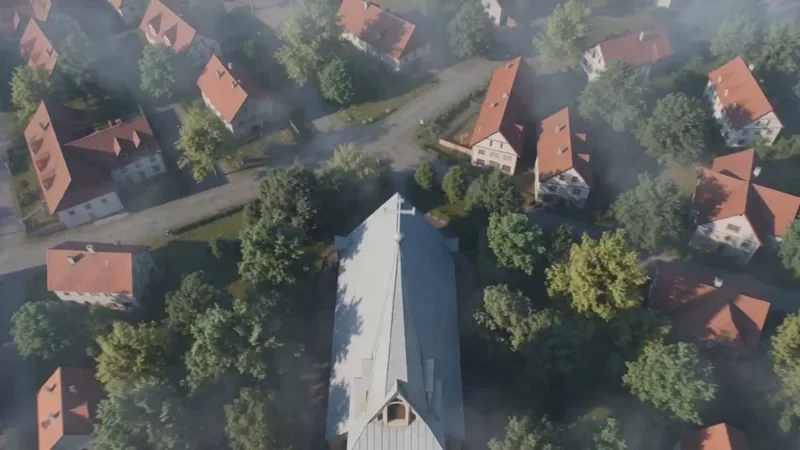
The venue from the first image at golden hour. The camera descends slowly from above the trees to the aisle lined with white flowers and lanterns, the chairs empty, warm sunset light. Keep the building exactly as in the photo.
- Model
- Seedance 2.0
- Aspect ratio
- 16:9
- Length
- 8 seconds
- Resolution
- 720p
- References
- 1. A photo of the venue from the outside
- Generate audio
- Off
- Cost
- 24 credits, about $1.50 on Creator
A slow eight-second descent suits an invitation website header, and the venue photo keeps the real building.
Couple on the shoreline
@bride and @groom walk hand in hand along the shoreline at sunset, waves washing over their feet, the camera follows from behind and slowly moves to their side, warm golden light, a gentle breeze in her veil.
- Model
- Seedance 2.0
- Aspect ratio
- 16:9
- Length
- 8 seconds
- Resolution
- 720p
- References
- 1. The couple saved as two characters (replace @bride and @groom with their handles)
- Generate audio
- Off
- Cost
- 24 credits, about $1.50 on Creator
Saved characters keep both faces the same across every clip of the slideshow.
What these clips cost
| Shot | Model | Format | Credits | Price per clip |
|---|---|---|---|---|
| Rings save-the-date | Seedance 2.0 | 9:16, 6 s, 720p | 18 | $1.13 on Creator |
| Venue reveal | Seedance 2.0 | 16:9, 8 s, 720p | 24 | $1.50 on Creator |
| Couple on the shoreline | Seedance 2.0 | 16:9, 8 s, 720p | 24 | $1.50 on Creator |
One take of all 3 shots is 66 credits, about $4.13 on the Creator plan. Prices per clip use each plan's monthly price and its guaranteed monthly credits (Creator: $25 for 400 credits; Pro: $49 for 800), and image references add no credits.
Free accounts can make video on Seedance 2 Fast and Seedance 2.0 Mini at 480p. A plan adds every video model, including Seedance 2.0 and 2.5, 720p (1080p and 4K on Pro and above), no queue and more credits. Creator renders up to 720p; 1080p is on the Pro, Max and Business plans. The studio shows the exact cost before you generate, and credits for a failed clip come back automatically. For a whole campaign, the AI video cost calculator adds it up.
Step by step
- 1
Save the couple as characters
With both partners' consent, save a clear photo of each as a character in the character studio. Their @handles go straight into the prompt.
- 2
Make the clips without faces first
Rings, flowers and the venue need no photos of people and are the quickest wins.
- 3
Keep one look
Use the same light and palette in every prompt ("warm golden light", "white flowers") so the clips cut together.
- 4
Add names, date and music
Letter the names and date in your editor, and add a song you have the rights to use.
Tips for better results
- Golden hour, petals and slow camera moves are the safest wedding look: ask for them by name.
- For the invitation site, render the venue clip at 16:9; for the group chat, render a separate 9:16 save-the-date.
- Describe the dress and suit the same way in every prompt so the couple's outfits never change.
- Make the save-the-date without faces if guests will forward it widely.
Mistakes to avoid
- Using someone's photo without asking: only save people as characters with their permission.
- Expecting the names to be written correctly by the model: add text in your editor.
- Fast drone moves in a romantic clip: slow, floating moves read as cinematic.
Camera templates that fit
One-click camera moves from the template library. A template adds 2 credits to the clip's price; the card shows the total.
Questions
Can I use our own photos in a wedding video?
Yes, as characters: save each partner's photo in the character studio, with their consent, and use the @handles in the prompt. Making a character costs 4 credits, and it is reused in every clip.
What does a save-the-date clip cost?
A 6-second Seedance 2.0 clip at 720p is 18 credits. On the Creator plan ($25 a month for 400 credits) that is about $1.13.
Can I make the wedding video look painted or animated?
Yes. Pick a style such as Watercolor or Storybook in the video studio's art-style picker. A style only adds words to the prompt and never changes the price.
Make your first wedding clip
Copy a prompt above, open the video studio and generate. The cheapest shot on this page is 18 credits.