 Official BytePlus partnerBuilt on BytePlus, ByteDance's official AI platform
Use case · Car commercial
AI car commercial from a prompt or one photo
Car ads are built from a few classic shots: the tracking shot on an open road, the studio light reveal and the close detail. Seedance 2.0 makes each one, and with a photo of a real car from your stock it keeps the model, colour and wheels.
- 3 tested prompts
- From 10 credits a clip
- Seedance 2.0
- Seedance 2 Fast
What you can make
- Stock-car reveals for dealership listings and socials
- Spec ads and concept spots for a portfolio
- Cinematic 21:9 road shots
- Detail inserts for edits
Prompts that work, with their settings
Paste a prompt into the video studio, set the options listed under it and add the references in the order shown. The first upload is “the first image” in the prompt.
Coastal road tracking shot
A dark-red sports coupe drives along a winding coastal road at sunrise, the camera tracks alongside at wheel height, then rises to reveal the sea, light glinting on the paintwork, cinematic commercial look.
- Model
- Seedance 2.0
- Aspect ratio
- 21:9
- Length
- 8 seconds
- Resolution
- 1080p
- References
- None (text to video)
- Generate audio
- On (adds no credits)
- Cost
- 40 credits, about $2.45 on Pro
21:9 is the commercial frame, 1080p keeps reflections clean, and the engine and road sound is generated for free.
Your car in a lit studio
The car from the first image parked in an empty concrete studio, ceiling lights switch on one by one from front to back, revealing the body, the camera slides slowly along its side. Keep the model, colour and wheels exactly as in the photo.
- Model
- Seedance 2.0
- Aspect ratio
- 16:9
- Length
- 6 seconds
- Resolution
- 720p
- References
- 1. A side photo of the car, the whole car in frame
- Generate audio
- Off
- Cost
- 18 credits, about $1.13 on Creator
A clean side photo gives the model the full silhouette; a slow slide keeps the body lines straight.
Rain on the bonnet
Close-up of raindrops beading and running down a glossy black car bonnet at night, city lights reflected in the paint, a slow push-in.
- Model
- Seedance 2 Fast
- Aspect ratio
- 9:16
- Length
- 4 seconds
- Resolution
- 720p
- References
- None (text to video)
- Generate audio
- Off
- Cost
- 10 credits, about $0.63 on Creator
A four-second insert is all a detail shot needs, and Fast keeps it cheap.
What these clips cost
| Shot | Model | Format | Credits | Price per clip |
|---|---|---|---|---|
| Coastal road tracking shot | Seedance 2.0 | 21:9, 8 s, 1080p | 40 | $2.45 on Pro |
| Your car in a lit studio | Seedance 2.0 | 16:9, 6 s, 720p | 18 | $1.13 on Creator |
| Rain on the bonnet | Seedance 2 Fast | 9:16, 4 s, 720p | 10 | $0.63 on Creator |
One take of all 3 shots is 68 credits, about $4.17 on the Pro plan. Prices per clip use each plan's monthly price and its guaranteed monthly credits (Creator: $25 for 400 credits; Pro: $49 for 800), and image references add no credits.
Free accounts can make video on Seedance 2 Fast and Seedance 2.0 Mini at 480p. A plan adds every video model, including Seedance 2.0 and 2.5, 720p (1080p and 4K on Pro and above), no queue and more credits. Creator renders up to 720p; the 1080p shots need the Pro, Max and Business plans. The studio shows the exact cost before you generate, and credits for a failed clip come back automatically. For a whole campaign, the AI video cost calculator adds it up.
Step by step
- 1
Plan three shots
A wide road shot, a reveal and a detail. That is a 15 to 20 second spot.
- 2
Photograph stock cars side-on
For a real car, shoot a clean side view in even light, the whole car in frame.
- 3
Keep the camera slow near the car
Fast orbits bend body lines; tracking and sliding moves keep them straight.
- 4
Finish in your editor
Add the dealership name, price and logo as titles, and your licensed music.
Tips for better results
- Name the paint finish ("metallic", "matte", "pearl white"): it changes how light moves on the car.
- Use "at wheel height" for speed and "low angle" for presence.
- Turn Generate audio on for engine and road sound on the driving shots.
- The worm's-eye template gives the classic low hero reveal in one click.
Mistakes to avoid
- Badges and logos of brands you do not sell or own: only feature them for your own stock or with permission.
- Wheels that change between shots: always start real cars from the same photo.
- Long clips of driving: 6 to 8 seconds is enough before the road starts repeating.
Camera templates that fit
One-click camera moves from the template library. A template adds 2 credits to the clip's price; the card shows the total.
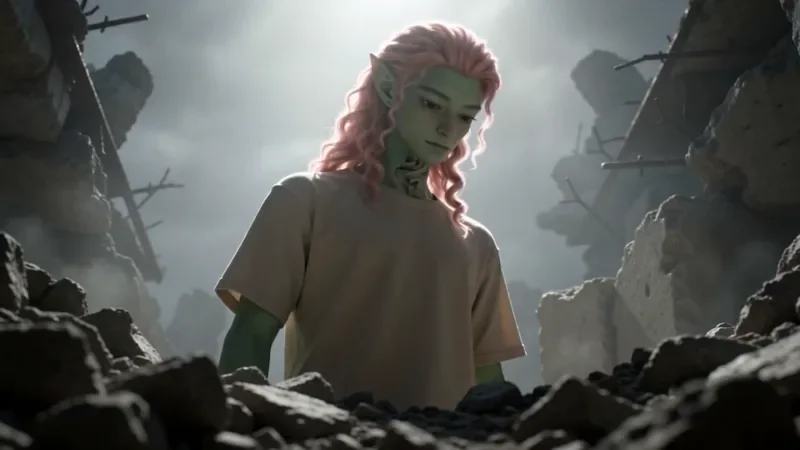
Worm's Eye Hero Shot
32 creditsAn extreme low angle from the ground that makes your subject tower over the camera, backlit against the sky.

Bullet Time
27 creditsA frozen moment with the camera orbiting 360 degrees around your subject, particles hanging in the air.
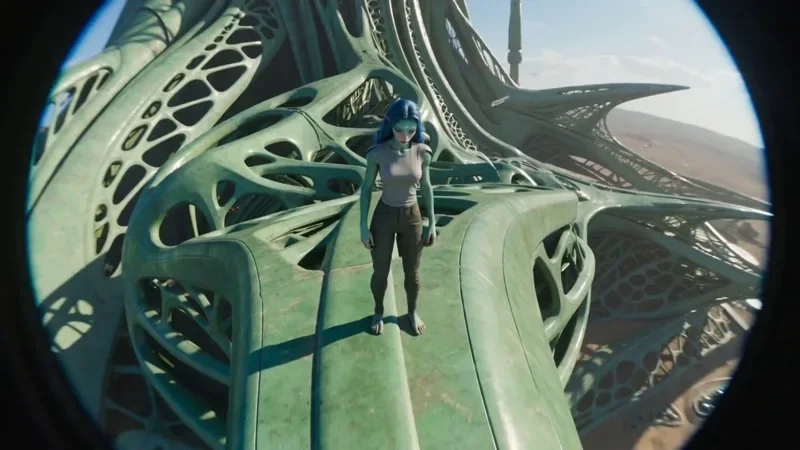
FPV Drone
42 creditsAn aggressive FPV dive down the side of a building, banking through a gap and pulling up into a low glide.
Questions
Can I make a commercial for a car from my dealership?
Yes. Add a clean side photo of the car as the first image and say "keep the model, colour and wheels exactly as in the photo". Compare every clip with the car before you publish.
What does a 21:9 car shot cost?
An 8-second Seedance 2.0 clip at 1080p is 40 credits, about $2.45 on the Pro plan. At 720p it is 24 credits.
Does the video come with engine sound?
Turn on Generate audio and describe it ("engine revving", "tyres on wet road"). On Seedance 2.x the sound adds no credits.
Make your first car commercial clip
Copy a prompt above, open the video studio and generate. The cheapest shot on this page is 10 credits.