 Official BytePlus partnerBuilt on BytePlus, ByteDance's official AI platform
Use case · Music video
AI music video generator that follows your beat
Seedance 2.0 takes up to three audio references, so you can add a section of your own track and ask for a performance, a story cutaway or a visualizer that moves with it. Build the video from 4 to 15 second clips and cut them to the song in your editor.
- 3 tested prompts
- From 20 credits a clip
- Seedance 2.0
- Seedance 2 Fast
What you can make
- Performance shots of an artist character moving on the beat
- Story cutaways for the verses
- Looping visualizers for streaming profiles, posts and live screens
- Lyric-video backgrounds you letter in your editor
Prompts that work, with their settings
Paste a prompt into the video studio, set the options listed under it and add the references in the order shown. The first upload is “the first image” in the prompt.
Performance on the beat
The singer from the first image performs on a rooftop at night, city lights behind her, moving to the beat of the audio. Medium shot, slow push-in, haze and warm stage light from the left, handheld energy on the chorus.
- Model
- Seedance 2.0
- Aspect ratio
- 9:16
- Length
- 10 seconds
- Resolution
- 720p
- References
- 1. An image of the artist or an AI character 2. A 10 to 15 second section of your track
- Generate audio
- Off
- Cost
- 30 credits, about $1.88 on Creator
The audio reference sets the rhythm of the movement; leave Generate audio off because the finished video uses your own master.
Abstract visualizer loop
Liquid chrome waves pulsing in slow motion, iridescent purple and teal reflections, the camera drifting low over the surface, deep black background, smooth motion that starts and ends on the same calm swell.
- Model
- Seedance 2 Fast
- Aspect ratio
- 16:9
- Length
- 8 seconds
- Resolution
- 720p
- References
- None (text to video)
- Generate audio
- Off
- Cost
- 20 credits, about $1.25 on Creator
Visualizers are background footage, so the faster model is enough, and "starts and ends on the same swell" makes the loop point easier to cut.
Story cutaway
A girl in a yellow raincoat runs through a neon-lit alley in the rain, puddles splashing, the camera tracking alongside her at running speed, cinematic, anamorphic lens flares, cool blue and pink light.
- Model
- Seedance 2.0
- Aspect ratio
- 21:9
- Length
- 6 seconds
- Resolution
- 1080p
- References
- None (text to video)
- Generate audio
- Off
- Cost
- 30 credits, about $1.84 on Pro
A 21:9 letterbox frame reads as a film, and 1080p holds the rain detail on a big screen.
What these clips cost
| Shot | Model | Format | Credits | Price per clip |
|---|---|---|---|---|
| Performance on the beat | Seedance 2.0 | 9:16, 10 s, 720p | 30 | $1.88 on Creator |
| Abstract visualizer loop | Seedance 2 Fast | 16:9, 8 s, 720p | 20 | $1.25 on Creator |
| Story cutaway | Seedance 2.0 | 21:9, 6 s, 1080p | 30 | $1.84 on Pro |
One take of all 3 shots is 80 credits, about $4.90 on the Pro plan. Prices per clip use each plan's monthly price and its guaranteed monthly credits (Creator: $25 for 400 credits; Pro: $49 for 800), and image references add no credits.
Free accounts can make video on Seedance 2 Fast and Seedance 2.0 Mini at 480p. A plan adds every video model, including Seedance 2.0 and 2.5, 720p (1080p and 4K on Pro and above), no queue and more credits. Creator renders up to 720p; the 1080p shots need the Pro, Max and Business plans. The studio shows the exact cost before you generate, and credits for a failed clip come back automatically. For a whole campaign, the AI video cost calculator adds it up.
Start from a still image
Make the artist in the image studio first if you do not want to use a real person, then save the best take as a character. A Seedream 4.5 image is 2 credits.
Image studio prompt
Full-body portrait of a young singer with a silver bomber jacket and short bleached hair, standing on a rooftop at night, city lights behind, cinematic lighting, sharp focus
Step by step
- 1
Cut the song into sections
Export the intro, verse and chorus as separate short files. One section per clip keeps the movement on the right tempo.
- 2
Fix the artist's look
Use one image of the artist, or save an AI character in the character studio and use its @handle in every prompt so the face never changes.
- 3
Generate shot by shot
Add the section as an audio reference, describe one shot, and generate. Make two or three takes of the chorus shots: they carry the video.
- 4
Cut to the master
Line the clips up on your song in an editor. The clips follow the reference's rhythm, so cuts on the beat land cleanly.
Tips for better results
- Name the tempo in words as well as uploading the audio: "slow sway", "sharp hits on every beat".
- Plan shots by section: wide shots for the intro, close-ups for the hook, a big move for the drop.
- Keep one colour palette in every prompt ("cool blue and pink light") so cuts between clips feel like one video.
- Use 21:9 for the main video and 9:16 for the teaser clips: render the teaser shots separately rather than cropping.
Mistakes to avoid
- Uploading the whole track: a long file gives the model no clear rhythm for a 10-second clip.
- Using music you have no rights to. Upload your own song or one you have licensed, and keep your licence for the platform.
- Changing the artist's outfit between prompts without meaning to: copy the description word for word into every shot.
Camera templates that fit
One-click camera moves from the template library. A template adds 2 credits to the clip's price; the card shows the total.
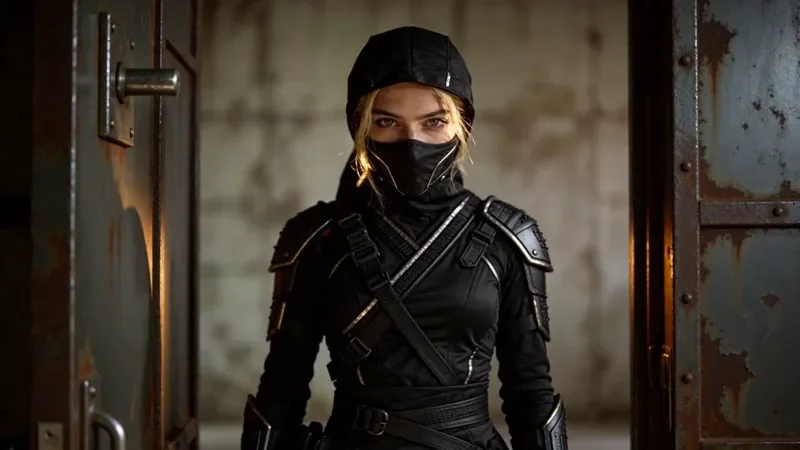
Whip Pan Transition
27 creditsA fast whip pan with motion blur that lands in a new scene, matched on an object in the same spot.
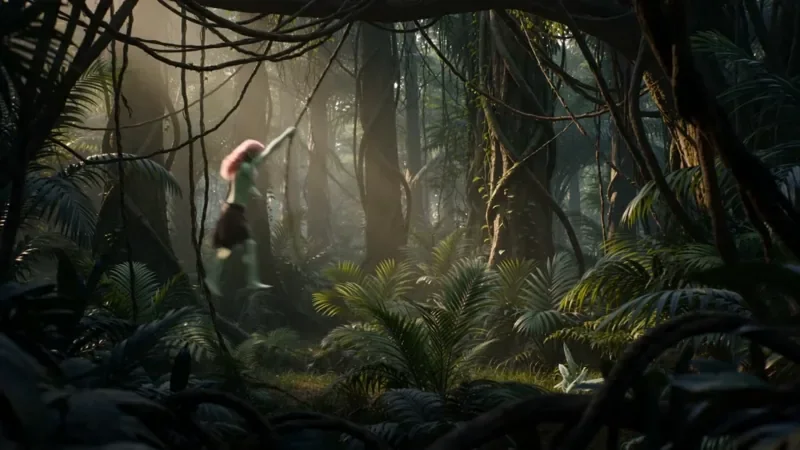
Multi Angle Shot
42 creditsOne action shown from three angles with hard cuts: a wide shot, an extreme close-up and a reverse angle.
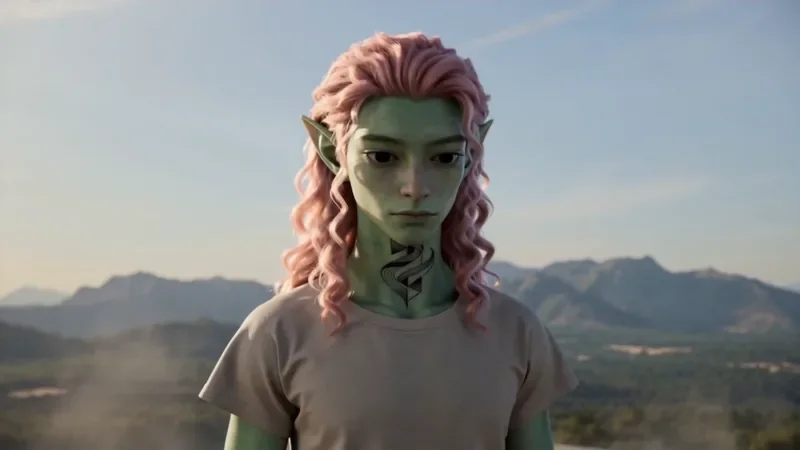
Spiral Ascend
42 creditsThe camera orbits your subject while rising, finishing directly overhead in a bird's-eye view.
Questions
How many clips does a full music video need?
A three-minute song cut into 10-second shots is 18 clips. At 720p on Seedance 2.0 that is 540 credits for one take of each, before any retakes.
Can I upload my own song?
Yes. Seedance 2.0 takes up to 3 audio references per clip. They set the rhythm and mood of the movement; the clip itself is still 4 to 15 seconds, so upload one section at a time. Only use music you own or have licensed.
Which plan do I need for a 1080p music video?
1080p video is on the Pro, Max and Business plans. The Creator plan renders up to 720p, which is fine for vertical teasers.
Make your first music video clip
Copy a prompt above, open the video studio and generate. The cheapest shot on this page is 20 credits.