 Official BytePlus partnerBytePlus, a ByteDance company
Official BytePlus partner · OmniHuman 2.0
AI lip sync: one photo and a voice become a talking video
Upload a photo, add a voice track, and KreatorFlow Lip Sync makes the person in it speak or sing every word, with natural expressions and gestures. It runs on OmniHuman 2.0, ByteDance's audio-driven model, and one take can last up to 5 minutes.
- Up to 5 minutes
- Speech, singing and rap
- People, characters and pets
- 720p or 1080p
- 4 credits per second
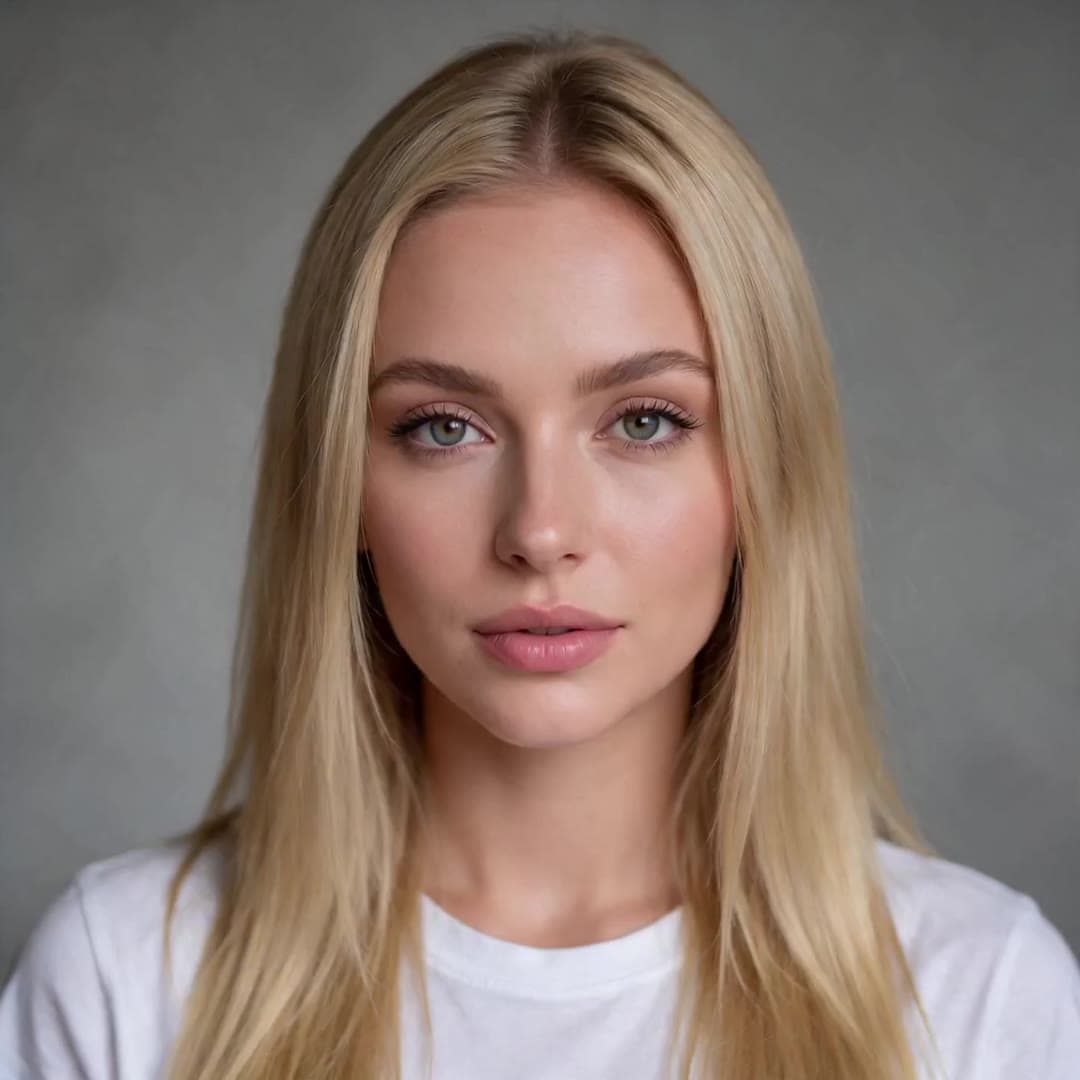 1 · Photo
“Hey, it's me. I made this whole video from one photo and a voice track. No camera, no studio, just KreatorFlow.”
On this page
What AI lip sync does
A lip sync AI takes two things, a picture of someone and something for them to say, and returns a video of that person saying it. KreatorFlow Lip Sync does this with OmniHuman 2.0, ByteDance's newest audio-driven video model. KreatorFlow is an official partner of BytePlus, a ByteDance company, and runs the model through BytePlus.
Audio-driven means the sound leads. Most AI video generators start from a text prompt and add sound afterwards; here the voice shapes the whole performance. The mouth matches the words, the eyebrows and head react to emphasis, pauses look like pauses, and a song is performed rather than just mouthed. Your optional text direction only adds what the audio cannot say, such as a smile, a nod or a slow camera push-in.
Because one generation can run for up to 5 minutes, a whole talk, lesson, product walkthrough or song can be one continuous take with the same face from start to finish, instead of short clips stitched together.
How to make a lip sync video in three steps
- 1
Add a photo
Upload one clear photo of a person, a character or a pet, or pick one from your uploads, generations or saved characters. One face, looking roughly towards the camera, mouth uncovered, works best.
- 2
Add the voice
Type a script and pick one of our voices, or add your own MP3 or WAV: a recording, a song, or a voice line made in the Audio studio, including a voice you cloned. The track can be 4 seconds to 5 minutes long.
- 3
Generate and download
Choose 720p or 1080p, add an optional direction for gestures and camera, and press Generate. The price is shown first: 4 credits per second at 720p, 6 at 1080p. The video is as long as the audio and lands in your library.
Want the details, with photo and audio tips? Read the step-by-step guide how to make a photo talk, or learn to direct the performance in the OmniHuman 2.0 prompt guide.
What you can make with it
Up to 5 minutes in one take
Any voice track from 4 seconds to 5 minutes. The video is exactly as long as the audio.
Talking, singing and rap
Speech, dialogue, narration, songs and fast verses. Lip shapes, intonation and emotion follow the track.
Real people, characters and pets
Portraits, anime and cartoon characters, 3D characters, fantasy creatures and animals.
Any language
The model follows the sound, so the voice can be in any language or accent you have audio for.
Direct the performance
Add up to 2,000 characters of direction: gestures, emotion, camera moves, things happening in the background.
720p or 1080p
4 credits per second at 720p, 6 at 1080p, shown before you generate.
Where the voice comes from
Our voices. Type what the person should say and pick one of the English voices built into the Lip Sync page. The voice line is made first with Text to Speech (2 credits per 1,000 characters), then the video. This is how the example above was made, with the Dara voice.
Your own recording. Record yourself on your phone, export an MP3 or WAV and upload it. Clean speech with little background noise gives the sharpest mouth movement.
A voice from the Audio studio. Make a line in more languages and voices with Text to Speech, or clone your own voice with AI voice cloning and use that line. Voice lines you made appear in the Lip Sync audio picker.
A song. Upload a vocal track you have the rights to. If you only have the full mix, a version with quieter music works better than a loud one.
What a lip sync video costs
Credits per started second of audio, read from the same code the studio charges with.
Per second at 720p
4
credits
Per second at 1080p
6
credits
| Audio length | 720p | 1080p |
|---|---|---|
| 4 seconds | 16 credits | 24 credits |
| 10 seconds | 40 credits | 60 credits |
| 30 seconds | 120 credits | 180 credits |
| 1 minute | 240 credits | 360 credits |
| 5 minutes | 1,200 credits | 1,800 credits |
The shortest billable clip is 4 seconds; the longest, 5 minutes, costs 1,200 credits at 720p. Lip Sync needs a paid account: any plan (from $15 for the first month on Creator) or any credit pack (from $8). Credits for a video that fails come back automatically. See pricing for every plan.
Popular uses
- Product presenters and spokesperson ads from one brand photo
- Course explainers and training videos with the same presenter in every lesson
- Birthday and thank-you messages from a photo, in your own voice
- Music videos and virtual singers from a character and a vocal track
- The same message in several languages, from one photo
- Audiobook, podcast and news segments with a face on screen
- Talking mascots, pets and cartoon characters for social posts
- Motion comic panels where a character delivers the line
Tips for a natural result
- Use a sharp photo with one clearly visible face. Close-ups and half-body shots work best; tiny faces in wide shots do not.
- Keep the mouth and chin uncovered: no hands, microphones or hair across the lips.
- Use clean audio. Background noise and loud music make the mouth movement less precise.
- Write direction as plain sentences about motion only, for example “She smiles, then leans towards the camera as she speaks.” Do not describe what is already in the photo.
- Test a short line at 720p before you render a long take at 1080p.
Consent and responsible use
Lip Sync makes the person in a photo say whatever the audio says, so it comes with clear rules. On the website you confirm, the first time you generate with a new photo, that you are that person or have their permission. Photos are screened before anything is charged, and photos with nudity or of minors are refused.
- Use a photo of yourself, or of someone who has given you permission to make them speak. A character you created, an animal or a drawing is fine.
- Use a voice you have the right to use: your own, one of our voices, a voice you cloned with consent, or a recording you have permission for. The same goes for any music or song.
- No sexual content, nothing involving anyone under 18, and no impersonation: never make a real person appear to say something they did not say in order to mislead, harass or defraud.
- No celebrities, politicians or other public figures unless they have given you permission and you hold the rights for that use.
- When you post a talking video of a real person, say that it is AI-generated. Many platforms require that label.
Read the full rules in the Acceptable Use Policy on real people's faces and the Terms.
AI lip sync questions
What is AI lip sync?
AI lip sync turns a still photo and an audio track into a video where the person in the photo speaks or sings that audio. On KreatorFlow it runs on OmniHuman 2.0, ByteDance's audio-driven video model: the lips follow every word, and the face, head and upper body move with the rhythm and emotion of the voice.
How long can a lip sync video be?
The video is as long as your audio: 4 seconds to 5 minutes per generation. That is long enough for a full presentation, a lesson, a podcast segment or a whole song in one take.
How much does AI lip sync cost?
4 credits per second of audio at 720p and 6 credits per second at 1080p, counted per started second with a 4-second minimum. A 10-second clip costs 40 credits at 720p, and a full minute 240 credits. The exact price is shown before you generate, and a failed video gives the credits back.
Do I need a paid plan?
Yes. Lip Sync works on any paid plan or credit pack. Plans start at $15 for the first month on Creator, and the smallest credit pack is $8 for 160 credits. Both resolutions are available on every paid account.
Can the photo sing, not just talk?
Yes. OmniHuman 2.0 follows singing and fast rap as well as speech, with the mouth, intonation and emotion following the track. Upload the vocal track; a clean vocal with little backing music gives the most accurate mouth movement.
Which languages does lip sync work in?
The model follows the sound of the audio, so the voice track can be in any language. The voices built into the Lip Sync page are English; for other languages, make the voice line in the Audio studio or upload your own recording.
Does it work with cartoons, 3D characters and animals?
Yes. Besides real people, OmniHuman 2.0 animates anime and cartoon characters, 3D characters, fantasy creatures and animals, such as a cat or a raccoon, as long as the face is clear.
Can I use a photo of someone else?
Only with their permission. You must be the person in the photo or have their consent to make them speak, and you must have the right to use the voice and any music. The website asks you to confirm this for each new photo. Celebrities and public figures are not allowed without permission, and nothing sexual or involving minors is allowed.
Can I use my own voice or a cloned voice?
Yes. Upload a recording of yourself, or clone your voice in the Audio studio, make a voice line with it and pick that line in Lip Sync. The built-in voices cost the Text to Speech price for the line (2 credits per 1,000 characters) on top of the video.
Is there a lip sync API?
Yes. Developers can call /v1/lip-sync with a photo and a voice track and pay per second in prepaid tokens: $0.20 per second at 720p and $0.30 at 1080p. See the OmniHuman API page.
Make your first talking video
Open Lip Sync, add a photo and a voice, and see the price before you generate. Available on any paid plan or credit pack.