 Official BytePlus partnerBytePlus, a ByteDance company
Official BytePlus partner · Model
OmniHuman 2.0: ByteDance's audio-driven lip sync model
OmniHuman 2.0 turns one image and one voice track into a talking or singing video of up to 5 minutes, with lips, expression and body movement driven by the audio. On KreatorFlow it powers Lip Sync in the studio and on the API, at 720p or 1080p.
- 1 image + 1 audio
- Up to 5 minutes per take
- Speech, singing and rap
- 720p or 1080p
- People, characters and animals
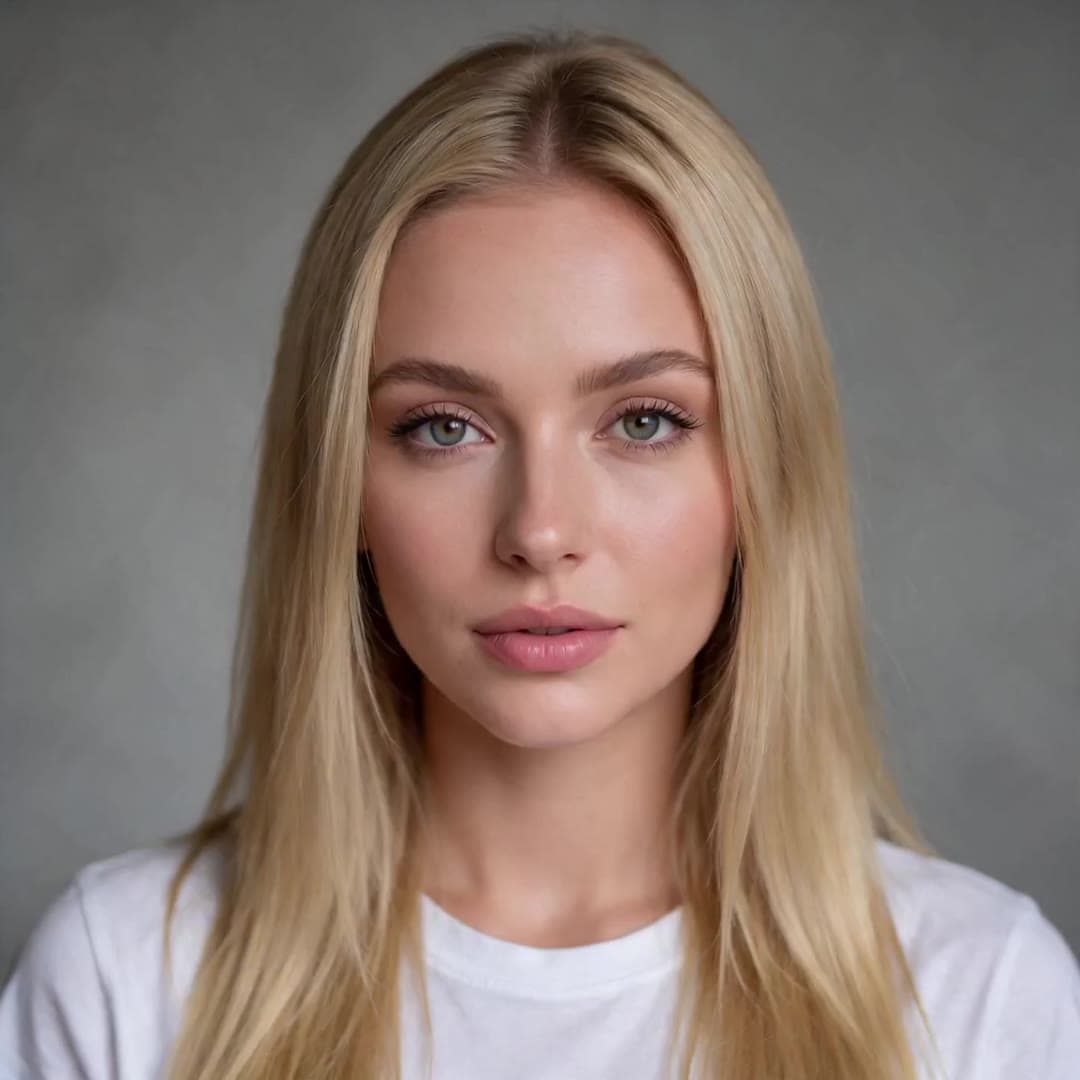 1 · Photo
“Hey, it's me. I made this whole video from one photo and a voice track. No camera, no studio, just KreatorFlow.”
On this page
What OmniHuman 2.0 is
OmniHuman is ByteDance's family of digital human models, and OmniHuman 2.0 is the current version. You give it one picture of a subject and one audio track. It returns a video in which that subject delivers the audio: the mouth shapes match the words, the intonation and emotion show in the face, and the head, shoulders and hands move with the rhythm of the voice. An optional text prompt adds what the audio cannot carry, such as a camera move or a gesture.
KreatorFlow is an official partner of BytePlus, a ByteDance company, and runs OmniHuman 2.0 through BytePlus in two places: the Lip Sync page of the studio, and the developer API. Searches for “OmniHuman 2” or simply “OmniHuman” usually mean this model.
What is new compared with OmniHuman 1.5
From BytePlus's description of the release, in our own words.
| OmniHuman 2.0 | OmniHuman 1.5 | |
|---|---|---|
| Longest generation | 5 minutes (300 s) | 30 seconds |
| Character consistency | Holds the same face over long takes | Built for short clips |
| Motion and expression | More expressive, follows the audio closely | Earlier generation |
| On KreatorFlow | Lip Sync studio and API | Not offered |
The jump from 30 seconds to 5 minutes changes what the model is for. A short clip was enough for a greeting or a reaction; a 5-minute take covers a full product presentation, a course lesson, a song from the first verse to the last chorus, or a podcast segment, without cutting between generations and without the face drifting along the way.
OmniHuman 2.0 specs on KreatorFlow
Read from the code the studio and the API run on, so the limits match what you see before you generate.
| Setting | OmniHuman 2.0 |
|---|---|
| Inputs | 1 image (the speaker), 1 audio track, optional text prompt |
| Audio length | 4 seconds to 5 minutes |
| Video length | The same as the audio |
| Audio files | MP3 or WAV, or a voice line from the Audio studio |
| Output resolution | 720p or 1080p |
| Prompt | Optional, up to 2,000 characters |
| Subjects | Real people (with consent), anime, cartoon and 3D characters, animals |
| Studio price | 4 credits per second at 720p, 6 at 1080p |
| API price | $0.20 per second at 720p, $0.30 at 1080p |
| Who can use it | Any paid plan or credit pack |
How it differs from a general video model
Audio first
The voice drives the mouth, timing and emotion. A text-to-video model invents a performance and adds sound later.
Long single takes
Up to 5 minutes with one face, where general video models make clips of seconds.
Built for performances
Presentations, singing, music videos, lessons and spoken audio content, rather than cinematic scenes.
For a cinematic scene with sound, use a video model such as Seedance 2.0. For a specific person delivering a specific voice or song, OmniHuman 2.0 is the right tool.
What people use OmniHuman 2.0 for
Marketing
Spokesperson and product presenter videos, brand characters that talk, and the same ad in several languages.
E-commerce
A presenter who walks through a product, a launch or an offer, from one studio photo.
Music
Full music videos, virtual singers and rap performances from a character and a vocal track.
Stories and IP
Motion comics, animated mascots and recurring virtual characters with their own voice.
Education and training
Course explainers, onboarding and internal updates with the same presenter in every video.
Audio content
A face for audiobooks, podcasts and news summaries, so they work as video.
Prompting OmniHuman 2.0 in one minute
The audio already carries the words, so the prompt only directs the performance. Write it as one or two natural sentences, not a list of keywords and not a story. A reliable order is: camera movement, the speaker's emotion, whether they speak, sing or cry, their specific actions, then anything happening around them. Say who is speaking (“the man speaks”, “she sings”), use “first ... then ...” for a sequence, and do not repeat what the photo already shows.
Presenter
Static medium shot. The woman speaks warmly and confidently to the camera, nodding on key points and opening her hands as she explains. She smiles at the end.
A half-body photo and a spoken script, 720p.
Singer
Slow push-in from a medium shot to a close-up. The man sings with his eyes half closed, swaying gently, then looks up into the light on the long final note.
A portrait and a clean vocal track, 1080p.
Character with a reaction
Fixed camera. The orange cat on the left speaks excitedly with wide eyes while the grey cat beside it listens, blinks slowly and turns its head towards the speaker.
A photo of two pets and a voice line, 720p.
More templates, examples for each use case and a do and don't list are in the OmniHuman 2.0 prompt guide.
Consent and responsible use
Lip Sync makes the person in a photo say whatever the audio says, so it comes with clear rules. On the website you confirm, the first time you generate with a new photo, that you are that person or have their permission. Photos are screened before anything is charged, and photos with nudity or of minors are refused.
- Use a photo of yourself, or of someone who has given you permission to make them speak. A character you created, an animal or a drawing is fine.
- Use a voice you have the right to use: your own, one of our voices, a voice you cloned with consent, or a recording you have permission for. The same goes for any music or song.
- No sexual content, nothing involving anyone under 18, and no impersonation: never make a real person appear to say something they did not say in order to mislead, harass or defraud.
- No celebrities, politicians or other public figures unless they have given you permission and you hold the rights for that use.
- When you post a talking video of a real person, say that it is AI-generated. Many platforms require that label.
Read the full rules in the Acceptable Use Policy on real people's faces and the Terms.
OmniHuman 2.0 questions
What is OmniHuman 2.0?
OmniHuman 2.0 is ByteDance's audio-driven digital human model. It takes one image, one audio track and an optional text prompt and returns a video in which the subject speaks or sings that audio, for up to 5 minutes per generation. KreatorFlow runs it in Lip Sync and on its developer API as an official partner of BytePlus, a ByteDance company.
What is new in OmniHuman 2.0 compared with OmniHuman 1.5?
Length is the headline: one generation now runs up to 5 minutes, where OmniHuman 1.5 stopped at 30 seconds. BytePlus also describes better character consistency over long takes, more expressive motion and higher visual quality.
Is OmniHuman 2.0 the same as a text-to-video model?
No. A general video model starts from a text or image prompt and invents the motion. OmniHuman 2.0 starts from audio: the voice decides the mouth shapes, timing and emotion, and the prompt only adds gestures, camera moves and background events. Use it when the performance has to match a specific voice or song.
What resolution does OmniHuman 2.0 output on KreatorFlow?
You choose 720p or 1080p before you generate. 720p costs 4 credits per second of audio and 1080p costs 6.
Can OmniHuman 2.0 animate cartoons and animals?
Yes. It works with real people, anime and cartoon characters, 3D characters, fantasy creatures and animals. It can also handle scenes with more than one character, where one speaks and the others react.
How do I write a prompt for OmniHuman 2.0?
Write one or two natural sentences about motion only: the camera, the speaker's emotion, whether they speak or sing, their gestures, and anything happening around them. Do not describe what is already visible in the photo, and say who speaks, for example "the man speaks". The prompt guide has templates and examples.
Is there an OmniHuman API?
Yes. KreatorFlow's developer API exposes it at /v1/lip-sync (model kreator-lipsync), priced per second of audio: $0.20 at 720p and $0.30 at 1080p in prepaid tokens.
Who can use OmniHuman 2.0 on KreatorFlow?
Any paid account: a plan (from Creator) or a credit pack. You must be the person in the photo or have their permission, and have the rights to the voice and any music.
Try OmniHuman 2.0 in Lip Sync
Add a photo and a voice, pick 720p or 1080p, and see the price before you generate. Available on any paid plan or credit pack.