 Official BytePlus partnerBytePlus, a ByteDance company
Official BytePlus partner · Developer API
OmniHuman API: lip sync from your own code
Send a photo and a voice track to /v1/lip-sync and get back a video of the person speaking or singing it, up to 5 minutes long, made with ByteDance's OmniHuman 2.0. Built on BytePlus, a ByteDance company, with one API key, prepaid tokens at $0.05 each, signed webhooks and idempotent requests.
- POST /v1/lip-sync
- $0.20/s at 720p
- $0.30/s at 1080p
- Up to 5 minutes
- Webhooks
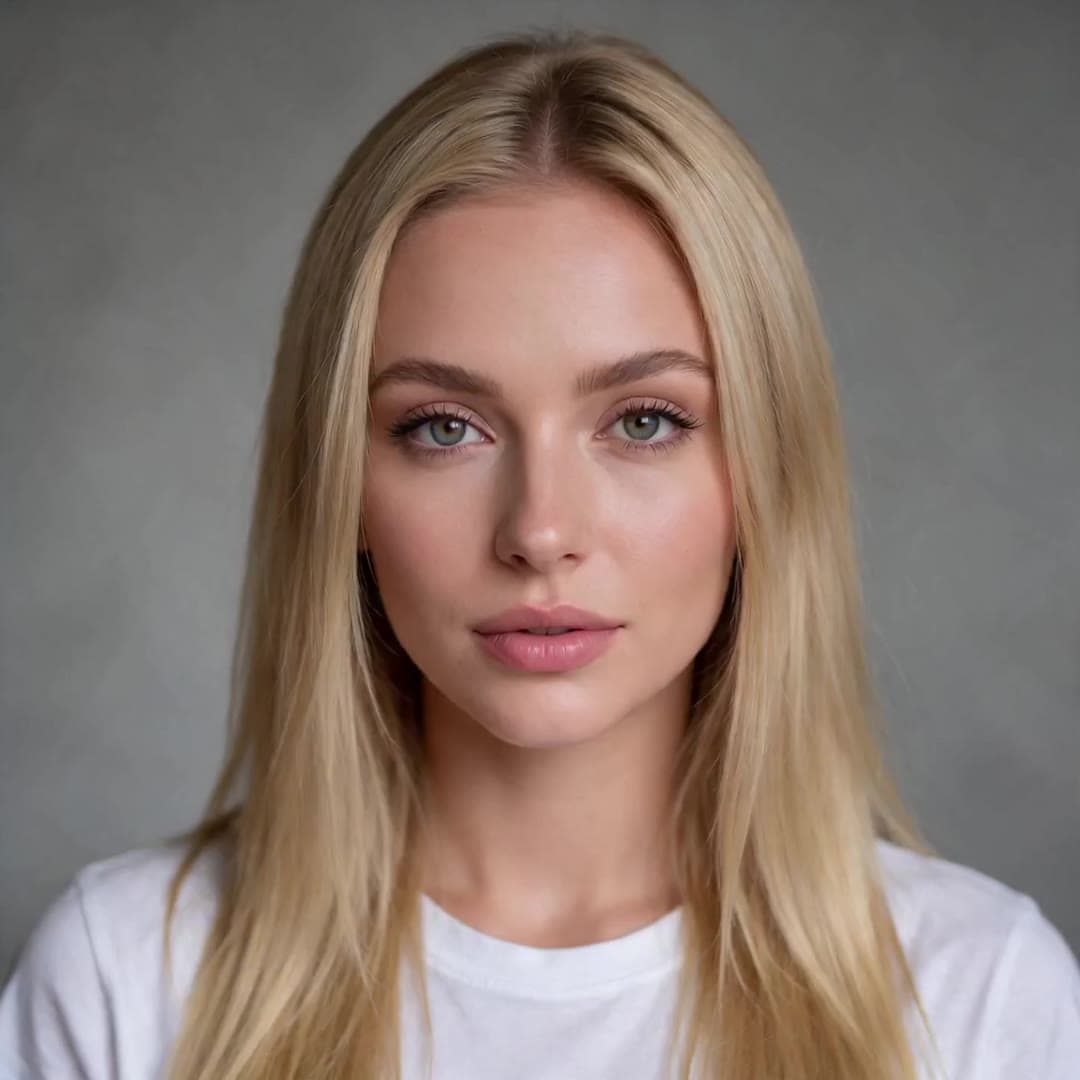 1 · Photo
“Hey, it's me. I made this whole video from one photo and a voice track. No camera, no studio, just KreatorFlow.”
On this page
A lip sync API without the setup
Developers searching for an OmniHuman API or a lip sync API want one call that turns a face and a voice into a finished video. The KreatorFlow developer API does that with OmniHuman 2.0: upload the photo and the audio, create a job, and collect the MP4 by webhook or by polling. The model id is kreator-lipsync, and GET /v1/models lists it with its limits.
The voice can come from your own file or straight from text: create speech with POST /v1/audio, then pass that job's id as audio_job_id. That makes a full text to talking video pipeline two calls long.
Endpoints
POST /v1/lip-sync
Create a Lip Sync job from image_upload_id plus audio_upload_id or audio_job_id. Returns a job, the quoted tokens and the billed seconds.
POST /v1/uploads
Create an upload, PUT the bytes to direct_upload_url, then call POST /v1/uploads/complete. Use IMAGE for the photo and AUDIO for the voice.
POST /v1/audio
Text to speech. A completed audio job can be the voice track of a Lip Sync job.
GET /v1/jobs/{job_id}
Poll status and fetch providerOutputUrl, or receive the same result by webhook.
GET /v1/models
Lists kreator-lipsync with its resolutions, prompt limit and price label.
GET /v1/voices
Voice ids for POST /v1/audio, so the speech and the video come from one key.
Request fields
POST /v1/lip-sync, scope videos:create. snake_case fields; camelCase is accepted too.
| Field | Required | What it is |
|---|---|---|
| image_upload_id | Yes | The photo of the person who speaks: an IMAGE upload_id from POST /v1/uploads. |
| audio_upload_id | One of the two | The voice track: an audio upload_id (MP3 or WAV, 4 seconds to 5 minutes, up to 15 MB). |
| audio_job_id | One of the two | The id of a completed POST /v1/audio job of the same account. |
| prompt | No | Direction for gestures, emotion and camera, up to 2,000 characters. |
| resolution | No | 720p or 1080p; 720p by default. |
| webhook_url | No | An https URL for signed job callbacks. |
| face_consent | No | true records, with the job, your confirmation that you are the person in the photo or have their permission. |
OmniHuman API quickstart: curl, Python and Node
Upload the photo and the voice, create the job, then poll it or wait for the webhook.
# 1. Create the job from a photo and a voice track you uploaded with POST /v1/uploads
curl https://kreatorflow.ai/v1/lip-sync \
  -H "Authorization: Bearer $KREATORFLOW_API_KEY" \
  -H "Content-Type: application/json" \
  -H "Idempotency-Key: welcome-video-001" \
  -d '{
    "image_upload_id": "tos:kreatorflow/uploads/<workspace_id>/<file>.png",
    "audio_upload_id": "tos:kreatorflow/uploads/<workspace_id>/<file>.mp3",
    "prompt": "Static medium shot. She speaks warmly to the camera, nodding on key points, and smiles at the end.",
    "resolution": "720p",
    "webhook_url": "https://example.com/kreatorflow/webhook"
  }'

# 2. Poll until status is completed, failed, canceled or blocked (or wait for the webhook)
curl https://kreatorflow.ai/v1/jobs/JOB_ID \
  -H "Authorization: Bearer $KREATORFLOW_API_KEY"
import os, time, requests # pip install requests
API = "https://kreatorflow.ai/v1"
HEADERS = {"Authorization": f"Bearer {os.environ['KREATORFLOW_API_KEY']}"}
def upload(path, mime_type, upload_type):
"""POST /v1/uploads, PUT the bytes to direct_upload_url, then POST /v1/uploads/complete."""
created = requests.post(f"{API}/uploads", headers=HEADERS, timeout=60, json={
"file_name": os.path.basename(path),
"mime_type": mime_type,
"file_size": os.path.getsize(path),
"upload_type": upload_type,
}).json()["data"]
with open(path, "rb") as body:
requests.put(created["direct_upload_url"], data=body,
headers=created["direct_upload_headers"], timeout=300).raise_for_status()
requests.post(f"{API}/uploads/complete", headers=HEADERS, timeout=60,
json={"upload_id": created["upload_id"]}).raise_for_status()
return created["upload_id"]
photo = upload("presenter.png", "image/png", "IMAGE")
voice = upload("welcome.mp3", "audio/mpeg", "AUDIO")
data = requests.post(
f"{API}/lip-sync",
headers={**HEADERS, "Idempotency-Key": "welcome-video-001"},
json={
"image_upload_id": photo,
"audio_upload_id": voice,
"prompt": "Static medium shot. She speaks warmly to the camera, nodding on key points, and smiles at the end.",
"resolution": "720p",
},
timeout=120,
).json()["data"]
print("billed seconds:", data["billed_seconds"], "tokens:", data["quoted_token_cost"])
job = data["job"]
while job["status"] not in ("completed", "failed", "canceled", "blocked"):
time.sleep(5)
job = requests.get(f"{API}/jobs/{job['id']}", headers=HEADERS, timeout=60).json()["data"]["job"]
print(job["status"], job["providerOutputUrl"])const API = "https://kreatorflow.ai/v1";
const headers = { Authorization: `Bearer ${process.env.KREATORFLOW_API_KEY}` };
// The photo and the voice are upload ids from POST /v1/uploads (upload_type IMAGE and AUDIO).
// To use text to speech instead, send audio_job_id: the id of a completed POST /v1/audio job.
let { data } = await fetch(`${API}/lip-sync`, {
method: "POST",
headers: { ...headers, "Content-Type": "application/json", "Idempotency-Key": "welcome-video-001" },
body: JSON.stringify({
image_upload_id: process.env.PHOTO_UPLOAD_ID,
audio_job_id: process.env.SPEECH_JOB_ID,
prompt: "Static medium shot. She speaks warmly to the camera, nodding on key points, and smiles at the end.",
resolution: "1080p",
}),
}).then((response) => response.json());
console.log("billed seconds:", data.billed_seconds, "tokens:", data.quoted_token_cost);
let job = data.job;
while (!["completed", "failed", "canceled", "blocked"].includes(job.status)) {
await new Promise((resolve) => setTimeout(resolve, 5000));
({ data } = await fetch(`${API}/jobs/${job.id}`, { headers }).then((response) => response.json()));
job = data.job;
}
console.log(job.status, job.providerOutputUrl);Create a key in the API console, export it as KREATORFLOW_API_KEY and keep it on your server. The full reference, including every error code, is in the developer docs.
Working with an AI agent? The same key drives the lip_sync tool on the MCP server at https://kreatorflow.ai/v1/mcp. See the KreatorFlow MCP server page.
Pricing per second
One token is $0.05. The price is quoted when the job is created and taken from your prepaid balance.
Per second at 720p
$0.20
4 tokens · kreator-lipsync
Per second at 1080p
$0.30
6 tokens · kreator-lipsync
| Audio length | 720p | 1080p |
|---|---|---|
| 4 seconds | $0.80 (16 tokens) | $1.20 (24 tokens) |
| 10 seconds | $2.00 (40 tokens) | $3.00 (60 tokens) |
| 30 seconds | $6.00 (120 tokens) | $9.00 (180 tokens) |
| 1 minute | $12.00 (240 tokens) | $18.00 (360 tokens) |
| 5 minutes | $60.00 (1,200 tokens) | $90.00 (1,800 tokens) |
Billing is per started second of audio, with a 4-second minimum. Top up from $20 to $2500 at a time by card in the console. There is no monthly fee, and tokens reserved for a job that fails are released back to your balance.
Checks before you are charged
- The photo must be an IMAGE upload from your own workspace (404 image_upload_not_found otherwise).
- Photos with nudity or of minors are refused: 422 image_rejected.
- The audio is measured on our side: under 4 seconds, over 5 minutes or unreadable returns 400.
- Accounts that have never paid get 403 paid_account_required.
- Nothing is reserved until every check passes.
- An Idempotency-Key replays the original job instead of creating a second one.
Get started in three steps
- 1
Create an account and key
Sign in to the API console at developers.kreatorflow.ai and create a key with the videos:create and uploads:create scopes.
- 2
Top up tokens
Add $20 or more from the billing tab. The balance is shared by every key on your account.
- 3
Send your first job
Upload a photo and a voice, then call POST /v1/lip-sync with an Idempotency-Key and poll or receive a webhook.
Consent and responsible use
Lip Sync makes the person in a photo say whatever the audio says, so it comes with clear rules. On the website you confirm, the first time you generate with a new photo, that you are that person or have their permission. Photos are screened before anything is charged, and photos with nudity or of minors are refused.
- Use a photo of yourself, or of someone who has given you permission to make them speak. A character you created, an animal or a drawing is fine.
- Use a voice you have the right to use: your own, one of our voices, a voice you cloned with consent, or a recording you have permission for. The same goes for any music or song.
- No sexual content, nothing involving anyone under 18, and no impersonation: never make a real person appear to say something they did not say in order to mislead, harass or defraud.
- No celebrities, politicians or other public figures unless they have given you permission and you hold the rights for that use.
- When you post a talking video of a real person, say that it is AI-generated. Many platforms require that label.
On the API you decide what your app sends, so the same rules apply to your users: collect their permission for the photos and voices they upload, and do not let your product be used to impersonate anyone. Your acceptance of the Terms and the Acceptable Use Policy is recorded with every job.
Read the full rules in the Acceptable Use Policy on real people's faces and the Terms.
OmniHuman API questions
Is there an official OmniHuman API?
OmniHuman 2.0 is ByteDance's model. KreatorFlow is an official partner of BytePlus, a ByteDance company, and offers it through its own developer API at /v1/lip-sync, with a KreatorFlow key, prepaid tokens and the same uploads, jobs and webhooks as the rest of the API.
How much does the OmniHuman API cost?
4 tokens per started second of audio at 720p and 6 at 1080p. One token is $0.05, so that is $0.20 and $0.30 per second, or $12.00 and $18.00 for a one-minute video. The minimum is 4 seconds per job.
What does the request need?
image_upload_id (a photo uploaded with POST /v1/uploads) and exactly one voice: audio_upload_id (an MP3 or WAV upload) or audio_job_id (a completed POST /v1/audio job). prompt, resolution (720p or 1080p) and webhook_url are optional. Public URLs are not accepted for Lip Sync.
How long can the audio be?
4 seconds to 5 minutes, MP3 or WAV up to 15 MB. The audio is measured on our side before anything is reserved; a track outside the limits returns audio_too_short, audio_too_long or audio_unreadable with nothing charged.
Do I get webhooks or do I poll?
Both work. Pass webhook_url to receive signed job callbacks, or poll GET /v1/jobs/{job_id} until the status is completed, then download providerOutputUrl. Send an Idempotency-Key so a repeated request returns the same job instead of a new one.
What happens if a job fails?
Tokens are reserved when the job is accepted and released if it fails, so you only pay for finished videos. Photos with nudity or of minors are refused before anything is reserved (422 image_rejected).
Who can use it?
Accounts that have paid: a card top-up of the developer balance, or a key from a workspace on a paid KreatorFlow plan. Otherwise the call returns 403 paid_account_required and nothing is charged.
Can an AI agent call it?
Yes. The lip_sync tool on the developer MCP server (https://kreatorflow.ai/v1/mcp) calls the same endpoint with your key, and the consumer MCP connector offers it to Claude and ChatGPT users on a paid plan.
Build with the OmniHuman API
Create a key, top up tokens and send your first Lip Sync job in minutes.