 Official BytePlus partnerBytePlus, a ByteDance company
Official BytePlus partner · Talking photo
Talking photo AI: give your photo a voice
Turn a still picture into a video that talks or sings. Add a photo, give it a voice (yours, a voice you cloned, or one of ours) and Lip Sync moves the lips, face and head to match every word, for up to 5 minutes.
- Your voice or ours
- Talks or sings
- People, pets and characters
- Up to 5 minutes
- 720p or 1080p
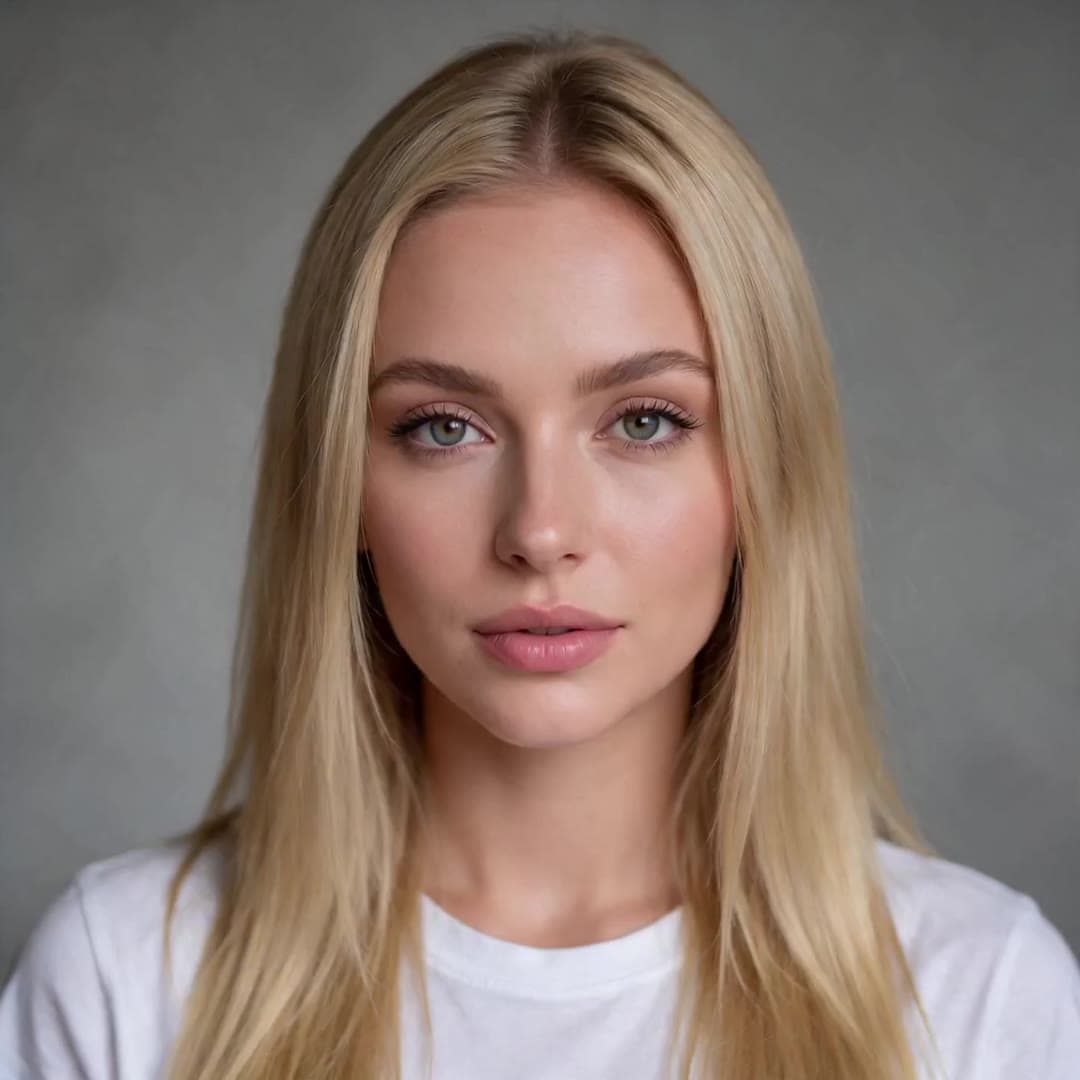 1 · Photo
“Hey, it's me. I made this whole video from one photo and a voice track. No camera, no studio, just KreatorFlow.”
On this page
From photo to talking video
A talking photo is a short video made from one still image: the person in the picture looks at you and says something, in a voice you choose. KreatorFlow makes it with Lip Sync, which runs ByteDance's OmniHuman 2.0 model through BytePlus (KreatorFlow is an official partner of BytePlus, a ByteDance company). It is not a mouth pasted onto a frozen face: the head moves and the expression changes with the tone of the voice.
You do not need a camera, a microphone setup or editing skills. If you can upload a picture and type a sentence, you can make one.
How to make a photo talk
- 1
Pick the photo
A clear, well-lit picture where the face is easy to see. A selfie, a portrait, your pet or a character all work.
- 2
Give it a voice
Type a message and choose a voice, or upload a recording or a song (MP3 or WAV).
- 3
Generate
Choose 720p or 1080p and press Generate. The cost is shown first: 4 credits per second at 720p.
Choose the voice
Record your own
Speak into your phone, export an MP3 or WAV and upload it. The video uses your recording exactly as it is.
Type it, pick a voice
Write the message and pick one of our English voices. The line is made with Text to Speech (2 credits per 1,000 characters).
Your cloned voice
Clone your voice once in the Audio studio, then make any line in it, even ones you never recorded.
Another language
Make the line in the Audio studio in another language, or upload a recording. The lips follow whatever the audio says.
A song
Upload a vocal you have the rights to and the photo sings it, from a slow ballad to a fast rap.
Someone else's voice
Only with their permission, for example a friend who recorded a message for the video.
Cloning your own voice takes a short, clean sample; the AI voice cloning page explains how, and why you can only clone voices you have permission to use.
Ideas for a talking photo
Birthday message
A photo of you that sings happy birthday or says a few words, for a friend who lives far away.
Product presenter
Your own photo introducing your shop, a new product or this week's offer.
Course avatar
One portrait that presents every lesson of an online course, in the same voice each time.
Talking pet
Your dog or cat delivering a line for a post, in a voice you picked.
Character for a story
A cartoon or 3D character you designed, telling the story in its own voice.
Message in another language
The same photo saying the same thing in several languages, one video each.
Photos that work best
- One face, facing the camera or close to it, with the mouth fully visible.
- Head and shoulders or half body. A face that is tiny in a wide shot gives a weaker result.
- Even light and a sharp image. Avoid heavy filters, sunglasses and hands over the face.
- No nudity and nobody under 18: those photos are refused before anything is charged.
Consent and responsible use
Lip Sync makes the person in a photo say whatever the audio says, so it comes with clear rules. On the website you confirm, the first time you generate with a new photo, that you are that person or have their permission. Photos are screened before anything is charged, and photos with nudity or of minors are refused.
- Use a photo of yourself, or of someone who has given you permission to make them speak. A character you created, an animal or a drawing is fine.
- Use a voice you have the right to use: your own, one of our voices, a voice you cloned with consent, or a recording you have permission for. The same goes for any music or song.
- No sexual content, nothing involving anyone under 18, and no impersonation: never make a real person appear to say something they did not say in order to mislead, harass or defraud.
- No celebrities, politicians or other public figures unless they have given you permission and you hold the rights for that use.
- When you post a talking video of a real person, say that it is AI-generated. Many platforms require that label.
Read the full rules in the Acceptable Use Policy on real people's faces and the Terms.
Talking photo questions
How do I make a photo talk?
Open Lip Sync, add the photo, then either type what it should say and pick a voice, or upload a recording. Press Generate and you get a video of the photo speaking the words, as long as the audio (4 seconds to 5 minutes).
Can I make a photo talk in my own voice?
Yes. Record yourself and upload the MP3 or WAV, or clone your voice once in the Audio studio and make any line in it. Your recording is used exactly as it is, so the video sounds like you.
Can I make an old family photo talk?
If the person in it is you, or you have their permission (or the permission of the family where that is appropriate), yes. Use the sharpest scan you have, with the face clearly visible. Label the video as AI-generated when you share it.
Can a photo of my pet or a drawing talk?
Yes. Lip Sync works with animals, cartoon and anime characters, 3D characters and paintings, as long as there is a clear face with a mouth.
How much does a talking photo cost?
4 credits per second of audio at 720p and 6 at 1080p. A 30-second message costs 120 credits at 720p. If you use one of our voices, the voice line costs the Text to Speech price (2 credits per 1,000 characters) as well. You see the total before you generate.
Is it free?
No. Talking photos need a paid account: any plan, from $15 for the first month on Creator, or a credit pack from $8. Credits for a video that fails come back automatically.
Can I make a photo of a celebrity talk?
No, not without their permission. Lip Sync is for photos of yourself and of people who agreed. Making a real person appear to say something they did not say, to mislead or harass, is not allowed.
Can the photo sing a song?
Yes. Upload the vocal track and the photo sings it, including fast rap. Use a song you have the rights to, and a clean vocal works better than a loud full mix.
Make your photo talk
Add a photo and a voice and see the price before you generate. Available on any paid plan or credit pack.