On this page
Short answer
The AI crying trend turns one portrait into a short clip where the person smiles, their eyes fill with tears and they turn away, usually set to a sad song. To make it, open the video studio on Seedance 2.5, add the photo as a reference (yours, or someone who agreed), describe the smile, the tears and the turn, set 9:16 and about 8 seconds, and generate. The example here cost 80 credits for 8 seconds at 1080p.
Try this in the studio
How to make the crying video
- 1
Pick the photo
A sharp, front-facing portrait with the eyes visible works best. It must be you, or someone who agreed to be animated this way.
- 2
Describe three moments
Smile, tears, turning away. Saying "slowly" and "a single tear" keeps it subtle and believable rather than theatrical.
- 3
Set it up in the studio
Seedance 2.5, 9:16, about 8 seconds, and a static camera or a very slow push-in so the face stays the focus.
- 4
Generate and post with the sound
Test the idea first: 24 credits for a 5-second test at 720p. The example above cost 80 credits for 8 seconds at 1080p. The price is shown before you generate, and failed generations give the credits back. Add the trending sound inside TikTok, Instagram or YouTube when you post: the app licenses it, and the clip stays yours. Generate the clip silent so nothing fights the music.
AI crying prompts
From your photo
The person in the photo looks into the camera with a soft smile. The smile slowly fades, their eyes fill with tears and one tear runs down their cheek. They lower their eyes and turn their face away. Static camera, gentle light, realistic, emotional.
Rainy window
Vertical close-up of a young man in his twenties by a rainy window at dusk. He looks into the camera with a warm smile, the smile slowly fades, his eyes fill with tears and a single tear rolls down his cheek, then he lowers his gaze and turns his face away from the camera. Soft blue window light and warm lamp light, static camera with a very slow push-in, realistic phone-video look, emotional.
Old photo memory
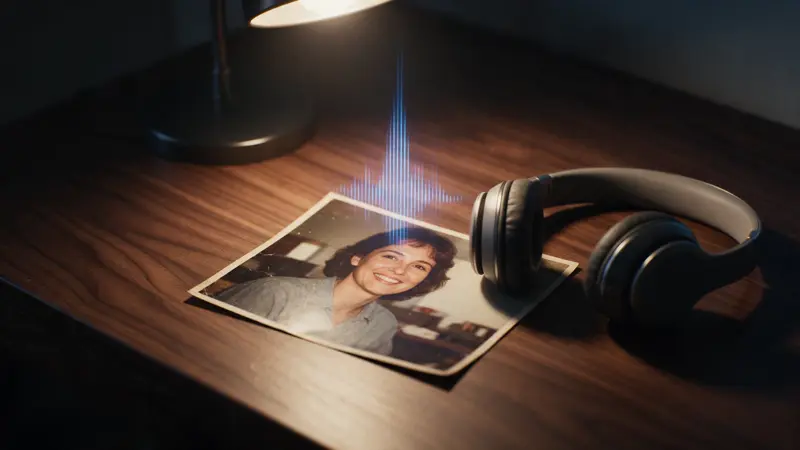
A warm, slightly faded portrait comes to life: the person smiles at the camera, then their expression softens, tears well up and they look down with a small sad smile. Film grain, soft golden light, very slow push-in.
Goodbye
Vertical close-up of a woman at a train station at night, smiling bravely at the camera. Her lips tremble, tears fill her eyes and she turns to look at the departing train. Cold blue platform lights, shallow depth of field, realistic.
Why it spread
It is the shortest emotional story there is: one face, one change. It started rising on TikTok, Reels and Shorts in late September 2026 and is mostly posted with sad songs and captions about missing someone.
Getting a natural cry
Ask for one tear, not streams of them, and keep the camera still. The turn away at the end matters: it gives the clip an ending instead of a loop.
If the face changes too much, use a sharper, front-facing photo and say "keep the face exactly the same".
Using a real person's photo
If you start from a photo of a real person, it must be you or someone who agreed to it. Never use photos of celebrities, strangers or anyone under 18, and label realistic AI video where the platform asks you to.
Frequently asked questions
Can I make a photo cry for free?
New accounts get 25 starter credits for images and video. Free video covers Seedance 2 Fast and Seedance 2.0 Mini at 720p only, queued and rate limited. Other video models and 1080p and above need a plan. Seedance 2.5 at 1080p is on the paid plans, starting with Creator.
Can I use a photo of someone else?
Only with their permission. Never use photos of celebrities, strangers or anyone under 18.
Can I use an old family photo?
Yes, if the people in it agreed, or it is a photo of you. Scan or photograph it sharply and crop to one face.
Why does the face look different?
Blurry or side-on photos give the model less to keep. Use a sharp front-facing portrait and ask it to keep the face the same.