On this page
- Short answer
- Image to video with the Seedance API in five steps
- Seedance API image-to-video price (21 October 2026)
- Seedance API price per second on KreatorFlow
- Which image-to-video modes does the Seedance API have?
- How do I animate a single image (first frame)?
- How do I control where the clip ends (first and last frame)?
- How do I keep a product or character consistent (reference images)?
- How do I send a local image instead of a URL?
- What does first and last frame look like in Python?
- Which aspect ratio and resolution should I use with an image?
- How do I write a prompt for image-to-video?
- What does Seedance image-to-video cost on the API?
- Which image-to-video errors should my code handle?
- Frequently asked questions
Short answer
To turn an image into a video with the Seedance API, send POST /v1/videos with a prompt and first_frame_url (or first_frame_upload_id for your own file). Add last_frame_url to control where the clip ends, or send up to 9 reference_image_urls instead to keep a product or character consistent. Images are not billed: the clip costs the same as text-to-video, $0.110 per second for Seedance 2.0 at 720p.
Get started
Image to video with the Seedance API in five steps
- 1
Pick the mode
First frame to animate one picture, first and last frame for a controlled move between two pictures, or reference images to keep a subject consistent in a new scene. Frames and references cannot be mixed in one job.
- 2
Get the image to the API
A public HTTPS URL goes straight into the request. For a local file, POST /v1/uploads, PUT the bytes to the returned direct_upload_url, then POST /v1/uploads/complete and use the upload_id. Images up to 50 MB.
- 3
Write a motion prompt
The model can already see the picture. Describe what moves, how the camera moves and what changes, not what the image shows.
- 4
Send POST /v1/videos
Add the frame or reference fields next to model, prompt, duration, aspect_ratio (adaptive follows the image) and resolution. The response quotes the cost before the job runs.
- 5
Poll or wait for the webhook
Poll GET /v1/jobs/{id} or set webhook_url, then download the clip from /v1/jobs/{id}/output and copy it to your own storage.
Seedance API image-to-video price (21 October 2026)
Per-second rate and the quoted cost of a 5-second clip with image inputs (images are not billed), from the KreatorFlow developer API rate card.
| Model (alias) | Resolution | Per second | 5-second clip |
|---|---|---|---|
| Seedance 2.0 (kreator-video-seedance-2) | 720p | $0.110/s | $0.55 (11 tokens) |
| Seedance 2.0 (kreator-video-seedance-2) | 1080p | $0.240/s | $1.20 (24 tokens) |
| Seedance 2.0 Fast (kreator-video-seedance-2-fast) | 720p | $0.084/s | $0.45 (9 tokens) |
| Seedance 2.0 Fast (kreator-video-seedance-2-fast) | 1080p | $0.183/s | $0.95 (19 tokens) |
| Seedance 2.0 Mini (kreator-video-seedance-2-mini) | 720p | $0.067/s | $0.35 (7 tokens) |
| Seedance 2.0 Mini (kreator-video-seedance-2-mini) | 1080p | $0.135/s | $0.70 (14 tokens) |
| Seedance 2.5 (kreator-video-seedance-2-5) | 720p | $0.207/s | $1.05 (21 tokens) |
| Seedance 2.5 (kreator-video-seedance-2-5) | 1080p | $0.444/s | $2.25 (45 tokens) |
Seedance API price per second on KreatorFlow
Seedance 2.0 and 2.5 at 720p and above on the KreatorFlow API: price per second, tokens per 5-second clip, and clips per prepaid top-up.
| Model · resolution | Tokens | Per second | USD per second | $20 top-up · 400 tokens | $50 top-up · 1,000 tokens | $100 top-up · 2,000 tokens | $250 top-up · 5,000 tokens |
|---|---|---|---|---|---|---|---|
| Seedance 2.0 · 720p | 11/5s | 2.2/s | $0.110/s | 36 | 90 | 181 | 454 |
| Seedance 2.0 · 1080p | 24/5s | 4.8/s | $0.240/s | 16 | 41 | 83 | 208 |
| Seedance 2.0 · 4K | 58/5s | 11.6/s | $0.580/s | 6 | 17 | 34 | 86 |
| Seedance 2.5 · 720p | 21/5s | 4.2/s | $0.210/s | 19 | 47 | 95 | 238 |
| Seedance 2.5 · 1080p | 45/5s | 9/s | $0.450/s | 8 | 22 | 44 | 111 |
| Seedance 2.5 · 4K | 100/5s | 20/s | $1.000/s | 4 | 10 | 20 | 50 |
Seedance 2.0 and 2.5, 720p and above. Top-up columns: 5-second clips each top-up covers, without a video input. Billing is per second of video, so a 10-second clip uses twice the tokens.
Which image-to-video modes does the Seedance API have?
Three, and each one answers a different question. They work on every Seedance 2 model the KreatorFlow API offers. Seedance is ByteDance's video model, and KreatorFlow is an official partner of BytePlus, a ByteDance company.
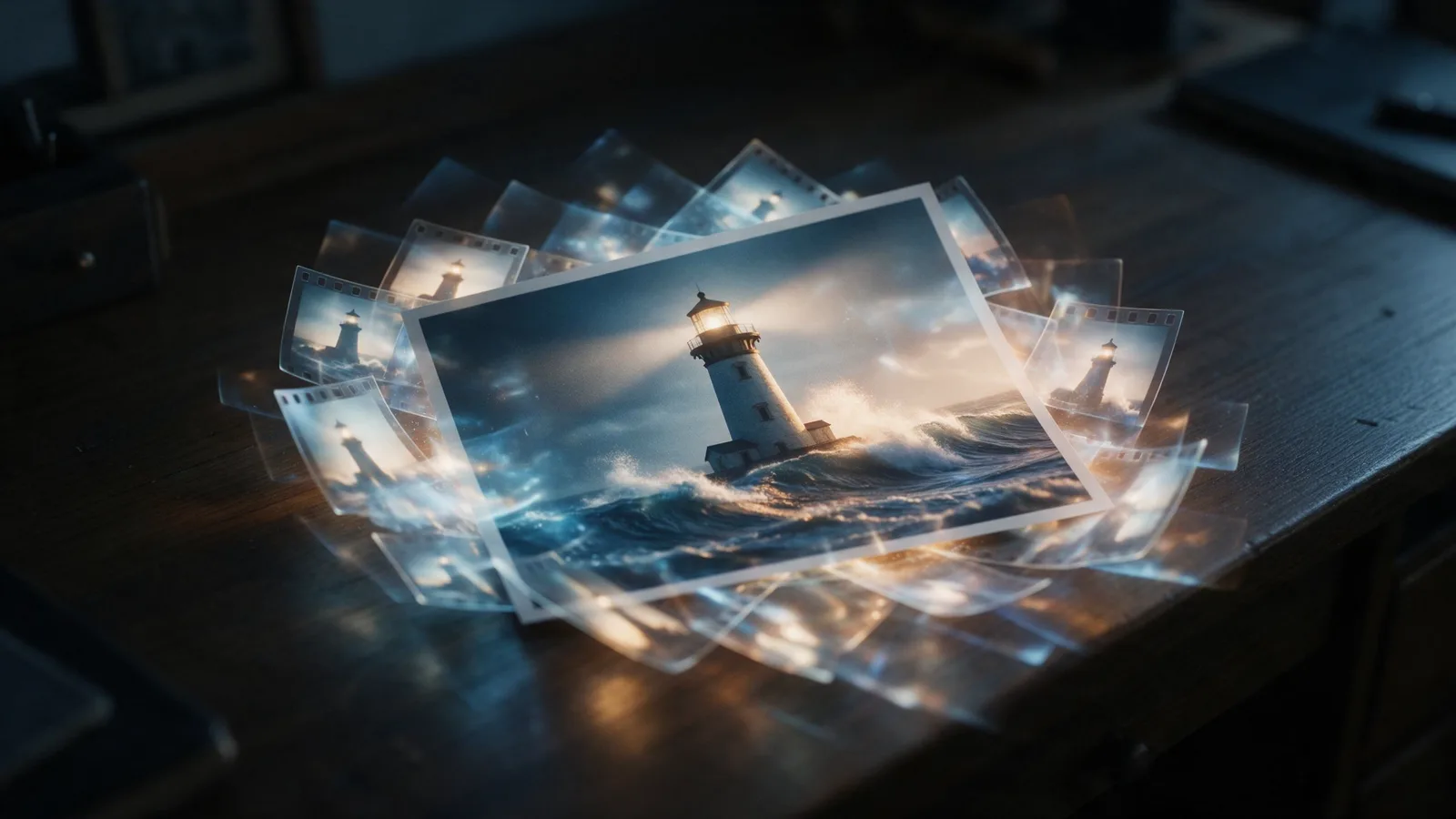
First frame: the clip starts exactly on your picture and the model animates it. This is classic image-to-video, the right choice for bringing a photo, illustration or product shot to life.
First and last frame: the clip starts on one picture and ends on another, and the model works out the motion between them. Use it for transformations, before and after, day to night, or to join two shots you already have.
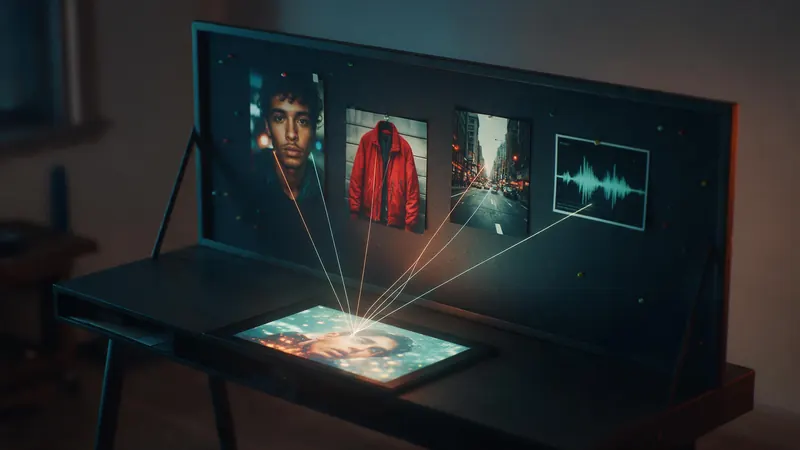
Reference images: up to 9 pictures that show the model what a product, character, outfit or style looks like, without fixing the first frame. The model builds a new scene from your prompt and keeps the subject recognisable. Use it when the subject matters more than the exact opening shot.
- first_frame_url or first_frame_upload_id: the opening frame
- last_frame_url or last_frame_upload_id: the closing frame (send it with a first frame)
- reference_image_urls or reference_image_upload_ids: up to 9 reference pictures
- Frames and references in one job: refused with 400 reference_combination_not_supported, before anything is charged
How do I animate a single image (first frame)?
Send the image as first_frame_url and describe the motion in the prompt. With aspect_ratio set to adaptive, the clip keeps the shape of your picture, so a portrait photo becomes a portrait video and nothing is cropped. Seedance 2.0 takes 4, 5, 6, 8, 10, 12 and 15 seconds.
The model treats the first frame as the truth: faces, products, text on packaging and the composition stay as they are at the start, then move. If the opening looks soft, start from a sharper source image; the clip cannot add detail the picture does not have.
curl: first frame
curl https://kreatorflow.ai/v1/videos \ -H "Authorization: Bearer $KREATORFLOW_API_KEY" \ -H "Content-Type: application/json" \ -H "Idempotency-Key: i2v-first-frame-0001" \ -d '{ "model": "kreator-video-seedance-2", "prompt": "The camera slowly pushes in. Waves roll against the rocks and the lighthouse beam sweeps across the sea.", "first_frame_url": "https://example.com/lighthouse.jpg", "duration": 5, "aspect_ratio": "adaptive", "resolution": "720p", "generate_audio": true }'
How do I control where the clip ends (first and last frame)?
Add last_frame_url (or last_frame_upload_id). The clip begins on the first picture and lands on the second, and the prompt tells the model how to get there.
It works best when the two pictures share a camera position and a subject, like the same street by day and by night, or the same person before and after a makeover. Two unrelated pictures make the model invent a cut or a morph, which is rarely what you want. Give it enough time too: a big change in a short clip looks rushed, so pick a longer duration for large transformations.
JSON body: first and last frame
{ "model": "kreator-video-seedance-2", "prompt": "Time-lapse from day to night: the sky darkens, the city lights switch on one by one, the camera holds still.", "first_frame_url": "https://example.com/skyline-day.jpg", "last_frame_url": "https://example.com/skyline-night.jpg", "duration": 8, "aspect_ratio": "16:9", "resolution": "1080p" }
How do I keep a product or character consistent (reference images)?
Send reference_image_urls (or reference_image_upload_ids) instead of a frame, with up to 9 pictures. Show the subject from more than one angle: front, side and a detail shot do more than three copies of the same view. Then name it in the prompt ("the sneaker from the reference images") so the model knows what to keep.
Reference images are how teams make many clips of one product or one mascot without the design drifting from clip to clip. For a character you will use again and again, register it once with POST /v1/characters and pass character_ids, so you do not resend the pictures on every job.
References are guides, not frames: the clip will not open on your picture, and the model is free to choose the camera and lighting your prompt asks for.
JSON body: reference images
{ "model": "kreator-video-seedance-2", "prompt": "The sneaker from the reference images spins slowly on a wet concrete floor under a neon sign, reflections on the ground, close product shot.", "reference_image_urls": [ "https://example.com/sneaker-side.jpg", "https://example.com/sneaker-top.jpg", "https://example.com/sneaker-sole.jpg" ], "duration": 5, "aspect_ratio": "9:16", "resolution": "720p" }
How do I send a local image instead of a URL?
Upload it in three calls. POST /v1/uploads with file_name, mime_type and file_size returns an upload_id, a direct_upload_url and the direct_upload_headers to send with it. PUT the bytes to that URL (it is valid for 10 minutes), then POST /v1/uploads/complete with the upload_id. Use the upload_id in first_frame_upload_id, last_frame_upload_id or reference_image_upload_ids.
Accepted formats: JPEG, PNG, WebP, GIF, BMP, TIFF, HEIC and AVIF, up to 50 MB per image. The bytes go straight to storage, so large files do not pass through a request size limit. URLs must be HTTPS and reachable without a login; a link behind a sign-in or an expiring signature that runs out before the job starts will fail.
The Node.js script below uploads a local image, animates it as the first frame, polls the job and saves clip.mp4. It runs on Node 18 or later.
Node.js (ESM): upload and animate
import { readFile, writeFile } from "node:fs/promises"; const KEY = process.env.KREATORFLOW_API_KEY; const BASE = "https://kreatorflow.ai/v1"; const auth = { Authorization: `Bearer ${KEY}` }; const sleep = (ms) => new Promise((resolve) => setTimeout(resolve, ms)); // 1. Upload a local image and get an upload_id. async function uploadImage(path, mimeType = "image/jpeg") { const bytes = await readFile(path); const start = await fetch(`${BASE}/uploads`, { method: "POST", headers: { ...auth, "Content-Type": "application/json" }, body: JSON.stringify({ file_name: path.split("/").pop(), mime_type: mimeType, file_size: bytes.length }), }).then((r) => r.json()); if (!start.success) throw new Error(`${start.code}: ${start.error}`); const { upload_id, direct_upload_url, direct_upload_headers } = start.data; const put = await fetch(direct_upload_url, { method: "PUT", headers: direct_upload_headers, body: bytes }); if (!put.ok) throw new Error(`upload failed: ${put.status}`); const done = await fetch(`${BASE}/uploads/complete`, { method: "POST", headers: { ...auth, "Content-Type": "application/json" }, body: JSON.stringify({ upload_id }), }).then((r) => r.json()); if (!done.success) throw new Error(`${done.code}: ${done.error}`); return upload_id; } // 2. Animate it: the image becomes the first frame. async function imageToVideo(path, prompt) { const uploadId = await uploadImage(path); const created = await fetch(`${BASE}/videos`, { method: "POST", headers: { ...auth, "Content-Type": "application/json", "Idempotency-Key": crypto.randomUUID() }, body: JSON.stringify({ model: "kreator-video-seedance-2", prompt, first_frame_upload_id: uploadId, duration: 5, aspect_ratio: "adaptive", resolution: "720p" }), }).then((r) => r.json()); if (!created.success) throw new Error(`${created.code}: ${created.error}`); // 3. Poll until the job is final (or use webhook_url instead). let job = created.data.job; while (!["completed", "failed", "canceled", "blocked"].includes(job.status)) { await sleep(10000); const res = await fetch(`${BASE}/jobs/${job.id}`, { headers: auth }); if (res.status === 429) { await sleep(Number(res.headers.get("Retry-After") ?? 5) * 1000); continue; } job = (await res.json()).data.job; } if (job.status !== "completed") throw new Error(job.errorCode ?? job.status); const file = await fetch(`${BASE}/jobs/${job.id}/output`, { headers: auth }); await writeFile("clip.mp4", Buffer.from(await file.arrayBuffer())); } await imageToVideo("./product.jpg", "The camera orbits the product slowly while soft light moves across it.");
What does first and last frame look like in Python?
The same flow with the requests library: two uploads, one job that moves from the first picture to the second, and a download when it completes. In production, set webhook_url and drop the polling loop.
Python 3: first and last frame
import os, time, uuid, requests KEY = os.environ["KREATORFLOW_API_KEY"] BASE = "https://kreatorflow.ai/v1" H = {"Authorization": f"Bearer {KEY}"} def upload_image(path, mime_type="image/jpeg"): data = open(path, "rb").read() start = requests.post(f"{BASE}/uploads", headers=H, json={ "file_name": os.path.basename(path), "mime_type": mime_type, "file_size": len(data), }).json()["data"] requests.put(start["direct_upload_url"], headers=start["direct_upload_headers"], data=data).raise_for_status() requests.post(f"{BASE}/uploads/complete", headers=H, json={"upload_id": start["upload_id"]}).raise_for_status() return start["upload_id"] first = upload_image("day.jpg") last = upload_image("night.jpg") job = requests.post(f"{BASE}/videos", headers={**H, "Idempotency-Key": str(uuid.uuid4())}, json={ "model": "kreator-video-seedance-2", "prompt": "Day turns to night, the city lights switch on, the camera holds still.", "first_frame_upload_id": first, "last_frame_upload_id": last, "duration": 5, "aspect_ratio": "16:9", "resolution": "720p", }).json()["data"]["job"] while job["status"] not in ("completed", "failed", "canceled", "blocked"): time.sleep(10) job = requests.get(f"{BASE}/jobs/{job['id']}", headers=H).json()["data"]["job"] if job["status"] == "completed": clip = requests.get(f"{BASE}/jobs/{job['id']}/output", headers=H) open("day-to-night.mp4", "wb").write(clip.content)
Which aspect ratio and resolution should I use with an image?
adaptive is the safe default for first-frame jobs: the output follows the picture. If you set a fixed ratio (16:9, 9:16, 1:1, 4:3, 3:4 or 21:9) that does not match the image, the model has to crop or extend the picture, which can cut off a product or a face. Crop the source image to the ratio you want before you upload, or use adaptive.
Resolution sets the price and the detail. 720p is the right place to test prompts and motion; switch to 1080p for the version you publish. For Seedance 2.0, that is $0.110 per second at 720p and $0.240 at 1080p. A low-resolution source image will still look soft at 1080p, so start from a picture at least as large as the output.
How do I write a prompt for image-to-video?
Describe the motion, not the picture. The model already sees the image, so a prompt that repeats it ("a red car on a road at sunset") gives it nothing to do and often produces a clip that barely moves. Tell it what happens next.
- Camera first: slow push in, orbit left, crane up, handheld follow, locked-off tripod
- Then the subject: what moves, in which direction and how fast (hair moves in the wind, the car pulls away, steam rises)
- Then the world: light changes, weather, background movement, people passing
- One main action per clip: two big events in five seconds usually blur into neither
- Say what must stay the same when it matters: "the label stays readable", "the face does not change"
- For first and last frame, describe the change between them: "the sky darkens and the lights switch on"
What does Seedance image-to-video cost on the API?
The same as text-to-video. Image inputs, frames and references alike, are not billed: the price depends only on the model, resolution and length of the output, rounded up to the next whole token ($0.05 each). Only reference video seconds add to a job's price. For drafts, Seedance 2.0 Fast costs $0.084 per second at 720p. The create response carries the exact quote, and a job that fails releases its tokens.
The table shows the 720p and 1080p rates and the cost of one 5-second clip for each model, read from the rate card that bills the job.
Which image-to-video errors should my code handle?
Most image problems are caught when you create the job, before tokens are reserved. The ones to handle:
- 400 reference_combination_not_supported: frames and reference images (or character_ids) in one job; send one mode
- 400 upload_invalid: the file type or size is not accepted; convert it or make it smaller
- 400 reference_upload_invalid or 404 reference_upload_not_found: the upload_id is not one POST /v1/uploads returned for this account; upload again and call /v1/uploads/complete
- An image URL that is not HTTPS, needs a login or has expired: host it publicly or upload it instead
- A photo of a real person is declined as a reference; for a person you have the rights to, register a character with POST /v1/characters
- 429 rate_limited on uploads or jobs: wait for Retry-After, then try again
Frequently asked questions
Does the Seedance API support image to video?
Yes. Send first_frame_url or first_frame_upload_id with POST /v1/videos to animate a picture, add last_frame_url to set the closing frame, or send up to 9 reference_image_urls to keep a subject consistent in a new scene.
Can I use a first frame and reference images in the same job?
No. The model treats frames and references as two different modes, so a job with both is refused with 400 reference_combination_not_supported before anything is charged. Choose a first frame for an exact opening, or references for a consistent subject.
Are the input images billed?
No. Image inputs are free; the job costs the same as a text-to-video clip of the same model, resolution and length, rounded up to the next whole token of $0.05.
Which image formats can I upload?
JPEG, PNG, WebP, GIF, BMP, TIFF, HEIC and AVIF, up to 50 MB per image. Public HTTPS URLs work without uploading.
Why does my image-to-video clip barely move?
Usually the prompt describes the picture instead of the motion. Name a camera move and an action ("slow push in, steam rises, the cup turns") and leave out what the image already shows.
Can I make a photo of a person talk?
For speech, use the lip sync endpoint (POST /v1/lip-sync), which makes the person in a photo speak a voice track. A photo of a real person is declined as a Seedance reference; register a character you have the rights to with POST /v1/characters instead.
Which Seedance model is best for image to video?
Seedance 2.0 for the clip you publish, Seedance 2.0 Fast for testing prompts and motion at a lower price. GET /v1/models lists every model your key can use with its limits.