 Official BytePlus partnerBytePlus, a ByteDance company
Official BytePlus partner · Talking avatars
AI talking avatar: a presenter from one photo
Upload one photo, add a script or your own voice, and KreatorFlow Lip Sync turns it into a presenter who speaks to camera with natural lips, expressions and gestures. Use the same face for every explainer, lesson or channel episode, in takes of up to 5 minutes.
- One photo, any script
- Your voice, cloned or ours
- Same face every video
- Up to 5 minutes
- 4 credits per second
Last updated
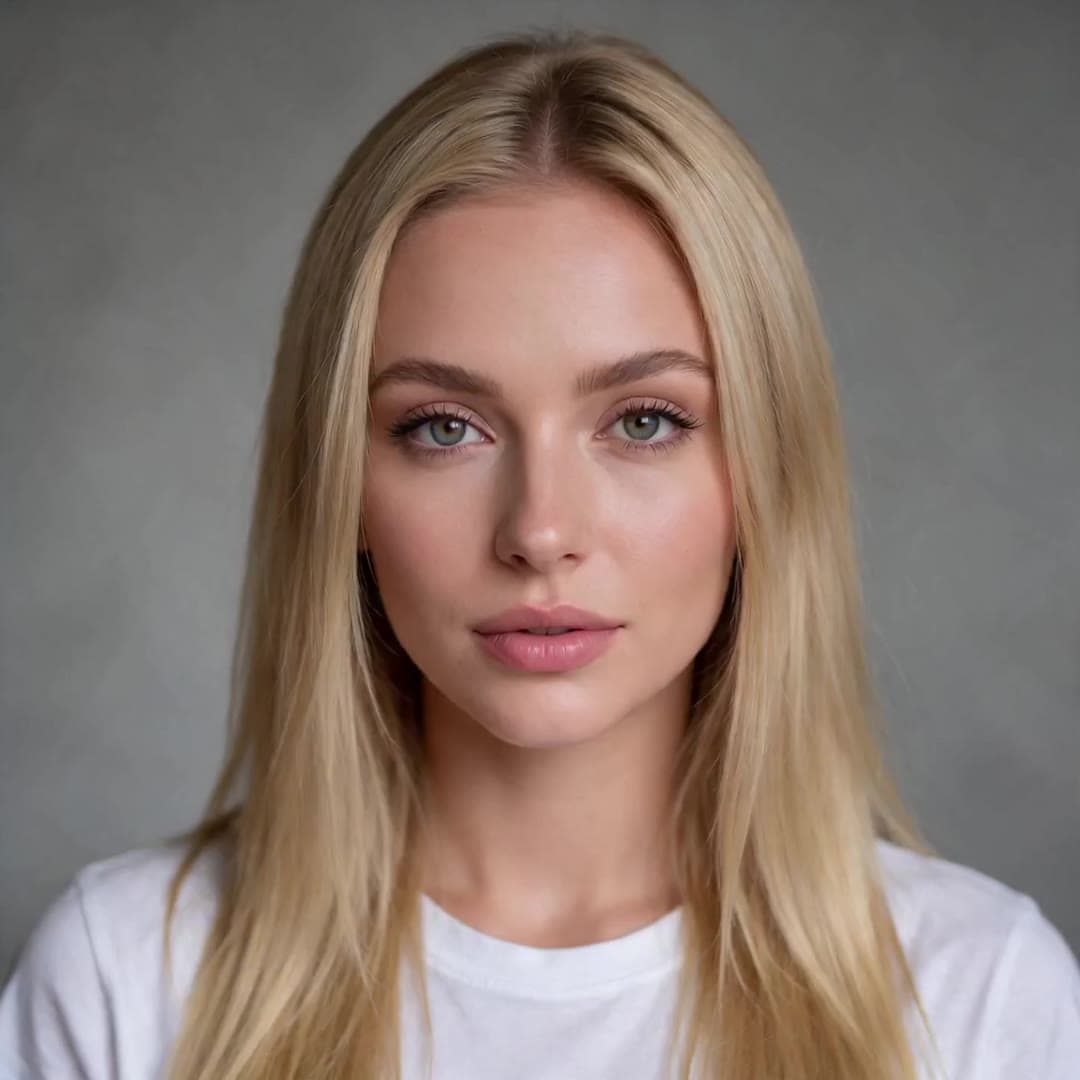 1 · Photo
“Hey, it's me. I made this whole video from one photo and a voice track. No camera, no studio, just KreatorFlow.”
On this page
What a talking avatar is (and is not)
A talking avatar is a presenter made from a still image: you supply the face and the words, and the video shows that face speaking them. KreatorFlow makes it with Lip Sync, which runs ByteDance's OmniHuman 2.0 model through BytePlus (KreatorFlow is an official partner of BytePlus, a ByteDance company). Because the model is audio-driven, pauses, emphasis and tone in the voice show up in the face.
It makes one continuous talking shot from one photo. It is not a live, interactive avatar, and it does not film new scenes around the presenter; for those, combine your avatar clips with b-roll in an editor.
How to make a talking avatar in three steps
- 1
Choose your avatar
Use a photo of yourself, of a presenter who agreed, or an AI-generated person or character. Save it as a character once and reuse the same face in every video.
- 2
Write or record the script
Type the script and pick a voice, use a voice you cloned in the Audio studio, or upload a recording. One take can run 4 seconds to 5 minutes.
- 3
Generate and publish
Add an optional direction for gestures and camera, choose 720p or 1080p, and press Generate (4 credits per second at 720p). Download the video and add captions or b-roll in any editor.
Where talking avatars work
Faceless channels
One consistent host for YouTube, TikTok or Shorts, without the creator on camera.
UGC-style explainers
A person talking to camera about how something works, in a casual selfie or vlog look.
Online courses
The same presenter in every lesson, with scripts you can update and re-render instead of re-filming.
Product and app walkthroughs
An avatar intro and outro around your screen recording.
Team updates and onboarding
A familiar face reading the weekly update or a welcome message, in several languages.
Customer support videos
Short answers to common questions, each read by the same presenter.
Tips for a natural presenter
- Frame it like a real presenter. Head and shoulders or half body, eyes towards the camera, even light, mouth uncovered.
- Match the photo to the format. A vertical selfie-style photo for TikTok and Reels, a landscape studio shot for YouTube and courses.
- Write for the ear. Short sentences and natural pauses read better than dense paragraphs, and give the avatar time to react.
- Keep direction small. A nod on key points, a smile at the end, a slow push-in. Do not describe the person; the photo already does.
- Split long scripts. Several shorter takes with a cut between them look more like real editing than one long unbroken shot.
More lip sync examples
Real results: a podcast host, a singer, a pet, a painting and an anime character.
Singing
“City lights are calling me home, I don't want to walk these streets alone.”
16 seconds at 720p · English · An original soul song made in the Audio studio
Two people, one speaker
“Okay, so here's the thing nobody tells you about starting a podcast. The first ten episodes? Nobody listens…”
14 seconds at 720p · English · The Jonah voice
A talking dog
“Okay, I need everyone to stay calm. I did not eat the sandwich. The sandwich simply left.”
6 seconds at 720p · English · The Jonah voice
A painting that speaks French
“Trois cents ans immobile dans ce musée, à sourire aux touristes. Enfin, quelqu'un me laisse parler. Merci, mes amis.”
7 seconds at 720p · French · A French Text to Speech voice
An anime character in Japanese
“こんばんは!雪がきれいですね。今日はずっと、あなたに会いたかったんです。”
6 seconds at 720p · Japanese · A Japanese Text to Speech voice
Real results from KreatorFlow Lip Sync, each made from one AI-generated picture (no real people) and audio from our Audio studio. Press play to hear them. AI-generated video.
What a talking avatar costs
Credits per started second of audio, from the same code the studio charges with.
| Audio length | 720p | 1080p |
|---|---|---|
| 4 seconds | 16 credits | 24 credits |
| 10 seconds | 40 credits | 60 credits |
| 30 seconds | 120 credits | 180 credits |
| 1 minute | 240 credits | 360 credits |
| 5 minutes | 1,200 credits | 1,800 credits |
If you type the script, the voice line costs 2 credits per 1,000 characters on top. A recording you upload costs nothing extra. See pricing for plans and credit packs.
Use avatars honestly
- Make an avatar of yourself, of someone who agreed, or of an AI-generated person
- Say a presenter is AI-generated where the platform or the law asks for it
- Never present an avatar as a real customer, expert or public figure
- Never make a real person appear to endorse something they did not
Consent and responsible use
Lip Sync makes the person in a photo say whatever the audio says, so it comes with clear rules. On the website you confirm, the first time you generate with a new photo, that you are that person or have their permission. Photos are screened before anything is charged, and photos with nudity or of minors are refused.
- Use a photo of yourself, or of someone who has given you permission to make them speak. A character you created, an animal or a drawing is fine.
- Use a voice you have the right to use: your own, one of our voices, a voice you cloned with consent, or a recording you have permission for. The same goes for any music or song.
- No sexual content, nothing involving anyone under 18, and no impersonation: never make a real person appear to say something they did not say in order to mislead, harass or defraud.
- No celebrities, politicians or other public figures unless they have given you permission and you hold the rights for that use.
- When you post a talking video of a real person, say that it is AI-generated. Many platforms require that label.
Read the full rules in the Acceptable Use Policy on real people's faces and the Terms.
Talking avatar questions
How do I make a talking avatar from a photo?
Upload one photo to KreatorFlow Lip Sync, type a script and pick a voice (or upload your recording), and press Generate. OmniHuman 2.0 turns the still photo into a presenter who speaks the script with matching lips, expressions and head movement.
Can I make an avatar of myself?
Yes. Upload a clear photo of yourself and use your own recorded voice, or clone your voice once in the Audio studio and type new scripts in it. You can then make videos without filming each one.
Can I use an AI-generated person as my avatar?
Yes. Generate a presenter with the AI character generator, save it, and use it in Lip Sync. The example on this page was made that way, from an AI-generated portrait and one of our voices.
Is it good for faceless YouTube and TikTok channels?
It suits channels that need a consistent face without the creator on camera: the same avatar and voice can present every episode, and one take can last up to 5 minutes. Label the presenter as AI-generated where the platform asks for it.
Can I make UGC-style ads with it?
You can make a person talking to camera about your product, in a selfie or vlog style. Be honest about it: do not present an AI avatar as a real customer giving a real review, and follow each ad platform's rules on AI-generated people.
Can the avatar hold or demonstrate my product?
Lip Sync animates the person in the photo; it does not add new objects. If the product should be in the shot, put it in the photo first, for example a photo of the presenter holding it.
How much does a talking avatar video cost?
4 credits per second at 720p and 6 at 1080p. A one-minute explainer costs 240 credits at 720p, plus 2 credits per 1,000 characters for the voice line if you type the script. Lip Sync needs a paid plan (from $15 for the first month on Creator) or a credit pack (from $8).
Can I make the avatar speak other languages?
Yes. The lips follow whatever the audio says. Make the line in another language in the Audio studio, or upload a recording, and use the same photo for each version.
Can developers build a talking avatar feature?
Yes. The OmniHuman API (/v1/lip-sync) takes a photo and a voice track and returns the video, priced per second in prepaid tokens.
Make your first avatar video
Add a photo and a script, and see the price before you generate. Available on any paid plan or credit pack.