On this page
Short answer
An AI video editor generates clips with AI video models, then cuts them into short videos people watch to the end: hooks, captions, pacing and sound. To become one, learn a normal editor (CapCut, Premiere Pro, DaVinci Resolve or similar), learn to prompt one AI video model well, and post a portfolio of 5 to 10 finished vertical videos. You can start practising on KreatorFlow free: new accounts get 25 credits for images and short Seedance 2 Fast and Seedance 2.0 Mini clips up to 720p, and linking Discord adds 100 more.
Get started
How to become an AI video editor, step by step
- 1
Learn one editor properly
Pick CapCut, Premiere Pro, After Effects or DaVinci Resolve and learn cuts, captions, keyframes and audio. Speed matters more than which app you use.
- 2
Learn one AI video model
Learn to prompt one model well before you try many: the subject, the action, the camera move and the light, in that order. Then add reference images to keep a character the same from clip to clip.
- 3
Make 5 to 10 finished videos
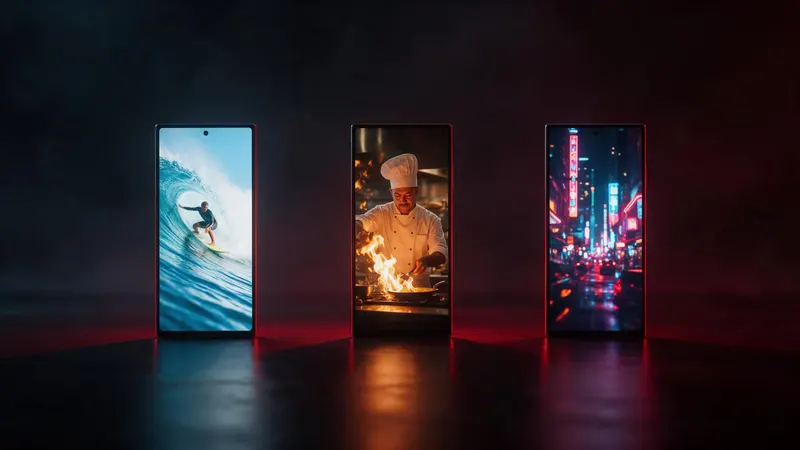
Make complete 15 to 60 second vertical videos, not loose clips: a hook in the first second, captions, music and a clear ending. Post them so they have real views.
- 4
Put your best one first
Share a Google Drive folder, a TikTok or Instagram page, YouTube Shorts or a website, with your strongest video at the top.
- 5
Apply with a rate
Say what you charge, per video, per hour or per month, and be ready to make one trial reel from a short brief.
What does an AI video editor do?
An AI video editor makes short videos where some or all of the footage comes from AI: video models, AI voices, lip sync or character swaps. The job is half generating and half editing.
At KreatorFlow, the AI video editor role looks like this:
- Turn briefs into finished 15 to 60 second vertical videos for our Instagram, TikTok and YouTube Shorts, several a day
- Write prompts, pick references and generate clips until they look right
- Cut for pace: hooks, captions, on-screen text and edits matched to the music
- Show off new tools the week they launch
The skills you need
You don't need a film degree. You need taste, speed and a portfolio. The skills that matter most:
- Hooks: something worth watching in the first second, before anyone scrolls away
- Pacing: cuts on the beat of the music and no dead frames
- Captions and on-screen text that are easy to read on a phone
- Prompting: describing the subject, the action, the camera and the light clearly
- Consistency: keeping the same character, outfit and look across several clips
- Speed: finishing several videos a day without the quality dropping
The tools to learn
Most AI video editors use two kinds of tool: an editor to cut the video, and AI tools to make the shots.
KreatorFlow is an official partner of BytePlus, a ByteDance company. In one KreatorFlow account you can make video with Seedance, images with Seedream, AI voices and sound, lip sync and character swaps, then cut them in the browser editor. A 5-second 720p Seedance 2.0 clip costs 15 credits.
How to build a portfolio with no clients
Make the videos you would want to be hired for. Pick one niche, such as product ads, short stories, music videos or talking characters, and make 5 to 10 finished vertical videos for it.
Post them on TikTok, Instagram or YouTube Shorts so they have real views. A video with views shows you know what holds attention; a folder of loose clips does not.
- Keep each video 15 to 60 seconds and vertical (9:16)
- Put your best video first
- Show one before and after: the raw AI clips next to your finished edit
- Write one line under each video on what you made and which tools you used
Start practising free on KreatorFlow
Create a free account and you get 25 credits for images and short Seedance 2 Fast and Seedance 2.0 Mini clips up to 720p, with no card. Link your Discord account for 100 more credits.
When you are ready to pay, the $3 48-hour trial and the $8 pack of 160 credits are the smallest ways in. The trial continues into the Creator plan unless you cancel before it ends; the pack needs no subscription.
Where to find AI video editing work
Brands, creators and AI companies all need short-form video. Look on freelance sites, in creator communities, and on the careers pages of AI video tools, which hire editors who already use their own tools.
KreatorFlow is not hiring right now. If that changes, it will be on our careers page.
Not ready to edit for someone else? You can also earn by recommending KreatorFlow through our affiliate program.
Questions other guides skip
Do I need to know how to edit before using AI video tools?
Yes, for paid work. AI models make the shots, but clients and studios pay for the finished video: the order of the shots, the hook, the captions, the sound and the pace. Editing is the part that turns clips into something people watch.
What do studios actually look for in an AI video editor?
KreatorFlow's last AI video editor role asked for: A portfolio of short-form videos you made or edited, ideally with real views; A feel for what stops the scroll in the first second; speed in CapCut, Premiere Pro, After Effects, DaVinci Resolve or similar; you already make videos with AI tools, and you work fast. Studios hiring AI video editors look for much the same.
Can I practise without paying?
On KreatorFlow, yes. A new account starts with 25 free credits for images and short Seedance 2 Fast and Seedance 2.0 Mini clips up to 720p, with no card needed. Join our Discord and link your account for 100 more. Kitsune, Face Swap and Lip Sync are paid tools.
Frequently asked questions
How do I become an AI video editor?
Learn one video editor and one AI video model, make 5 to 10 finished short vertical videos, post them so they get real views, and apply with your portfolio and your rate.
Do I need experience to get hired?
You need a portfolio more than a CV. Most studios hiring AI video editors look at your videos first and then ask for one trial piece.
What tools do AI video editors use?
A normal editor such as CapCut, Premiere Pro, After Effects or DaVinci Resolve, plus AI tools for the shots: video models like Seedance, image models, AI voices and lip sync. KreatorFlow has these in one account.
Is KreatorFlow hiring AI video editors?
Not right now: applications are closed. You can still make AI videos on KreatorFlow for your own portfolio or clients, and the careers page will say if that changes.
Can I try AI video tools for free?
Yes. A new KreatorFlow account starts with 25 free credits for images and short Seedance 2 Fast and Seedance 2.0 Mini clips up to 720p, and linking Discord adds 100 more. No card is needed.