Get started
Make a What If short in Stage, step by step
- 1
Press Make me a What If
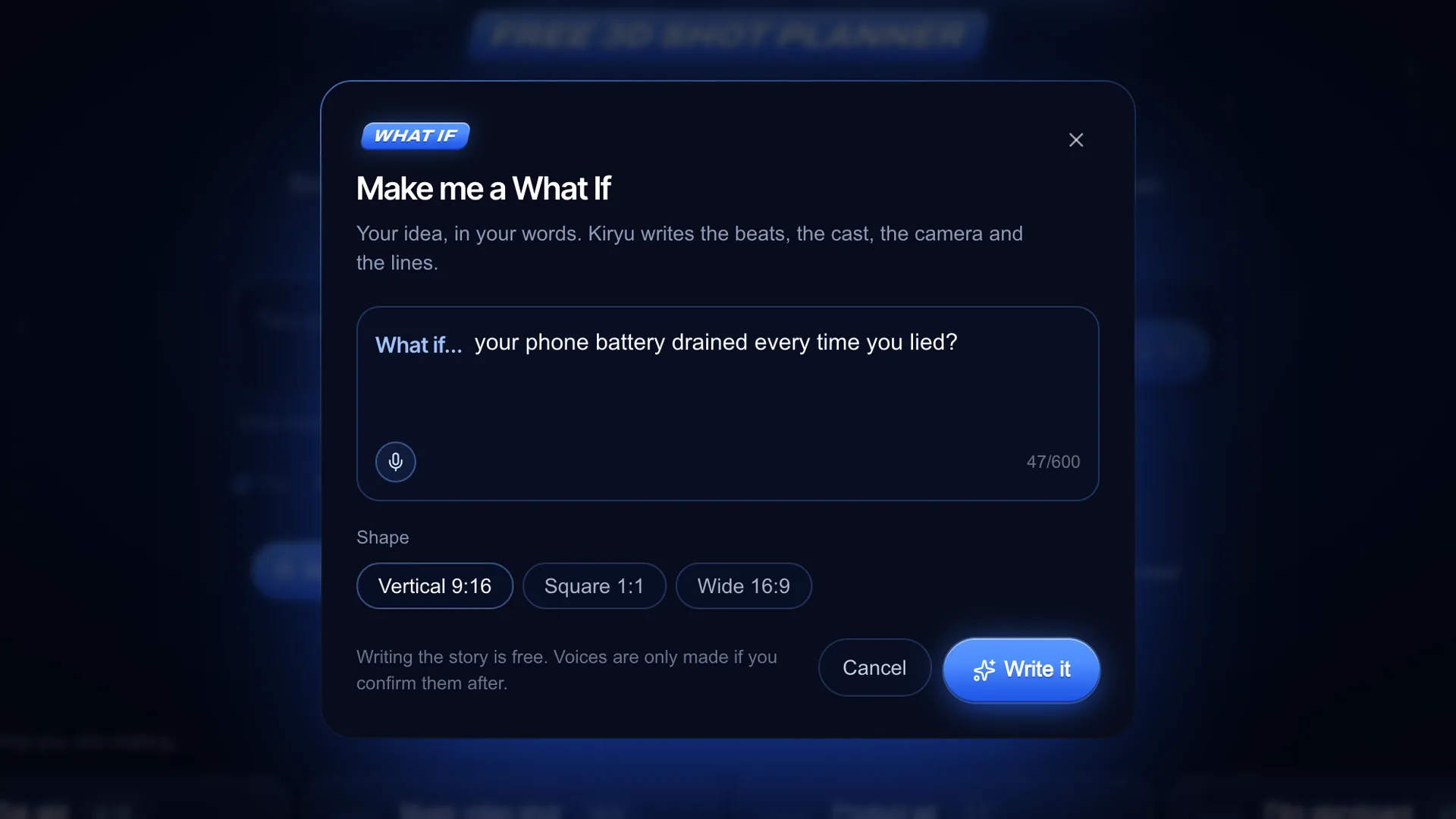
On the Stage landing page, press the Make me a What If card (or type "make me a What If..." in the Kiryu bar inside the editor). Finish the sentence after "What if..." in your own words, up to 600 characters, or say it with the mic. Pick the Shape: Vertical 9:16 for Shorts, Reels and TikTok, Square 1:1 or Wide 16:9. Press Write it.
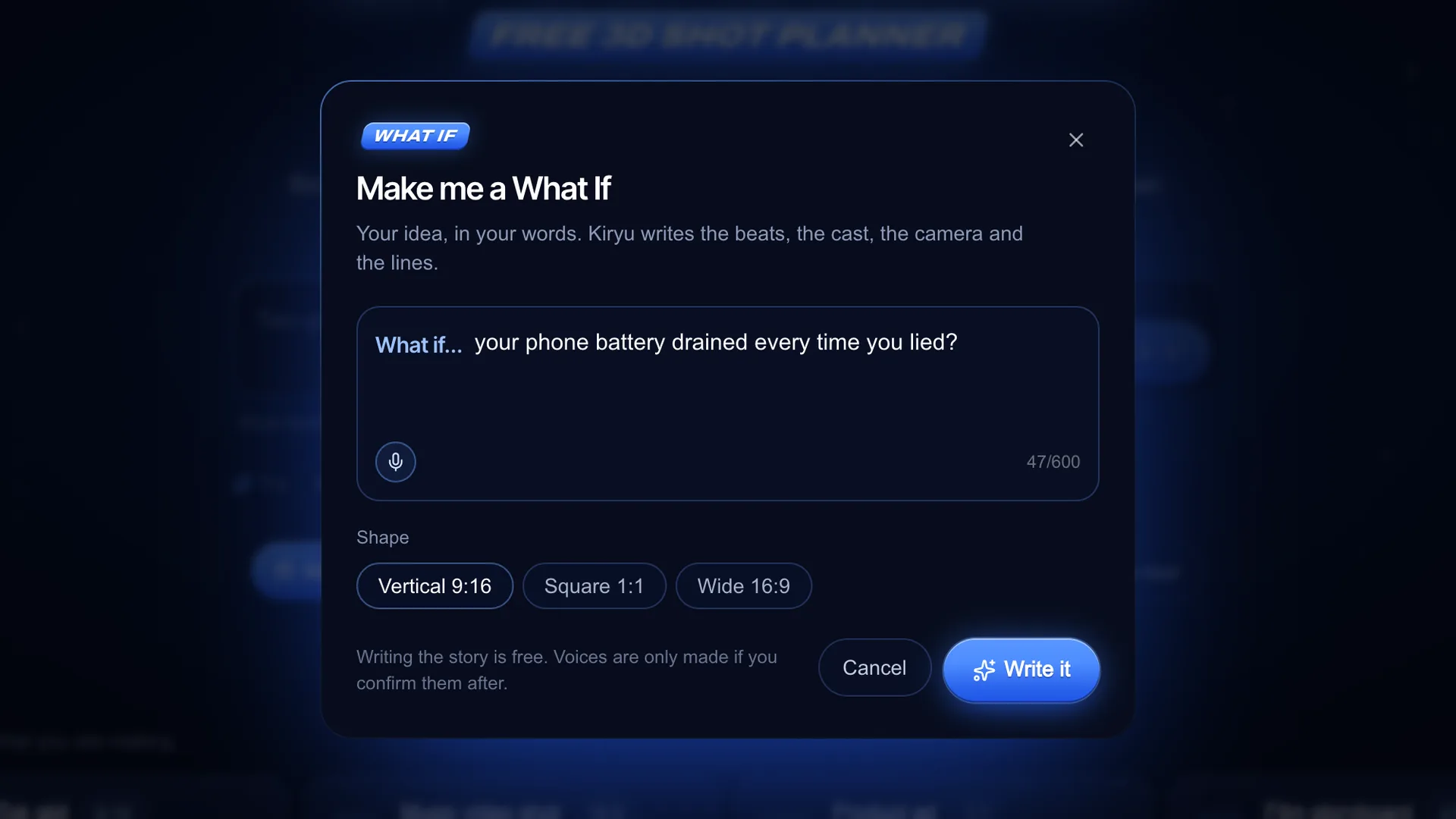
Screenshot of kreatorflow.ai, 2026-11-06 - 2
Read the beats
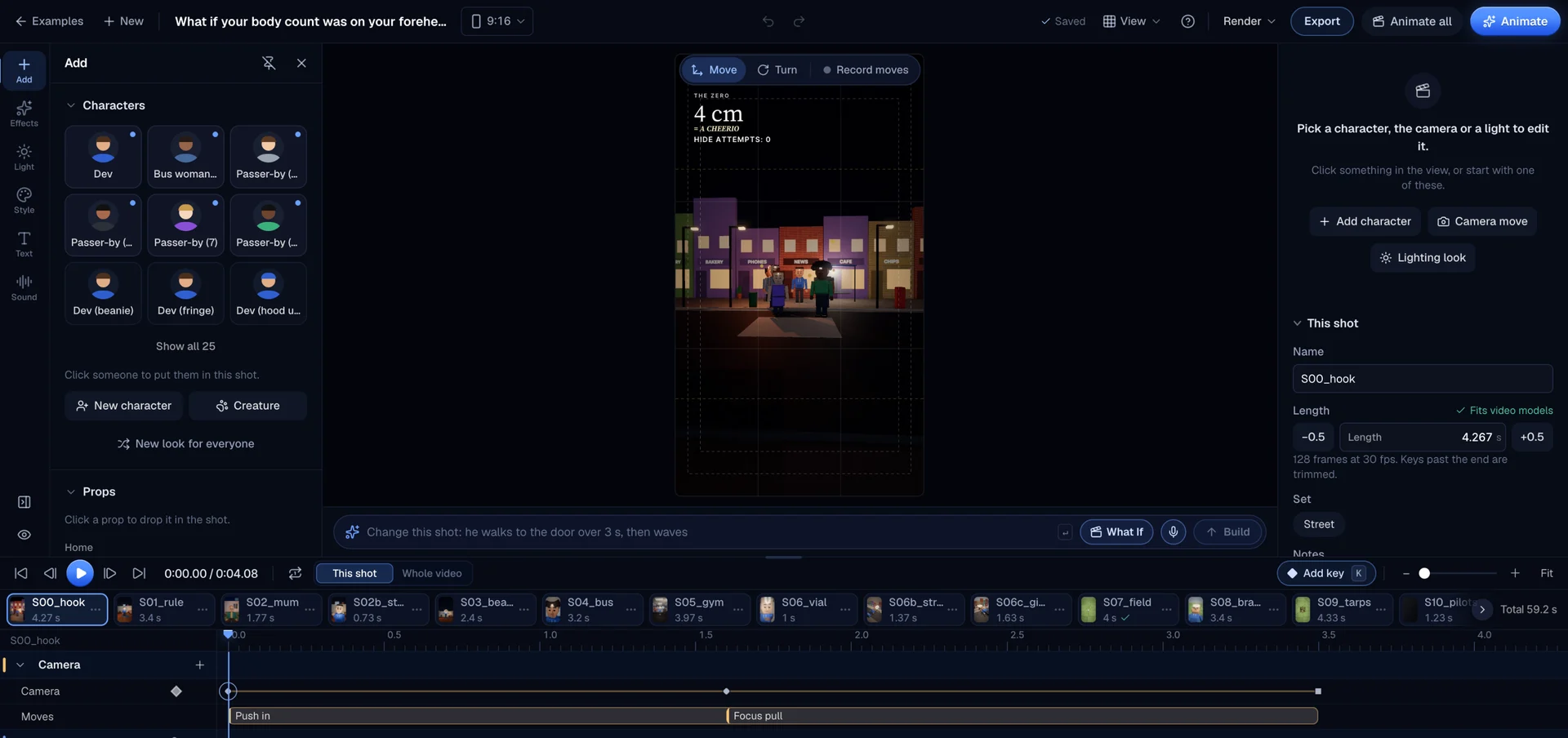
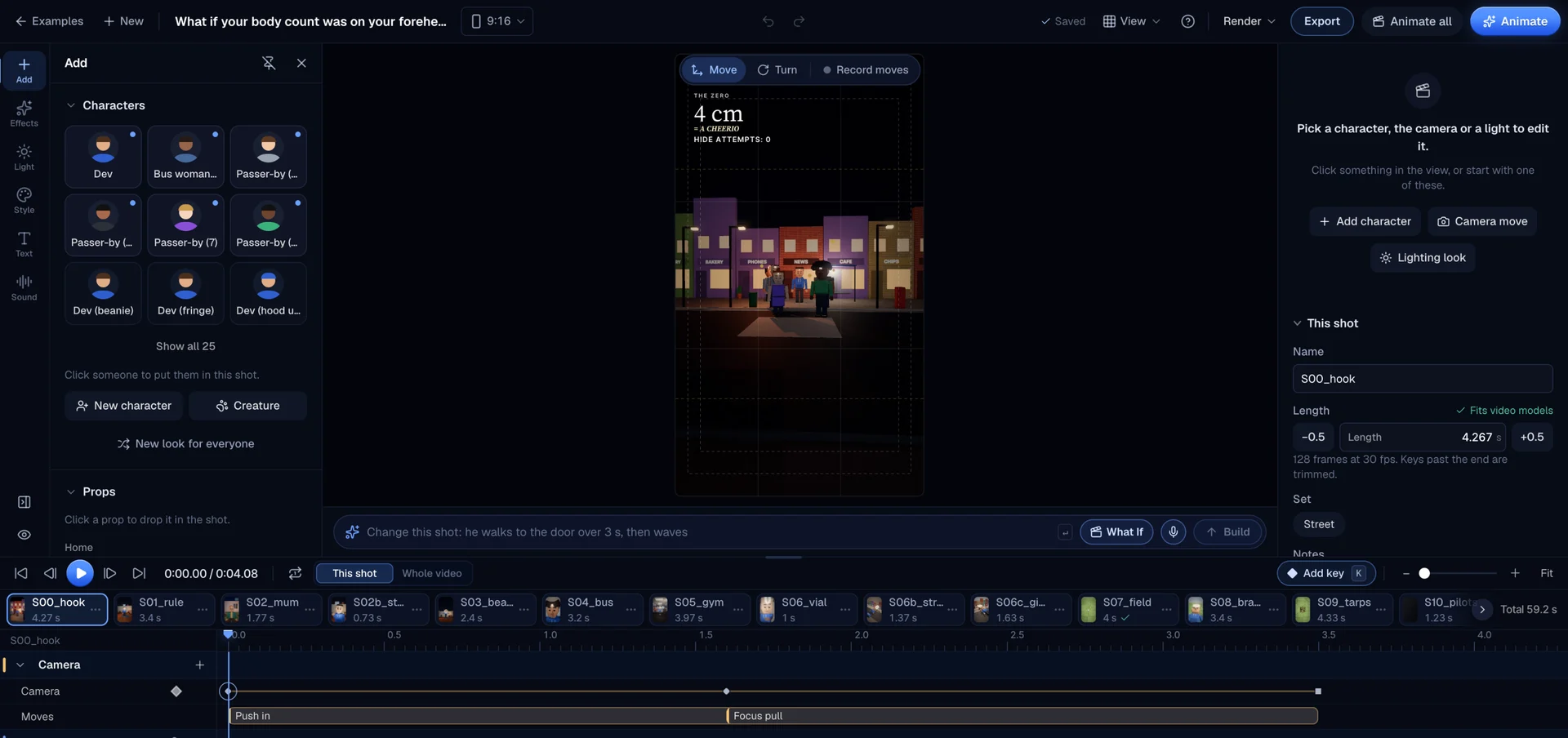
Kiryu usually takes under half a minute. A Your story card then lists every shot with its role: Hook, Escalation or Payoff, and a one-line summary. Press play to watch the plan. Inside the editor, a new story replaces the open scene, and Undo brings the old one back. For a finished example, open the featured body-count short on the Stage page: its shot strip runs from the hook to the payoff.
Screenshot of kreatorflow.ai, 2026-11-06 - 3
Edit the shots, cast and camera
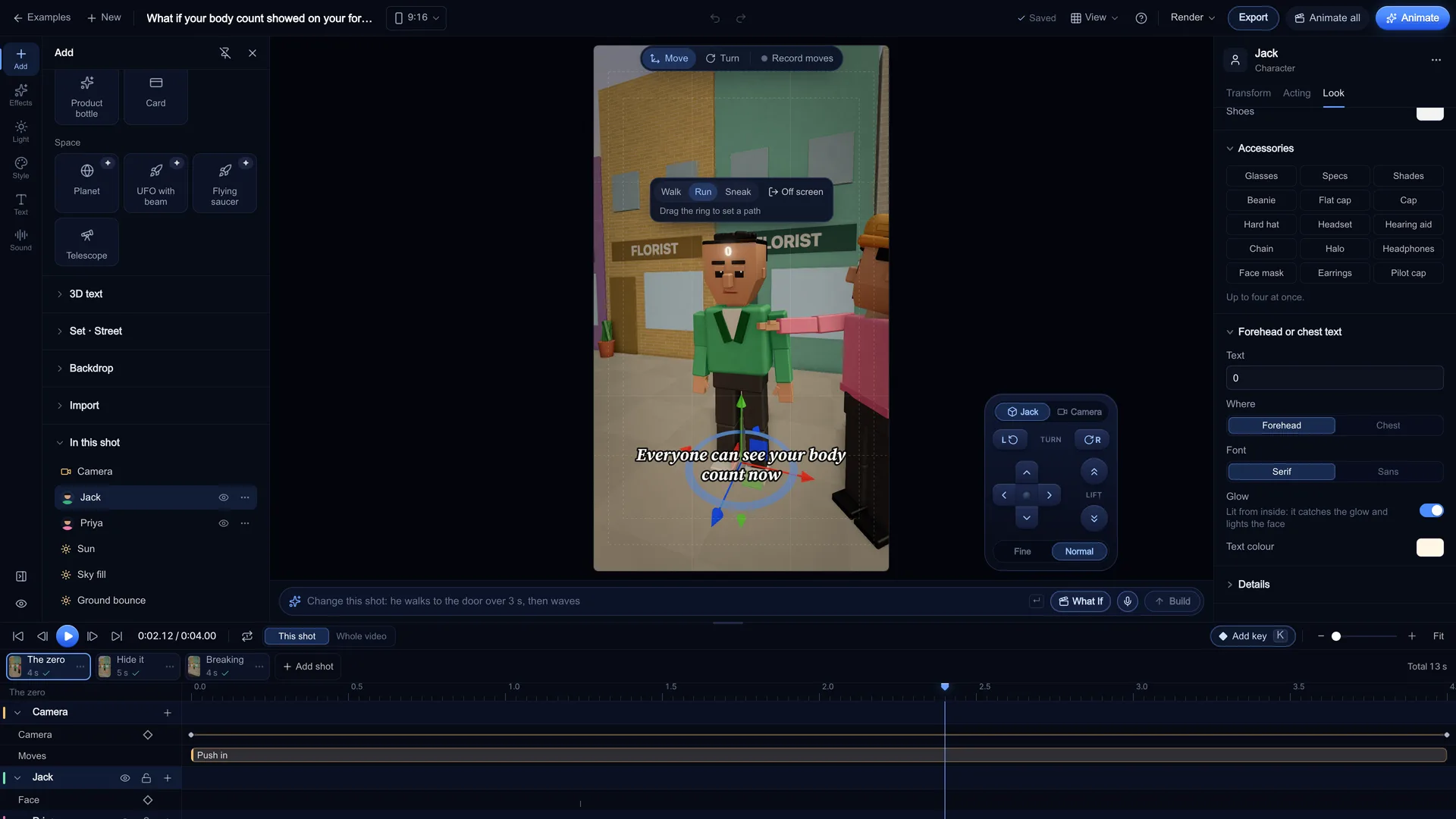
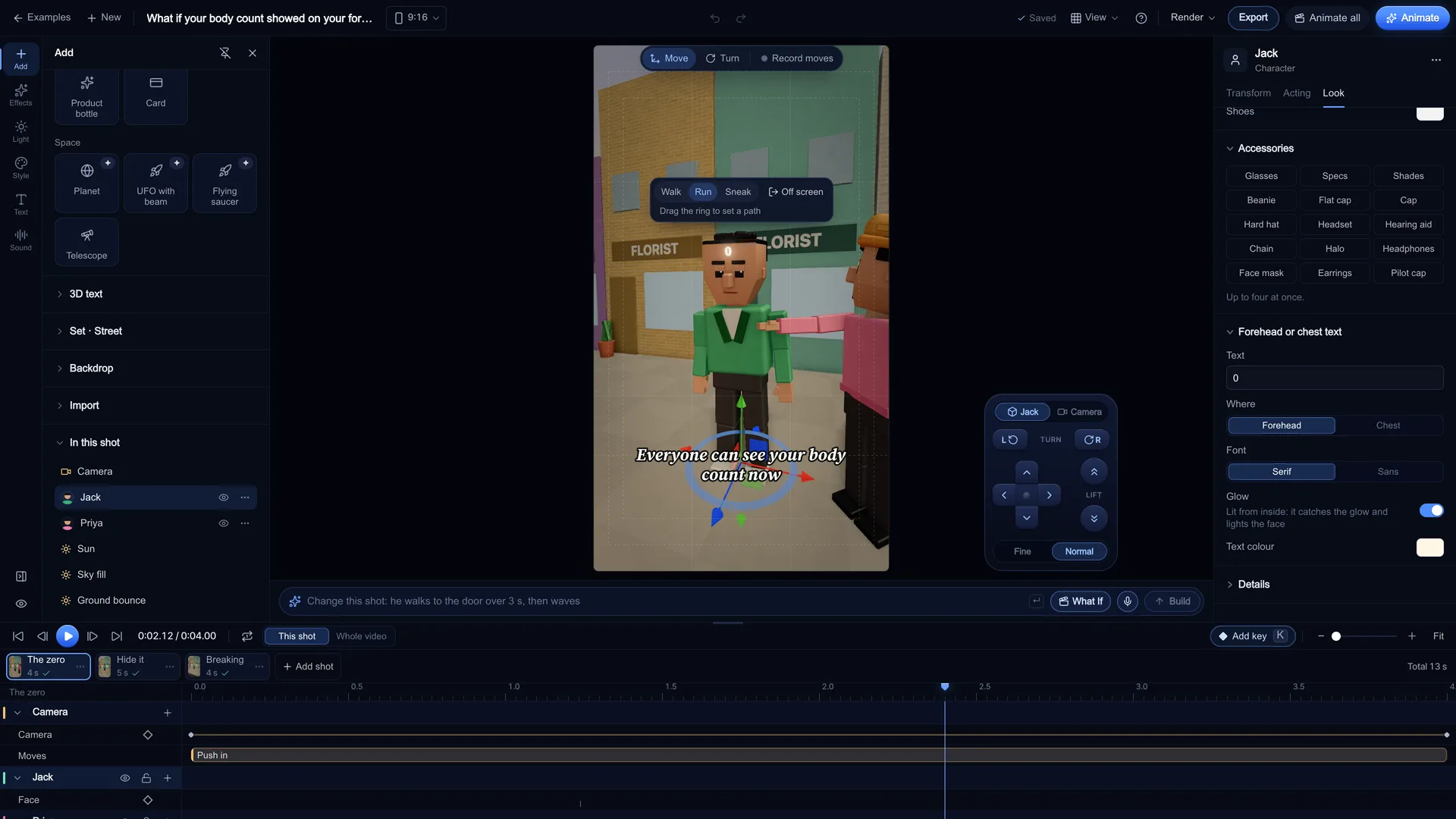
Everything Kiryu built is ordinary keyframes, so you change it like any other scene. Click a character to change the Pose, Expression or Forehead / chest text, use Grow part for the escalation gag, or press New cast to roll a fresh look for everyone. Pick a camera move per shot (Push in, Crash zoom, Orbit, Whip pan, Vertigo and more) and trim each shot between 2 and 15 seconds in 0.5 s steps. You can keep adding shots up to 36 in one project.
Screenshot of kreatorflow.ai, 2026-11-06 - 4
Make the voices
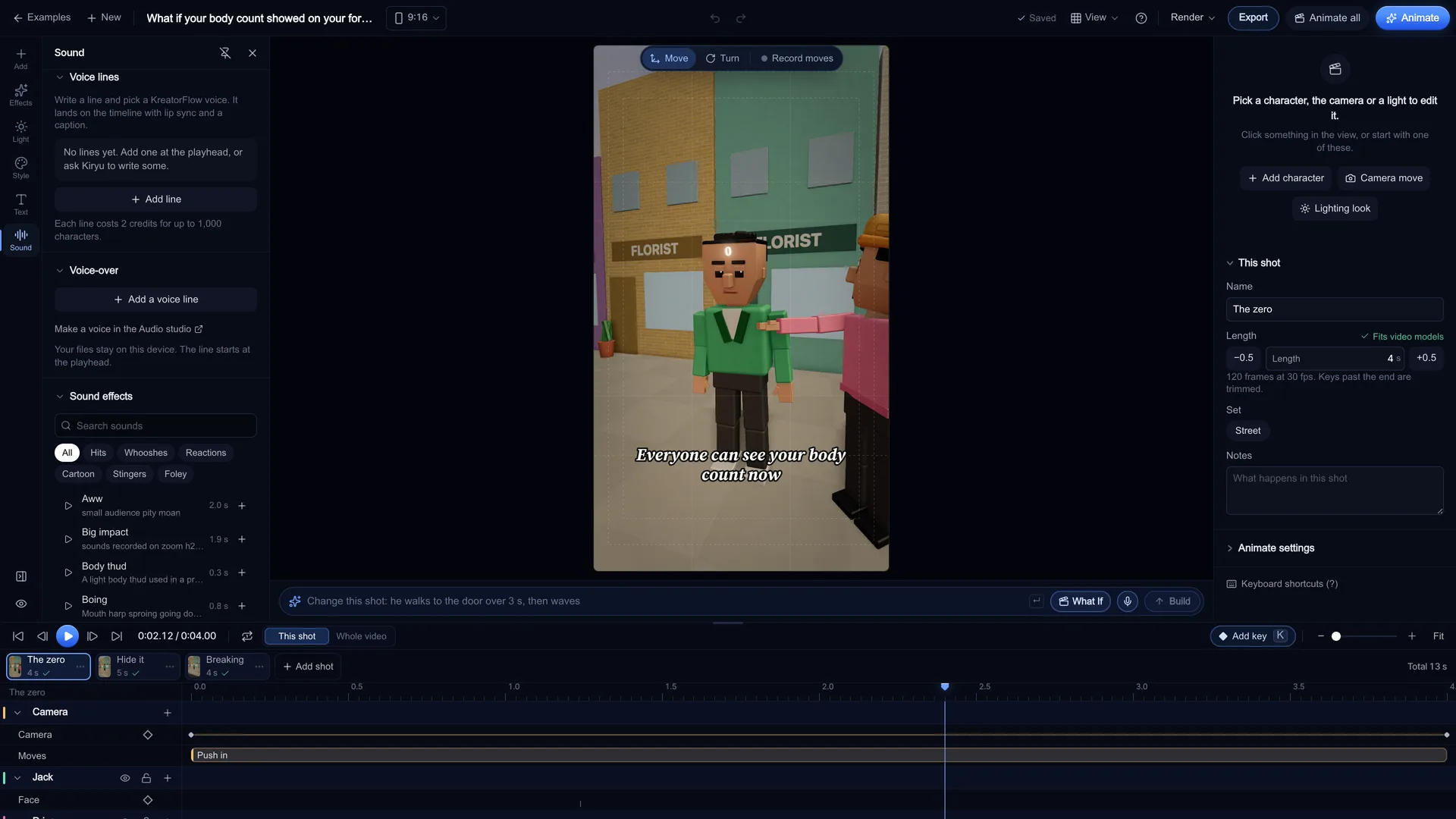
Kiryu writes the lines as drafts and nothing is spent yet. Press Make the voices, pick a KreatorFlow voice for every speaker, and the confirm shows the total before anything is made. Each line lands on the timeline with lip sync and a caption, and you can edit or add lines later in the Sound panel under Voice lines.
Screenshot of kreatorflow.ai, 2026-11-06 - 5
Add the counter, news bar and censor box
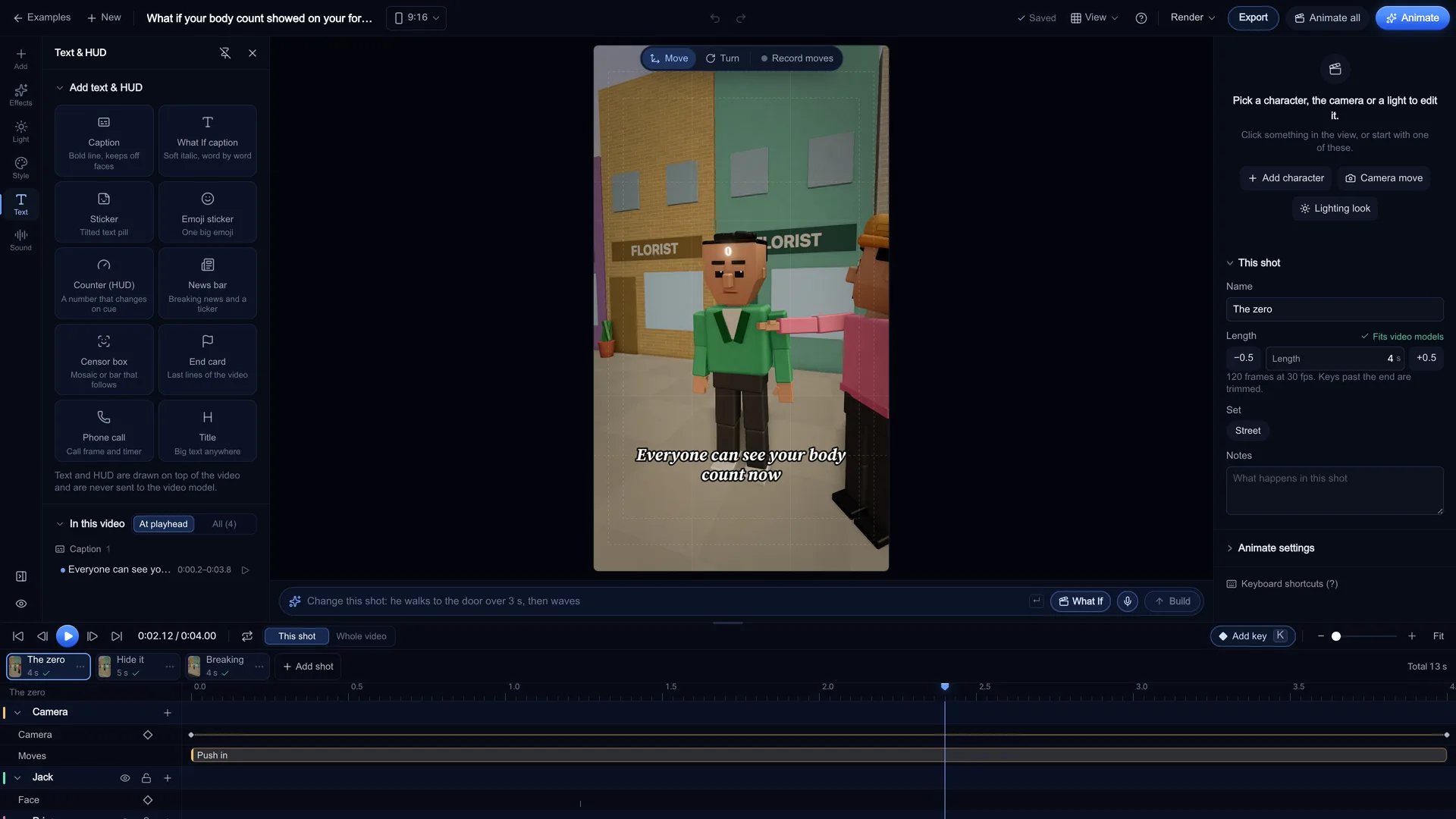
Open Overlays and pick a tile. Counter (HUD) is a number that changes on cue: add a change at the playhead and type the new value, and Grow a character with the counter keys a character to grow with it. News bar gives you a BREAKING NEWS tab, a headline and a ticker. Censor box is a mosaic or black bar that follows a body part. Finish with an End card, stickers and a What If caption that reveals word by word.
Screenshot of kreatorflow.ai, 2026-11-06 - 6
Export the previs, or animate it
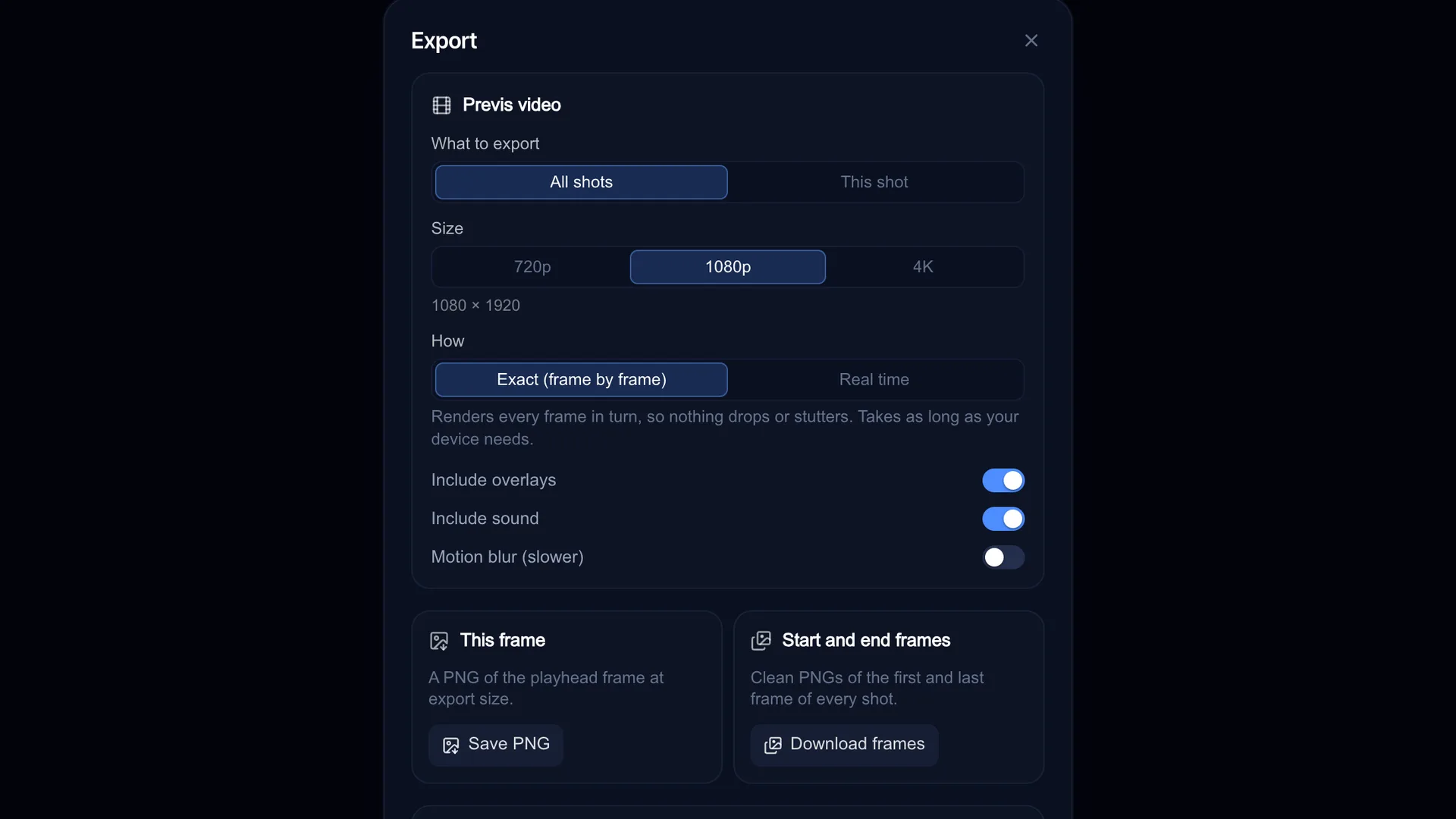
Press Export, choose Previs video, All shots, and Exact (frame by frame) so nothing drops, with overlays and sound included. That file is free and ready to post. To turn the shots into AI video, press Animate all: you see the Estimated total in credits first, and each video comes back to its shot as a take. Seedance takes the shot's start frame exactly, so the video starts on the frame you planned.
Screenshot of kreatorflow.ai, 2026-11-06
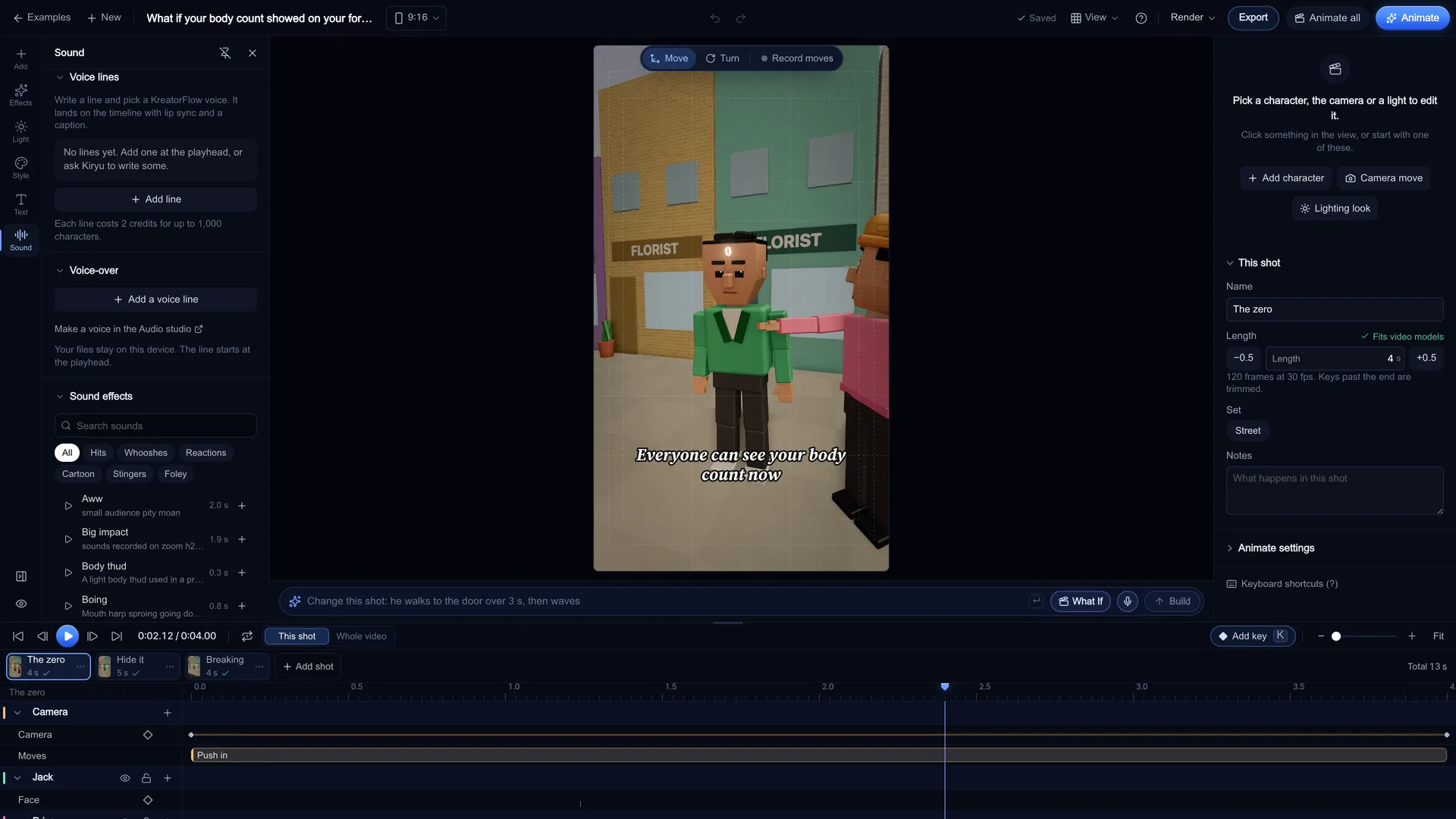
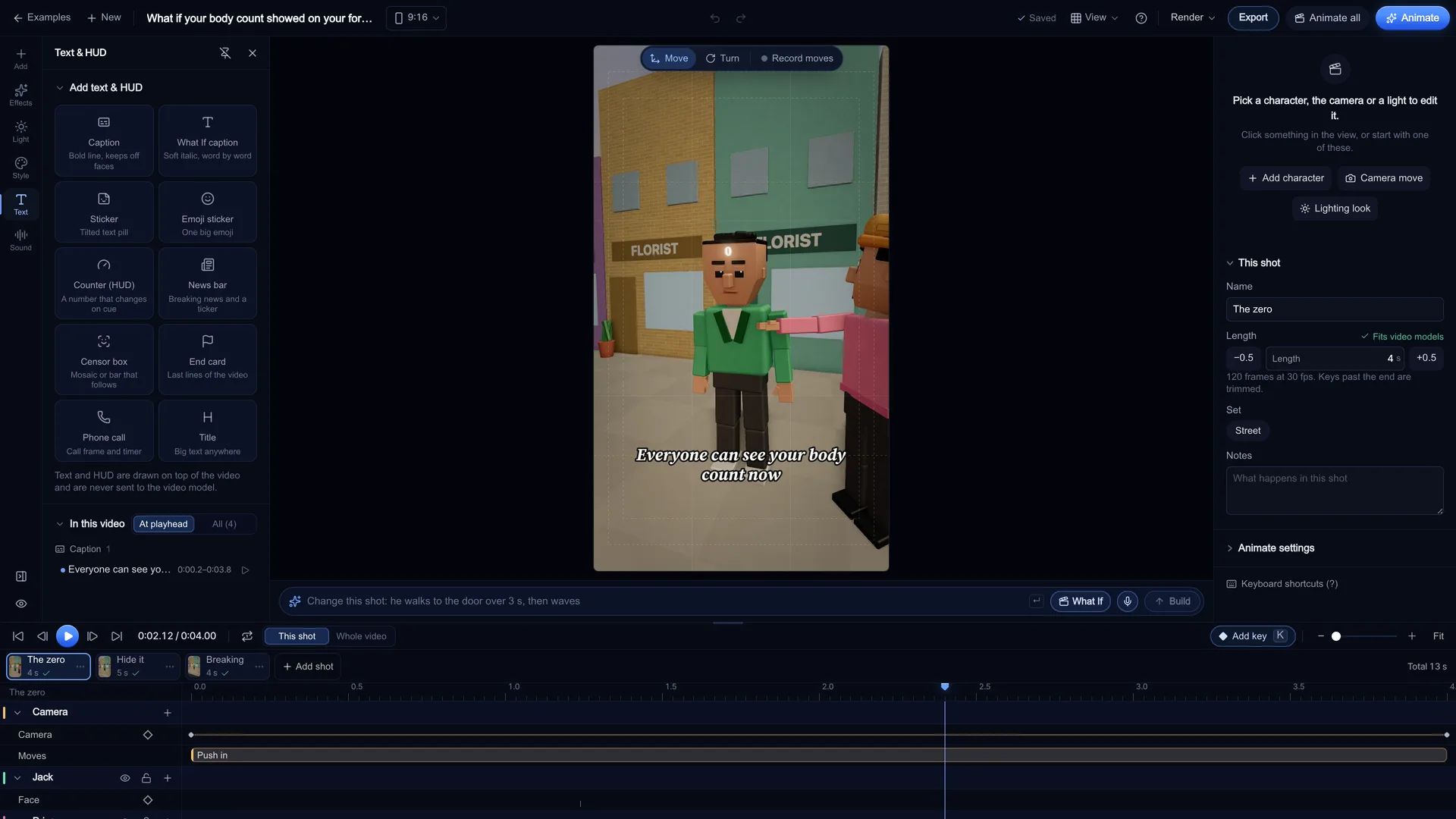
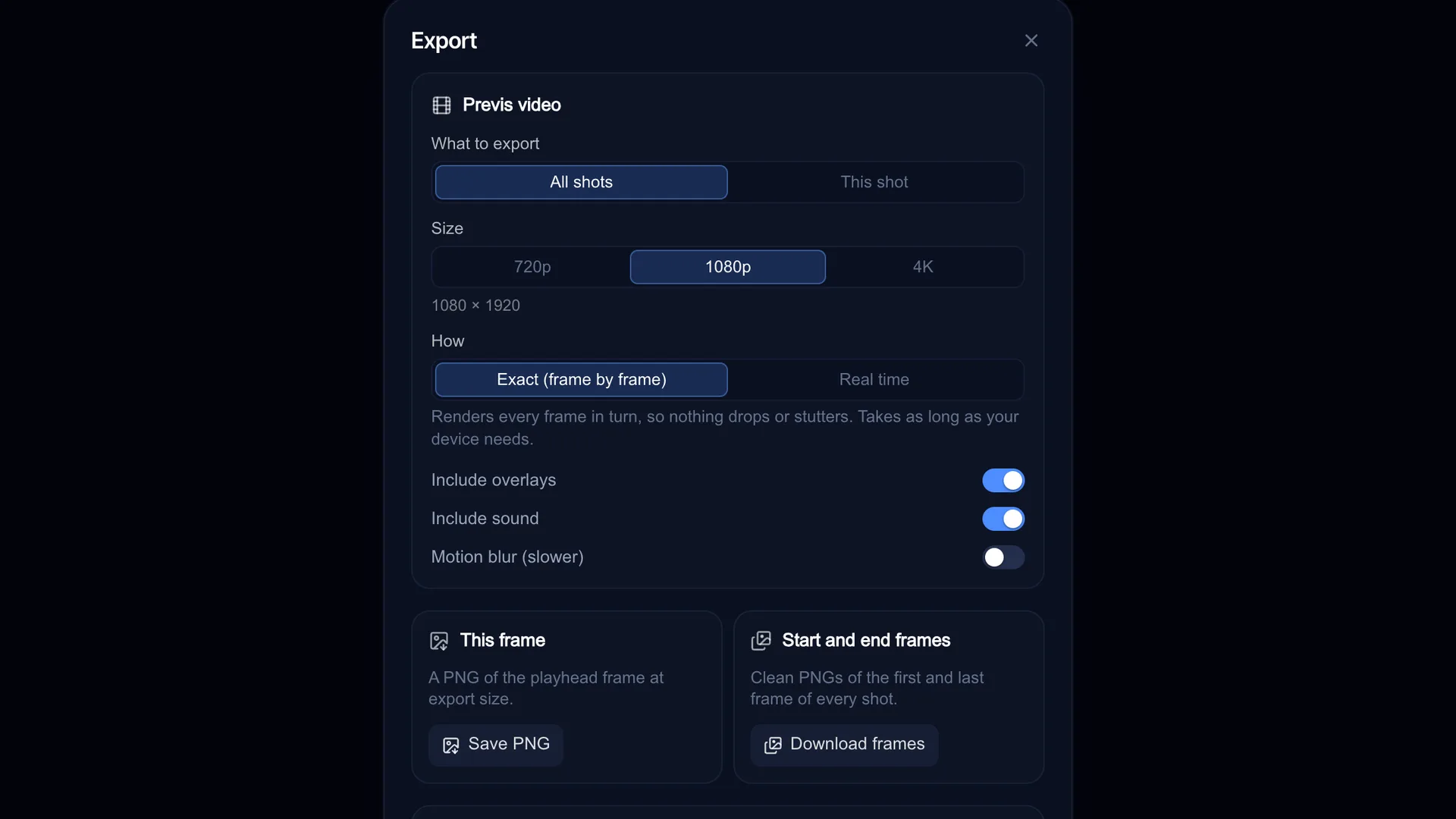
The format: hook, escalation, payoff
A What If short asks one absurd question and then answers it, shot by shot, until it breaks. It works because the structure is fixed and only the idea changes:
Stage's story writer uses exactly those three beats and labels every shot with one of them, so you can see where your short sags before you spend anything.
- Hook: the question and the first strange thing, in the first shot
- Escalation: the thing grows, spreads or doubles, shown by a counter that climbs
- Payoff: the world reacts, often a BREAKING NEWS bar, then an end card that teases part 2
Remix the 3 What If examples
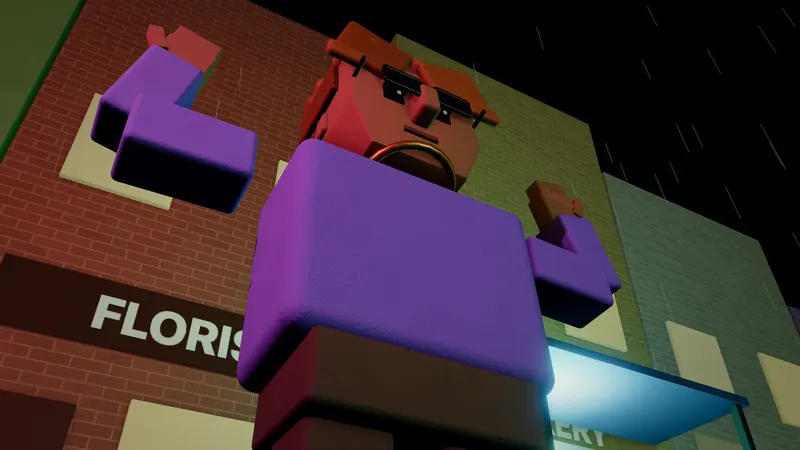
Stage's gallery has a What If shorts filter with "What if mewing was contagious", "What if your body count showed" and "Pin-deep: the news desk". Open this loads one as it is; Remix loads it with a new seed, so the cast and set come out different.
Use them to learn the moves, not as a short to repost: keep the pacing and swap the idea, the cast, the counter's label and the lines.
- What if mewing was contagious: Gym hook: a shh sign, a jawline that grows with a ting, then a crash zoom as it spreads.
- What if your body count showed: A glowing 0 on his forehead grows every time he hides it. Ends on a BREAKING NEWS bar.
- Pin-deep: the news desk: An anchor, a guest who says too much and a censor box that keeps up with him.
Pacing tips that hold attention
Most What If shorts live or die on rhythm. These are the moves that work in Stage:
- Land the counter change on a cut or a beat of the voice, never between them
- Use Crash zoom on the reveal of each new number, and Push in while the narrator sets up the next one
- Add a Straight-man stare or Hold here on the character who reacts: the pause is the joke
- Cut each shot on the voice line, not on round seconds: in the editor a cut can land on any frame
- Keep captions off faces: the Caption tile's Auto position picks a height that does that
- Save the BREAKING NEWS bar and the end card for the payoff, so the last shot feels different
What it costs
Planning in Stage is free, and so is writing the story with Make me a What If (it needs a free account). The export from your browser is free too.
Voices cost 2 credits per started 1,000 characters. A voice line in Stage is at most 400 characters, so each line costs 2 credits, up to 60 lines per project. Putting back audio you already made is free.
Animating is optional and is charged in the Video studio's credits, shown before you confirm. As a rough guide, a story of 36 shots at 5 seconds a shot on Seedance 2.0 Mini 720p is about 324 credits; the Estimated total in Animate all shows the real figure for your shot lengths.
KreatorFlow is an official partner of BytePlus, a ByteDance company, so the Seedance models in the table are the same ones in the KreatorFlow Video studio.
| Model | 720p | 1080p |
|---|---|---|
| Seedance 2.0 Mini | 9 credits | 17 credits |
| Seedance 2 Fast | 12 credits | 20 credits |
| Seedance 2.0 | 15 credits | 30 credits |
| Seedance 2.5 | 24 credits | 50 credits |
Coming from Blender?
If you already make 3D shorts in Blender, Stage is a faster way to write and block the next one: type the idea, get every shot with the camera and lines in place, and fix the timing before you open anything heavier.
Stage keeps its own scene file and does not import .blend or FBX files or export to Blender. It does import your own .glb, .gltf and .vrm characters, props and sets, which stay in your browser.
Questions other guides skip
Do I need Blender to make 3D What If shorts?
No. This format is often built in Blender or Cinema 4D, which gives you full control but means modelling, rigging, lighting and rendering every shot yourself. Stage skips that: the cast, sets, camera moves, counter and captions are built in, and it runs in a desktop browser. Stage does not open .blend files or export to Blender, so pick one tool per project.
Why does the counter matter so much?
The format runs on escalation: something gets bigger, worse or weirder every few seconds. A number on screen makes that escalation readable even with the sound off. In Stage the Counter (HUD) changes on cue, and the same counter can drive a character's size.
What does Kiryu refuse?
If an idea can't be made, Kiryu says so in one short line and builds nothing, so you can try another What If. You always bring the idea: the sheet never suggests one, which keeps the short yours.
Frequently asked questions
Is making a What If short free?
Writing the story and planning every shot in Stage is free; the story writer needs a free account. Voices cost 2 credits per started 1,000 characters and are only made after you confirm. Animating shots into AI video costs credits, shown before you confirm.
Can I post the previs as it is?
Yes. The previs video is your own export, made in your browser with your overlays and sound, with no watermark added. Post it as it is, or animate the shots into AI video first.
What size should a What If short be?
Vertical 9:16 for YouTube Shorts, Instagram Reels and TikTok. Pick Vertical 9:16 in the Shape row when you write the story. Export at 1080p, or 4K in Exact mode.
Can I make Zack D. Films style shorts with Stage?
Stage makes blocky 3D What If shorts with a narrator, a counter and captions, the general format that channel helped make popular. Use your own ideas and characters: KreatorFlow is not connected to that channel.
Can I make a What If on my phone?
No. The Stage editor needs a desktop or laptop browser. On a phone you can watch the examples and send yourself the link.
How many shots does Kiryu write?
Up to 36 shots per story. You can add more shots yourself, up to 36 in one project.